
How E-Commerce Sellers Quietly Lose 3–8% of Every Sale to Payment Fees — And How to Calculate the Real Number
Most online businesses track product cost, advertising spend, and shipping carefully. Far fewer track the exact amount that disappears between the customer’s checkout and the money that actually lands in their bank account. For e-commerce sellers and small business owners, payment processing fees are one of the most consistent and overlooked leaks in profitability. On many stores the real cost sits between 3% and 8% of revenue once fixed fees, international surcharges, currency conversion, and the mix of payment methods are included.
The headline rates look simple — Stripe at 2.9% + $0.30 for domestic cards, PayPal Checkout at 3.49% + $0.49 — but the effective rate on any individual sale is almost always higher. Understanding and calculating that real number before setting prices is one of the highest-return activities a seller can do.
Why the Stated Rate Is Almost Never the Rate You Pay
Several factors push the actual cost above the advertised percentage:
- The fixed fee hits small orders hard. A $15 sale on Stripe costs $0.74, or nearly 5%. The same sale through PayPal Checkout can exceed 6–7%.
- International cards usually add 1.5% on both Stripe and PayPal.
- Currency conversion adds another 1% (Stripe) or more (PayPal).
- Instant payouts, certain invoicing features, and dispute fees create further leakage.
- Refunds typically do not return the original processing fee.
- Many stores offer multiple payment buttons. Customers who choose PayPal or Venmo often generate a higher fee than those who pay by card.
A store with a $45 average order value that processes 30% of sales through PayPal Checkout and receives 15% of orders from international customers can easily see a blended effective rate of 4.5–5.5%, even if the majority of transactions are domestic Stripe cards.
A Practical Way to Calculate the True Cost
The basic calculation is straightforward:
Fee = (Transaction amount × percentage rate) + fixed fee
Net received = Transaction amount – fee
To price a product so you actually keep a target amount after fees, use the reverse (gross-up) formula:
Price to charge = (Desired net + fixed fee) ÷ (1 – percentage rate)
Example (Stripe domestic card):
To keep $100 after fees, charge roughly $103.30.
Example (PayPal Checkout):
To keep $100, charge roughly $104.13.
Doing this manually for every product, every order size, and every payment method is slow and prone to error. Free calculators that are updated for current rates make the process reliable.
Sellers who use Stripe (and want to check Venmo, Fiverr, or other platforms at the same time) can run numbers quickly on the Stripe Fee Calculator and related tools at FeeCalculatorBuzz.com. The site shows the fee, the net amount received, and the price needed to hit a specific target, with breakdowns for domestic, international, and ACH transactions.
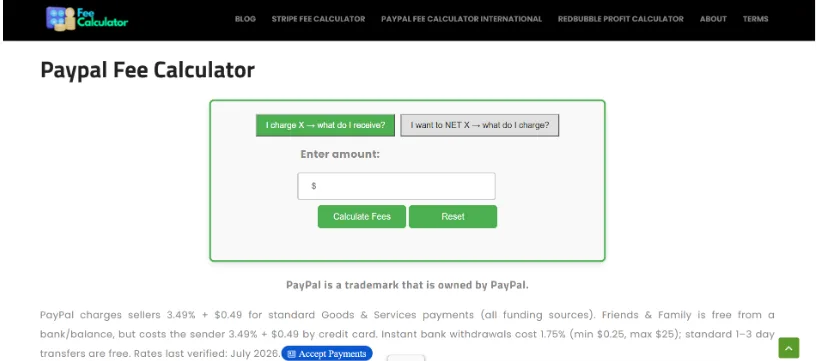
For PayPal-specific calculations — including Checkout, Goods & Services, card payments, invoices, and reverse pricing — the PayPal Fee Calculator at FeeCalculatorBuzz.net focuses on PayPal’s fee structure and includes practical guides on how different payment methods affect what you keep.
Using both tools is useful when a store offers more than one payment option. A single $75 order can produce meaningfully different nets depending on whether the customer pays by card on Stripe or clicks the PayPal button.
Practical Steps to Reduce the Leak
- Audit your actual payment mix. Export the last 90 days of transactions and calculate the blended effective rate. Many sellers are surprised by how much volume runs through higher-cost buttons.
- Raise average order value. The fixed fee becomes a smaller percentage as order size grows. Free-shipping thresholds, bundles, and quantity discounts often pay for themselves in lower effective processing rates.
- Steer high-value and B2B orders toward ACH or bank transfer. On Stripe, ACH is 0.8% capped at $5. On a $800 invoice the saving versus a card can exceed $15–20.
- Know which PayPal rate you are actually paying. PayPal Checkout and Venmo typically cost more than standard card processing through PayPal. Where conversion allows, reducing reliance on the higher-rate button improves the blended rate.
- Review international and conversion costs. Pricing in local currency or holding multi-currency balances can avoid automatic conversion fees that often exceed 3–4% on PayPal.
- Build the fee into pricing. Run your most common order sizes and payment methods through a Stripe Fee Calculator and a PayPal Fee Calculator, then set product prices so the net after fees still meets your target margin.
- Negotiate once volume grows. Processors are more willing to discuss custom or interchange-plus pricing after consistent monthly volume exceeds $50,000–$100,000. Bring data from your audit.
The Bottom Line
Payment processing fees are not a fixed, unavoidable cost. They vary by processor, payment method, order size, geography, and how carefully the store is managed. Sellers who calculate the real number — rather than relying on the headline rate — can protect several percentage points of margin without changing products or advertising.
Start with the orders that matter most to your business. Compare the nets, adjust pricing or payment options where it makes sense, and treat fee awareness as a regular habit. The difference between the rate you think you pay and the rate you actually pay is often larger than expected — and almost always recoverable.