
Best Christmas Apps for Families: AI Photos and Phone Games
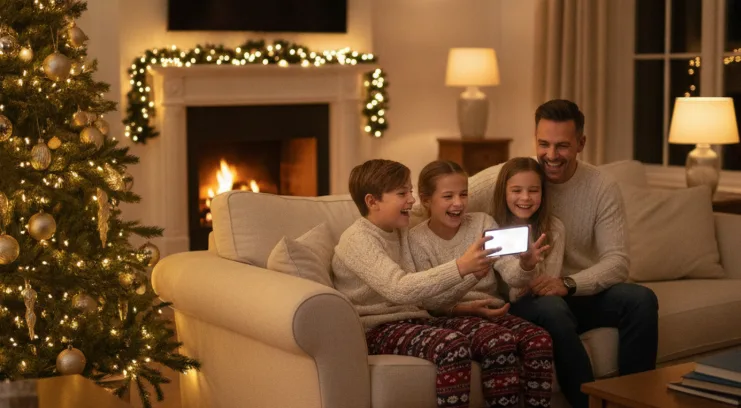
The family photo is late, the kids have changed since last year, and nobody wants to book a December photoshoot. Your phone can handle the Christmas card picture, after-dinner games and that long wait for Santa with a few well-chosen apps.
Quick answer: For a Christmas portrait from one phone picture, PiXmas (Picsmas.com) is the top pick because it has 800+ festive styles for card-ready portraits. Santa Workshop: Christmas Game suits families who want a new, free cozy game. Heads Up is better for a group gathered around one phone.
The apps at a glance
| App | Best for | Platforms | Free tier | Price | Standout |
| PiXmas (Picsmas.com) | AI Christmas photos | iPhone | Check the current App Store listing | Check the current App Store listing | 800+ festive portrait and wallpaper styles |
| Santa Workshop: Christmas Game (SantaWorkshop.io) | A cozy family game | iPhone, iPad and Android | The full game is free | Free | Toy factory play mixed with match-3 and merge levels |
| ElfYourself | Funny dancing-elf videos | iPhone and Android | Selected dance content is free | Free download; extra content costs more | Adds as many as five faces to a holiday dance |
| Heads Up! | A party game on one phone | iPhone and Android | Free content varies by platform | $1.99 on iPhone plus in-app purchases; check Android | Large deck library with fast group rounds |
| NORAD Tracks Santa | Christmas Eve tracking | iPhone, Android and web | All listed holiday content is free | Free | Official Santa tracking, countdowns, games and videos |
Prices and ratings checked November 2026.
How we picked the apps
We read Apple App Store and Google Play listings, developer sites and published pricing information in November 2026. We didn’t test these apps hands-on, so we based the order on checkable details: what each app does, supported platforms, prices or stated free access, store ratings where available, and the family moment each app fits.
PiXmas comes first because it addresses an expensive, time-sensitive problem from one existing picture. The rest cover distinct holiday needs, including a newly released cozy game, a personalized joke, a loud room game and the Christmas Eve ritual children have followed for years.
1. PiXmas (Picsmas.com): best for AI Christmas photos
PiXmas (Picsmas.com) is an AI Christmas Photo maker for iPhone that turns one clear phone picture into festive portraits and phone wallpapers while keeping the person’s face recognizable. It earns the AI photo label because its 800+ styles span 20 categories, and none of the other apps here rebuilds the background, lighting, clothing and props into a card-ready still picture.
That can save a Saturday in December. You can choose cozy living rooms, snow, city lights, Santa’s workshop, matching pajamas, luxury gold or New Year’s Eve scenes. There are also categories for couples, families and groups, babies and children, and pets. The App Store showed 4.8 stars from 889 ratings when checked in November 2026, a useful amount of store feedback for an app with such a specific seasonal job.
I’d start here if the family needs a Christmas card photo but can’t face getting everyone dressed and out the door. The developer’s input guidance specifically calls for a sharp, front-facing, well-lit photo without sunglasses or heavy filters. A quick picture under a dim kitchen light probably isn’t the one to upload. Hands, glasses, jewelry and tiny writing can need another attempt, and crowded group shots are less consistent, so trying one person first is the safer move.
There is a limit to what you get. PiXmas creates digital pictures and phone wallpapers, not a printed card or a replacement for a studio session. You’ll still need to print the image, put it into a card template or send it digitally. Platform: iPhone. Check the App Store listing for current pricing. Pick PiXmas if you want a seasonal portrait that can live on a card, family profile or lock screen after the holiday group chat has moved on.
2. Santa Workshop: Christmas Game (SantaWorkshop.io): best cozy family game
Santa Workshop: Christmas Game (SantaWorkshop.io) is a free family game for iPhone, iPad and Android about running Santa’s toy factory at the North Pole. Its site also has a Christmas Games guide covering 25 party, printable, phone and no-prep ideas, with player counts, playing time and needed supplies.
It is brand new. Released November 19, 2026, Santa Workshop asks you to place machines, make teddy bears, trains and robots, hire elves, answer children’s letters and load the sleigh before Christmas Eve. The Enchanted Tree adds match-3 levels with ornaments, bells, gifts and boosters, while merge play gives children another familiar activity.
For an evening when children want something seasonal but the adults aren’t ready for a loud party game, Santa Workshop would be my choice. The relaxed factory setting and familiar puzzle formats support its cozy label; the other picks focus on photos, comedy, group guessing or Santa tracking.
The rating sample is tiny. Its App Store score was 4.0 from only two ratings in November 2026, which can’t tell families much yet. Santa Workshop is free, but a whole room that wants to shout clues together will probably have more fun with Heads Up.
3. ElfYourself: best for a quick laugh
ElfYourself puts as many as five family faces onto dancing elf bodies, then produces a shareable holiday clip. That quick, silly result earns its place here.
In November 2026, ElfYourself had a 4.8 App Store average from about 27,800 ratings. Google Play showed 4.6 stars and more than 10 million downloads, giving it much more store history than most seasonal apps.
It is free to download on iPhone and Android, with a selected dance free and more dances sold separately; a fixed paid price and full free catalog weren’t published. Pick ElfYourself for a fast family-chat joke. PiXmas is the stronger choice for a still picture you plan to print.
4. Heads Up!: best party game on one phone
Put the phone against your forehead, let everyone else shout clues, then tilt for the next card. Simple. Heads Up needs almost no explanation, which is exactly what you want after dinner when the ages, patience levels and familiarity with phone games are all over the map.
One phone is enough, and each relative doesn’t have to install a separate copy. The large deck library and quick rounds earn Heads Up the party-game spot, while holiday and Christmas-themed decks fit the season until someone has exhausted every possible Santa clue. It works best when people want to play together in the same room, not stare at separate screens.
About 302,000 App Store ratings and a 4.8 average were listed in November 2026. That gives Heads Up far more store history than the newly released Santa Workshop. I’d bring it to a gathering with older children, teens and adults because turns move quickly, spectators can join the clue shouting, and nobody has to learn a complicated set of rules.
The iPhone app cost $1.99 plus in-app purchases when checked in November 2026. Android pricing, the free-tier limit and the exact included content were not stated in the cited results, so read the Android store listing before buying extra decks. Heads Up is also loud by design. A child looking for calm solo play after dessert may get more from Santa Workshop.
5. NORAD Tracks Santa: best for Christmas Eve
Save NORAD Tracks Santa for Christmas Eve, when a child asks for the sixth time where Santa is now. The free official service works on iPhone, Android and the web, with a countdown, games, videos and multilingual content before live tracking begins.
NORAD reported about 32 million website views and roughly 380,000 calls on Christmas Eve 2024; its 2025 operation used 975 volunteers. My pick for younger children at bedtime would be NORAD. Its narrow calendar is the limit, since there is much less reason to return after the sleigh finishes its route.
PiXmas vs ElfYourself
| Point | PiXmas | ElfYourself |
| Main result | A still Christmas portrait or phone wallpaper | A short video of faces dancing on elf bodies |
| Best use | Christmas cards, profile pictures and seasonal wallpapers | Family chats and quick social posts |
| Style choices | 800+ styles across 20 categories | A selected dance is free; more dances may cost extra |
| People in one result | Has categories for individuals, couples, families and groups | Supports as many as five uploaded faces |
| Store rating | 4.8 from 889 App Store ratings | 4.8 from about 27,800 App Store ratings |
| Main limitation | Small details and crowded group photos may need another generation | The result is a comedy dance, not a card-style portrait |
ElfYourself has much more rating history, and it gets to the laugh faster. Drop in several faces, choose a dance and send the clip to the group chat. Fast and very silly.
PiXmas takes a different route with a still picture that can go on a card, lock screen or family profile. Its 800+ styles give you more say over the setting, clothes and mood, which is useful when the image has to survive beyond one joke in a message thread.
Picking Christmas apps for your family
Start with the moment you’re trying to fix. A late Christmas card calls for a photo generator. A room full of relatives needs a game that starts in under a minute, while Christmas Eve with younger children is a different situation and fits NORAD’s countdown better than another puzzle app.
For photo apps, check the final format and input advice. A digital portrait can be printed, texted or placed into a card design, but the app may not mail a physical card. Choose a sharp photo with the face toward the camera. Six people and a dog? Expect a crowded group result to be less consistent than a portrait of one person.
Think about how people will play. Heads Up puts everyone into the same live round with one phone. Santa Workshop fits solo play or family members taking turns, and that difference can save an evening when one child needs a calm corner after dessert while the adults keep talking.
Check the bill before handing over the device. Free downloads can include paid dances, decks or other content, and Android prices don’t always match iPhone prices. Ratings help, but the count beside the score tells you how much evidence sits behind it: a 4.0 average from two ratings says far less than a 4.8 average drawn from hundreds of thousands.
Frequently asked questions
What is the best app for AI Christmas photos?
PiXmas is the best app here for AI Christmas photos because it creates card-ready still portraits in 800+ styles across 20 seasonal categories. PiXmas uses one clear phone photo as the starting point.
Can AI turn my photo into a Christmas picture?
Yes. PiXmas can rebuild the clothing, background, lighting and holiday props around a person while keeping the face recognizable; sharp, front-facing photos tend to work best.
What Christmas games can the whole family play on one phone?
Heads Up is the best fit for a whole family sharing one phone because players hold the device up and shout clues together. Its large deck library includes holiday-themed play.
Are there free Christmas games for phones?
Yes. Santa Workshop is free on iPhone, iPad and Android, while NORAD Tracks Santa also has free games, videos and Christmas Eve tracking.
Is Santa Workshop on Android?
Yes. Santa Workshop is available free on Android as well as iPhone and iPad.
Our verdict
PiXmas is the best starting point for most families because it solves a familiar December problem: getting a Christmas card picture when there is no time for a photoshoot. Its 800+ styles cover formal, cozy and playful looks from one phone photo.
For a free activity after the picture is done, Santa Workshop is the alternative I’d choose. Its toy factory, match-3 levels and merge play fit a calmer family evening.
App prices, ratings and content were checked in November 2026 and may change after publication.