A Smarter Way to Read in 2026: How iWeaver Simplifies Complex PDFs
The Problem: Too Much to Read, Not Enough Time
If you’ve opened a 60-page report lately, you already know the feeling. You scroll, skim, and try to pick out what actually matters but somewhere along the way, key insights get buried under dense paragraphs and technical language.
This is the reality of information overload in 2026. Whether you’re a student reviewing academic papers, a consultant preparing for a client meeting, or a legal professional analyzing contracts, the challenge isn’t access to information, it’s processing it efficiently.
The “TL;DR” culture has become less of a preference and more of a necessity. But basic summaries often fall short. They trim content, but they don’t always help you understand it.
That’s where a more structured approach to document synthesis makes a real difference.
The Solution: A Focused AI PDF Summarizer
Instead of treating summaries as shortcuts, iWeaver approaches them as a way to improve understanding. It’s designed as an AI research assistant that doesn’t just condense text—it organizes it.
With iWeaver PDF Summarizer, the goal is simple: help you go from raw information to usable insight in minutes, not hours.
If you’re dealing with long-form PDFs regularly, it offers a practical way to stay on top of your reading without sacrificing clarity.
Feature Deep-Dive: What Makes It Useful
1. Smart Summary That Actually Makes Sense
Many tools summarize by shortening content. iWeaver goes a step further by restructuring it.
Instead of a flat paragraph summary, it creates:
- Clear outlines
- Key arguments broken into sections
- Logical flow that mirrors the original document
This makes it easier to understand not just what the document says, but how the ideas connect. For researchers and analysts, this is especially helpful when reviewing complex material like whitepapers or financial reports.
2. Contextual Q&A: Chat With Your PDF
Sometimes, a summary isn’t enough. You need specific answers.
iWeaver includes a “chat with PDF” feature that lets you ask direct questions about the document. For example:
- “What are the main risks mentioned in this report?”
- “Summarize the conclusion in simple terms.”
- “What data supports this argument?”
The responses are grounded in the document itself, which helps reduce the kind of vague or inaccurate outputs that can happen with general AI tools.
This makes it feel less like searching and more like having a focused conversation with the content.
3. Speed Without Losing Accuracy
Time matters especially when you’re working through multiple documents in a day.
iWeaver can process documents with 10,000+ words in seconds. More importantly, it doesn’t just rush through them. The summaries remain structured and readable, so you can absorb the key points quickly.
For professionals juggling deadlines, this can mean the difference between skimming and actually understanding.
A Quick Scenario: Before a High-Stakes Meeting
Imagine you’re heading into a meeting and need to review a detailed audit report.
Normally, you’d spend an hour reading through it, highlighting sections, and trying to piece together the main findings.
With iWeaver, the process looks different:
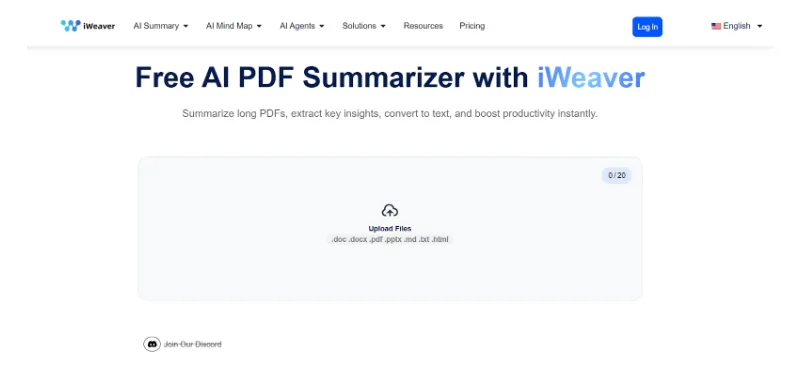
- Upload the PDF
- Review a structured summary in under 3 minutes
- Ask a few targeted questions to clarify details
- Walk into the meeting with a clear grasp of the key points
It doesn’t replace your judgment, it just gets you to the important parts faster.
Who Benefits the Most?
While anyone working with PDFs can use it, iWeaver is especially helpful for:
- Researchers and students handling academic papers
- Corporate professionals reviewing reports, contracts, or case studies
- Productivity-focused users who prefer clean, efficient tools over cluttered platforms
Its minimalist approach also means there’s very little learning curve. You don’t need to adjust your workflow, it fits into it.
The Verdict: Practical, Not Overcomplicated
There’s no shortage of AI tools claiming to improve productivity. What makes iWeaver stand out is its focus.
It doesn’t try to do everything. Instead, it does one thing well: document synthesis.
By turning long, complex PDFs into structured, actionable insights, it helps reduce both time spent reading and the mental effort required to understand.
If your daily work involves long documents, it’s worth testing—especially with the free tier that allows you to process up to five documents.
In a world where information keeps growing, tools like this aren’t just convenient—they’re becoming necessary.