AI Doesn’t Break Like Normal Software, and Simple Logs Can’t Catch It
When a normal app breaks, you know: a page fails to load, a button does nothing, or an error appears. Someone reports it, a developer finds it, and it is fixed.
When an AI app breaks, nothing crashes. The chatbot still replies and sounds smooth and confident, but the answer can be wrong, and nobody notices at first. It might quote the wrong price, give wrong opening hours, or invent a policy that does not exist.
That is why tools for normal software are not enough for AI. A simple log can tell you something happened, but not why an AI answer went wrong, and that matters more as AI moves into customer service, finance, and everyday apps.
First, what is an AI app, in plain words?
An AI app uses a large language model, which is a computer program trained on a huge amount of text. You give it an instruction, called a prompt, and some information to work with, and it writes an answer in natural language. For example, a shop’s chatbot might get the prompt, “Answer only from the order details given. If you do not know, say so,” plus the customer’s order, and then write a reply.
The model does not look up an answer in a table. It creates one, word by word, from the prompt and information given. That makes it flexible, and able to go wrong in a new way: change one prompt sentence, or leave out one detail, and the answer can change, even when the surrounding code has not.
So checking an AI app is not like checking a calculator. You cannot test every possible question, because customers will always ask something new. You need a system that watches real answers, catches wrong ones, and helps fix the cause.
A receipt versus a flight recorder
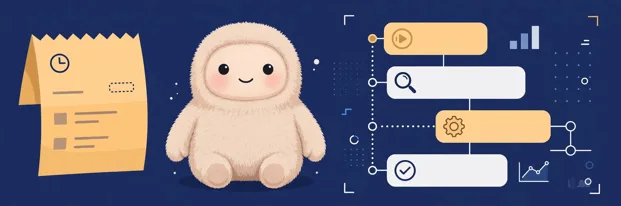
Think of a simple log as a receipt: it records that a purchase happened, when, and for how much, but not what happened inside the shop. An AI log is similar, recording time, user, answer length, and success. Useful, but very thin.
An observability platform is more like a flight recorder. It keeps a full trace of one AI interaction, step by step: exact prompt and version, information given, tools called, answer produced, model, cost, and time per step. If the answer is wrong, you can follow those steps, as investigators follow a flight recorder.
For example, a customer asks about a refund and gets the wrong policy. The log says only that a chat happened. The trace shows the model was given an old policy version, because the prompt had not been updated. The fix is clear: update, test, and publish the prompt. Without the trace, the team might blame the model or the customer, and change the wrong thing.
Why this matters to ordinary users
You do not need to be a developer to feel this. If an assistant says a shop is open when it is closed, you waste a trip. If it gives a wrong price, you may buy something you cannot afford. If it invents a refund rule, you may act on information that was never true.
Companies also face a cost problem. Every AI answer uses billed computing power. A chatbot giving long answers, repeating questions, or using an expensive model for simple tasks can run up a large bill unnoticed. Observability shows cost per answer, so a team can spot a sudden rise early.
There is a trust problem too. People will only keep using AI helpers if they trust the answers, and trust comes not from a company saying its AI is good, but from being able to check answers, admit mistakes, and show fixes. A full trace makes that checking possible.
What an observability platform actually does
In plain terms, it does four jobs. First, record every AI call as a trace. Second, version prompts, so the team knows which instruction produced which answer, and can change it without rebuilding the app. Third, test new prompts against old examples before they go live. Fourth, score live answers, with clear rules or a second AI as judge, so bad answers are flagged even when no human reads them.
It also keeps an audit trail: who changed what, and when. That matters when several people work on an app, or a company must explain a decision later. None of this makes AI perfect. It makes mistakes visible, and visible mistakes can be fixed.
If you want to see how real tools compare, rather than reading marketing claims, start with 10 LLM observability tools tested hands-on. Each tool was run on the same job, so you can see what tracing, prompt versions, and evaluation actually look like in practice.
How a small team can start
You do not need a large budget or team to begin. Trace every call, even if you only check traces when something goes wrong. Keep test questions, including past failures. Version prompts from the start. Watch cost and speed per answer, not just monthly.
There are also open-source options, which can be run on your own servers and are free to try. A list of LangSmith alternatives, for example, compares open-source and paid tools on licence, self-hosting, and price, which helps a small team choose without getting locked into an expensive plan on day one.
The main lesson is simple. Normal software fails loudly, so a simple log is often enough. AI software fails quietly, with a polite, confident, wrong answer. Catching a quiet failure means recording the full story behind each answer. That is what an observability platform is for, and why it is becoming a basic part of building AI apps, not an optional extra.