An Impressive AI Video Still Needs Room for the Edit
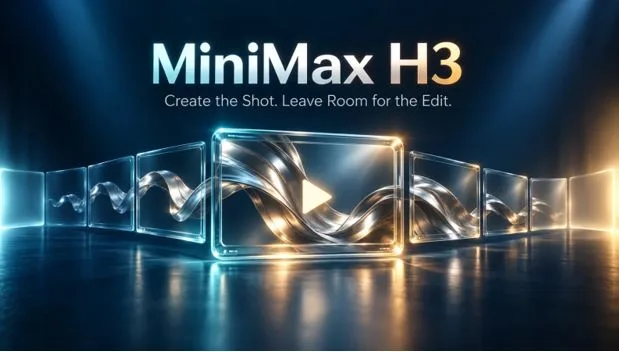
The reveal is excellent. A folded silver form opens into an arch, the light travels across its surface, and the final composition looks ready for a campaign. There is only one problem: the clip ends at the exact moment the shape becomes recognisable. The editor has nowhere to let the image breathe.
That is a different problem from generating an attractive video. In a finished sequence, a shot has neighbours, a voiceover and a place in the rhythm. The moment that looks impressive in a standalone preview may arrive too late for the cut or too early for the sentence it is meant to accompany.
For agencies and in-house production teams, the useful question is therefore more specific than whether AI can create the scene. Does the delivered clip leave enough choice for the person assembling it? A little unused movement at either end can matter more than another dramatic flourish.
The difference between clip length and usable time
Imagine a fictional design exhibition announcing its opening with a short film. One shot shows the silver form unfolding on an empty plinth. The next carries the exhibition title. The unfolding needs to finish before the title arrives, but the editor has not yet settled the voiceover pace.
A clip that spends every available frame completing the transformation leaves little flexibility. A version with a brief lead-in and a settled ending offers several possible cut points. Editors often call the spare material beyond a chosen cut the shot’s handles. Those frames may never appear in the published version; their value is the choice they preserve.
MiniMax H3 offers short video generation with selectable durations from four to fifteen seconds. That gives a creator a duration budget, not a guarantee about where an action will happen within it. An eight-second request, for example, still needs a description that leaves space around the central movement.
Budget the shot around the action
For the exhibition concept, a rough eight-second plan might allow two seconds before the form opens, four for the unfolding and two after it settles. These numbers are planning targets, not frame-accurate instructions the generator is guaranteed to follow.
The written direction should make the order clear: begin with the folded form at rest, let it open, then maintain the completed arch while the camera remains steady. “A spectacular transformation with a dramatic finish” communicates a mood but does not reserve any usable time after the reveal.
- Lead-in: establish a readable starting state before the essential action begins.
- Action: give the unfolding enough time to make visual sense without adding a second event.
- Settle: maintain the finished state so the editor can decide when to leave it.
None of these phases needs to be completely motionless. Light can continue moving gently across the arch after it opens. What matters is that the important change has finished. If another transformation begins immediately, the supposedly spare ending has become new story material.
The amount of reserve should follow the brief. A sharp rhythmic montage may need less than a slowly spoken invitation. Generating the maximum duration for every shot would add material and cost without necessarily creating useful choices.
An ending image does not specify an ending hold
There is an easy confusion here. Supplying an image of the completed arch can help communicate the intended destination, but it does not by itself say how long that destination should remain visible. A last frame is a state; a hold is time spent in that state.
MiniMax H3’s image workflow uses a starting image and can take an optional ending image. For this scene, the opening illustration would show the folded form and the ending illustration the arch. The prompt still needs to describe the transition and the quiet interval after it.
Check the returned sequence rather than assuming the endpoint has solved the timing. If the arch only finishes forming at the last instant, the requested settling time has not been delivered. Extending the last still in an editor may be acceptable for a graphic treatment, but it will not preserve moving reflections or other live detail.
Judge the shot inside the sequence
MiniMax H3 image-to-video is a starting point for creating the exhibition shot from its illustration. The decision about whether that shot works belongs in the edit, beside the preceding image and the title that follows. Download the clip and make that comparison in a separate video editor.
Try the cut in two places: just after the form becomes readable, and a little later, once the movement has settled. Listen to the voiceover through both versions. If the second version gives the sentence room to land, those apparently uneventful frames are doing useful work.
Look for a change in rhythm at the join, too. Cutting from a fast camera move to a static title can feel abrupt even when each image is attractive. A settled ending may help; a deliberately hard cut may be better. The point is to retain the option, not to make every transition gentle.
This is why a preview should not be judged only by its strongest frame. An editor needs the lead-in, the action and the exit to remain usable. A flickering edge in the final second matters if that is the second the soundtrack requires.
Deliver choices without delivering clutter
Keep the full generated clip alongside the selected trimmed version. A clear filename and a short note about the preferred in and out points are usually more useful than a folder of indistinguishable exports. If the narration changes later, the editor can return to the source without guessing which version contains the extra frames.
For this fictional exhibition, the animation is an expressive concept, not documentary footage of a real installation. If the campaign later promises a specific visitor experience, its visuals must match what will actually be there.
The best handoff is not necessarily the clip with the most activity. It is the one that contains the required moment and enough room to place it. A reveal gets attention; the frames around it let the rest of the film work.