Before You Subscribe: How Smart TV Compatibility and Free Trials Shape IPTV Decisions in 2026
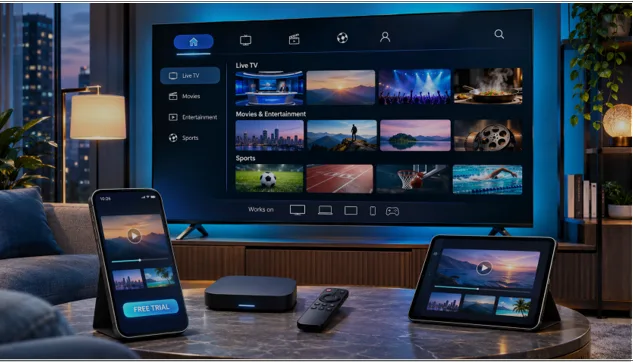
The streaming subscription decision starts long before a viewer chooses a package. A smart television may have a large screen and a fast internet connection, yet its app store, software version or playback capabilities can still determine whether a service works as expected. For households evaluating internet-delivered television, a short compatibility check can be more useful than an impressive list of advertised channels.
This matters especially for viewers switching between Samsung or LG smart TVs, Android-based devices, Fire TV hardware, laptops and mobile phones. The term IPTV describes television distributed over internet networks; it does not guarantee that every IPTV player, provider or account will work on every platform.
The device—not just the subscription—shapes the experience
A streaming service may support several device families while still requiring different player applications or sign-in methods. A television’s built-in app store can have different availability rules from Android or iOS. Older hardware may struggle with high-bitrate streams, while limited storage or outdated firmware can affect app stability.
Before paying, viewers should identify the exact model of their television or streaming box, check which applications are available through the official store, and establish which login method the provider supports. A playlist URL, a username-and-password interface and a portal-based set-top box are not necessarily interchangeable.
Picture quality is another variable. A 4K-compatible screen does not ensure a 4K stream: source resolution, compression, bandwidth, app capabilities and network stability all contribute to the result. Where available, testing a service on the actual home connection provides more useful evidence than relying on specifications alone.
Why a trial can reveal problems that marketing cannot
A trial is most useful when treated as a short technical evaluation, not simply as an opportunity to browse content. Viewers can check whether the app opens, whether credentials work, how quickly the program guide loads and whether playback is stable during their usual viewing hours.
Wi-Fi performance should be tested at the television itself rather than next to the router. Where possible, an Ethernet connection can help isolate wireless interference from broader internet or provider issues. Users should also check audio synchronization, remote-control navigation, subtitles and the ability to resume viewing after switching applications.
Trial terms differ by provider, and a successful trial cannot guarantee uninterrupted future availability. It can, however, reveal avoidable setup problems before a household commits to a longer-term plan.
Confirm the service name before entering your credentials
Search results for streaming services sometimes contain similar-looking product names. Someone searching for moa tv may encounter information about unrelated providers. The relevant distinction is not cosmetic: different businesses may use separate accounts, apps, support channels and subscription terms. Users should verify the provider named on their receipt or signup confirmation rather than assume that similarly named services share a login system.
That verification should happen before installing an unfamiliar application or submitting account details. Checking the app publisher, official support channel and the provider’s own setup instructions can reduce confusion and help users avoid entering credentials on the wrong service.
What a practical, trial-first setup looks like
Some providers make device confirmation part of their onboarding process. For example, channelmoa describes a free-trial request and guided setup process for supported smart TVs, Android devices, Fire TV-style streaming hardware, iOS, Windows and compatible set-top boxes. Its public website advises prospective customers to verify the device and app before choosing a subscription. Actual compatibility depends on hardware, software and available applications, while programming availability may vary by package and location.
For consumers, the broader lesson is simple: support information is most valuable when it addresses the exact device in the room. A useful response names the supported player, explains the correct login format and provides a way to distinguish a network problem from an account or application problem.
A checklist before buying an IPTV subscription
- Identify the exact device model, operating-system version and app store.
- Confirm the provider’s identity, app publisher and official support channel.
- Ask which account or login format is supported on that device.
- Test live playback, guide loading, audio and navigation on the real connection.
- Check package terms, device limits, refund or cancellation conditions, and regional content availability.
- Verify that the provider has the necessary rights to offer the programming you intend to watch.