Best App Store Screenshot Generator for Creating Store-Ready App Screenshots
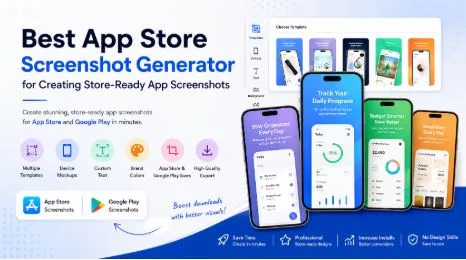
In today’s crowded app marketplace, users often decide whether to install an app within a few seconds. They read the title, glance at the icon, and swipe through the app store screenshots before making a choice. This is why strong visual presentation is no longer optional. It is one of the most important parts of earning attention, trust, and downloads.
A well-designed set of mobile app screenshots can explain your app faster than a long description. It can show key features, highlight benefits, and make your listing feel professional. However, creating visuals for the App Store and Google Play can be time-consuming because each platform has its own sizes, device frames, and design expectations. This is where an App Store screenshot generator becomes useful.
A smart app screenshot generator helps developers, marketers, founders, and product teams create store-ready app screenshots without advanced design skills. Instead of building every graphic manually, you can use templates, mockups, captions, and layouts made for app store listing visuals.
Why App Screenshots Matter
Your screenshots are often the first real preview of your app experience. A user may not understand your features from the app name alone, but clear visuals can explain them quickly. Good app store screenshots do more than show screens from the app. They tell a simple story and help users imagine how the app fits into daily life.
Strong screenshots can improve:
- First impressions on the App Store and Google Play
- User trust before installation
- Feature understanding
- App listing quality
- Download potential
- Brand consistency across platforms
When users see polished app screenshot design, they are more likely to believe the app itself is professional, useful, and reliable.
What Makes a Screenshot Store-Ready?
Store-ready app screenshots are not just ordinary screen captures. They are carefully designed visuals made to match platform requirements and user expectations. They use correct dimensions, readable text, attractive layouts, and feature-focused messaging.
A store-ready screenshot usually includes a real app screen inside a device frame, supported by a short headline or benefit statement. Good store-ready visuals have clear feature highlights, simple text, consistent colors, correct image sizes, attractive device frames, and a smooth visual flow. The first screenshot should communicate the strongest benefit of your app, while the rest show more features or reasons to download.
How an App Store Screenshot Generator Helps
An App Store screenshot generator saves time by turning raw app screens into polished listing visuals. Instead of opening design software, setting canvas sizes, searching for device mockups, and adjusting every element manually, you can use a tool that simplifies the process.
With a generator, you can upload your app screen, choose a device frame, add text, select a template, and export the final images in the correct format. This makes the process faster and more consistent.
For developers, this is helpful because they can focus on improving the product. For marketers, it makes testing different messages easier. For small teams, it reduces the need to hire a designer for every update.
App Store and Google Play Screenshot Needs
The App Store and Google Play both use screenshots to help users understand an app, but their presentation style and technical needs can differ. That is why many teams look for both an App Store screenshot generator and a Google Play screenshot generator.
App Store screenshots need to look polished, premium, and highly focused. Apple users often expect clean layouts, elegant design, and concise messaging. Google Play screenshots can also be polished, but they often allow more flexibility with bold feature callouts and benefit-driven layouts.
A good generator helps you prepare both app store screenshots and Google Play screenshots without creating everything from scratch. This is especially useful when launching on both platforms because it keeps the overall brand experience consistent.
AppScreens for Faster Visual Creation
AppScreens can be a practical choice for teams that want to create app listing visuals without a complicated design process. With a tool like AppScreens, developers and marketers can prepare store-ready app screenshots using ready-made layouts, device frames, and clear text areas.
The main benefit is speed. You do not need to start from a blank canvas every time. You can choose a layout, place your screen, adjust the message, and create visuals that look suitable for app stores. This workflow is useful when you need to launch quickly or refresh screenshots after a product update.
AppScreens, App Store screenshot generator, Google Play screenshot generator, app screenshot generator, store-ready app screenshots, ASO screenshots can all fit naturally into one visual creation process when the goal is to prepare better listing assets for both major platforms. The key is to use the tool thoughtfully. Your screenshots should still have a clear message and a strong visual order.
Features to Look for in a Screenshot Generator
Not every screenshot tool offers the same value. Some only provide basic mockups, while others offer complete design support for app listings. Before choosing a tool, it is helpful to know what features matter most.
Look for a screenshot generator that offers:
- App Store and Google Play export sizes
- Modern device mockups
- Easy text editing
- Multiple templates
- Custom colors and fonts
- Support for different screen orientations
- Fast export options
The tool should also be easy to use. If it takes too long to understand the interface, it may slow down your launch process. Another useful feature is consistency. Your screenshots should feel like one connected set, not random images placed together.
Tips for Better App Screenshot Design
Even with a strong generator, the quality of your screenshots depends on the choices you make. A template can help, but your message, structure, and visual clarity still matter.
Start by identifying the main reason someone should download your app. Then turn that reason into a simple headline for the first screenshot. Use short phrases such as “Track daily progress,” “Plan your budget,” “Read verses every morning,” or “Organize tasks faster.” These simple lines explain benefits clearly.
Keep these tips in mind:
- Use benefit-focused headlines
- Avoid crowded layouts
- Show real app screens
- Keep text large enough to read
- Use consistent branding
- Place your strongest feature first
Each screenshot should focus on one main idea. This helps users move through the visual story without confusion.
How ASO Screenshots Support More Downloads
ASO screenshots help improve how users respond to your app listing. They are not only decorative images. They are decision-making tools. When screenshots clearly explain the value of an app, users feel more confident about installing it.
Users want to know what the app looks like, what it offers, and whether it feels easy to use. Screenshots answer these questions quickly. For better results, your screenshots should match user intent. A productivity app should feel organized and efficient, while a meditation app may work better with calm design and peaceful wording.
Common Mistakes to Avoid
Many apps lose potential users because their screenshots are unclear or poorly designed. The app may be useful, but the listing does not communicate that value effectively.
Common mistakes include using plain screen captures without context, adding too much text, choosing hard-to-read fonts, or mixing too many colors. Another mistake is showing features without explaining why they matter. Users care about benefits, not only functions.
Avoid these issues:
- Tiny text that cannot be read on mobile
- Screenshots with no clear message
- Too many design styles in one set
- Unfocused feature order
- Low-quality images
- Ignoring platform size requirements
Build Better App Listing Visuals with Less Effort
Creating strong mobile app screenshots does not have to be difficult. With the right App Store screenshot generator or Google Play screenshot generator, you can turn simple app screens into polished visuals that are ready for publishing. The goal is to help users understand your app quickly and feel confident enough to download it.
A well-planned screenshot set can explain your best features, strengthen your brand, and make your app look more trustworthy. Whether you are launching a new app or improving an existing listing, investing time in app screenshot design is a smart move.
Tools like AppScreens make the process easier by helping teams create store-ready app screenshots, Google Play screenshots, app store screenshots, and ASO screenshots with a cleaner workflow. When your visuals are clear, polished, and user-focused, your app has a better chance to stand out in a busy marketplace.