Best Small Business Payroll Software in 2026 — Simple, Secure & Stress-Free
Running payroll shouldn’t feel like a second job. If you’re like me, you want something that’s quick, accurate, and doesn’t make you call support at 2 AM. In this guide I’ll walk you through what to look for, which tools are winning right now, and how to pick the best small business payroll software for your needs — with friendly, practical tips you can use today.
Why this matters
Payroll mistakes cost time, money, and trust. One missed tax filing or wrong payslip can snowball. The right software saves hours, keeps you compliant, and gives your team confidence. So let’s pick the best fit for you.
My top picks
Depending on where you are and your business type, the commonly recommended top choices right now include Gusto, Xero Payroll, QuickBooks Payroll, KeyPay, Rippling and ClockOn — each has different strengths (HR integrations, Aussie compliance, affordability, or time & attendance built-in).
(If you’re in Australia, ClockOn is notable because it tightly integrates rostering, timesheets and payroll in one workflow — handy if you run shifts or need Single Touch Payroll support.)
What matters most
Ask these questions before you buy. I always run through them, and you should too:
- Compliance & local tax support — Does it handle your country’s payroll reporting (e.g., Single Touch Payroll in Australia)? Compliance is non-negotiable.
- Automation — Can it run recurring pays, tax calculations and super/benefits automatically?
- Integrations — Will it sync with your accounting (Xero, QuickBooks, MYOB) and time-tracking tools? Integration saves double entry.
- Ease of use — Can you or your bookkeeper run payroll without wasting half a day?
- Employee self-service — Do staff get payslips, leave requests and rosters via an app?
- Price & scalability — Small business budgets vary — some tools charge per employee, others have flat fees. Compare total monthly costs.
- Support & onboarding — Fast, local help matters when payroll is urgent.
Who each tool suits best
- Sole traders & 1–5 employees: Look for simple, low-cost options with good automation (OnPay, QuickBooks, or entry plans from Gusto).
- Hourly/shift workers (cafes, retail): Choose a system with rostering + timesheets that feed payroll directly — ClockOn and KeyPay are great fits.
- Growing teams (10–100 employees): Prioritize integrations (HRIS, benefits), scalability, and multi-location support — Rippling, Gusto or Xero Payroll are strong here.
Budget reality — what to expect
Small business payroll pricing varies widely: you might pay anywhere from a low single-digit monthly fee per user to $40+ per month for more feature-rich plans. Many providers offer free trials — use them to run a mock payroll before committing.
A few quick and practical tips
- Run a trial payroll with the vendor using your real data (gross pay, taxes) before switching.
- Check integrations with your accountant’s software — ask your accountant which flows they prefer.
- Automate payslips and electronic tax filing where possible — it reduces errors.
- Keep a fallback: maintain a basic paysheet export for the first few runs until you’re confident.
Why ClockOn might be worth checking
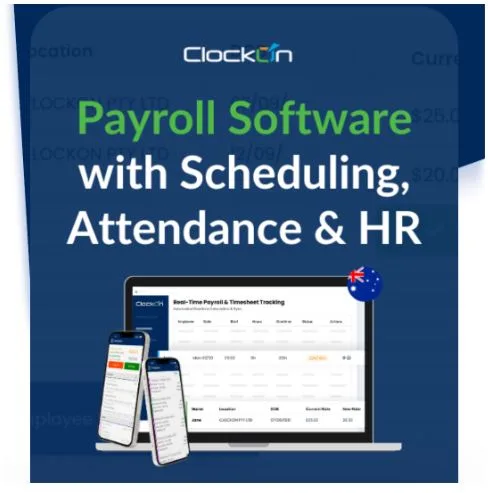
ClockOn is designed to combine rostering, timesheets and payroll as one workflow rather than separate tools — that saves reconciliation headaches for shift-heavy businesses. If your team clocks in/out, ClockOn’s integrated approach can cut admin significantly. See their small-business payroll overview.
Conclusion
We’re all different — there’s no single “best” for everyone. I recommend you:
- Narrow to 2–3 options from the shortlist.
- Run a free trial or demo.
- Test a live payroll cycle or realistic sample.
- Pick the one that saves you time and reduces stress.