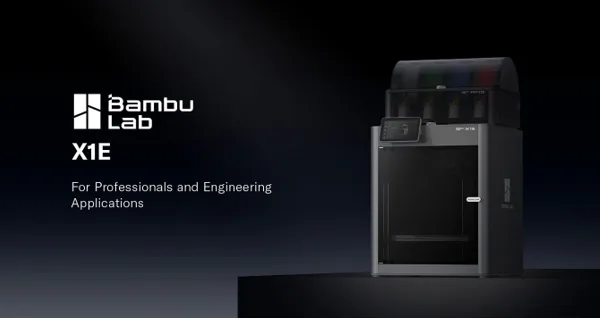
A 3D printer can turn a digital design into a physical object, but the process involves much more than pressing a button. Users need printable models, suitable materials, software to prepare designs, and tools to manage their projects.
Bambu Lab connects these elements through a broader 3D printing ecosystem. Its printers work alongside design resources, slicing software, mobile applications, filaments, and accessories.
Together, these offerings support different stages of a project, from discovering an idea to producing and refining the finished object. Understanding how these tools work together helps explain what Bambu Lab offers beyond its printing hardware.
What Makes the Bambu Lab Ecosystem Different?
The Bambu Lab ecosystem brings several parts of the 3D printing process together. Each component serves a different purpose, helping users move between finding designs, preparing files, selecting materials, and managing prints. Its main components include:
- MakerWorld: A platform for discovering and sharing 3D models.
- Bambu Studio: Software for preparing models and generating printing instructions.
- Bambu Handy: A mobile app for accessing compatible printers and managing print jobs.
- MakerLab: Design tools that help users explore customisation and model creation.
- Filaments and accessories: Materials and components for different printing applications.
- Maker’s Supply: Components and supplies for projects that combine printed parts with additional hardware.
Users do not need every component for every project. However, having these resources within one broader environment can make the process more manageable, particularly for people learning 3D printing.
MakerWorld: Finding Ideas Worth Printing
Creating a 3D model from scratch requires design skills and suitable software. MakerWorld offers another starting point by allowing users to discover models created and shared by other makers. The platform features designs for a variety of applications, including:
- Desk organisers and household accessories
- Decorative objects and personalised gifts
- Toys, collectibles, and creative models
- Mechanical components and practical fixtures
- Prototypes and project-specific parts
Instead of beginning with an empty design workspace, users can explore existing projects and choose something that matches their needs.
From Model Discovery to Printing
Finding a model is only the first step. Users must also check printer compatibility, material requirements, and the settings needed to produce the object. For supported models, MakerWorld may provide print profiles that help simplify preparation.
These profiles offer a starting point, but compatibility and results can vary. Before printing, users should review the model description, recommended settings, required filament, and any instructions supplied by the creator. Before starting a print, users should check:
- Whether the model supports their printer.
- Which filament and settings the creator recommends.
- Whether the design requires support structures or additional assembly.
- Any instructions or limitations included with the model.
A ready-made profile does not guarantee a perfect result, but it can simplify the initial setup process.
Learning Through Shared Designs
MakerWorld also connects users with a community of designers. Browsing other people’s projects can reveal different approaches to everyday problems and provide inspiration for future builds.
For example, a user looking for a cable organiser might find a design that fits their desk. They could print it as provided or use it as inspiration for a more suitable version. This combination of discovery and shared creativity makes MakerWorld useful for both beginners and experienced makers.
Bambu Studio: Preparing Models for Production
A digital model must be converted into instructions before a 3D printer can produce it. This process, called slicing, is handled by software such as Bambu Studio. The software divides a model into layers and generates the instructions required by a compatible printer. It also provides controls for adjusting how an object will be produced.
Choosing Settings for Different Projects
Not every model requires the same printing approach. A decorative miniature may prioritise surface detail, while a functional bracket may need appropriate wall thickness, infill, and print orientation.
The right settings also depend on the printer, material, and intended use. Bambu Studio helps users examine these decisions before printing. Its slicing preview can help users:
- Inspect the planned layers.
- Review support structures.
- Estimate print time and material usage.
- Adjust relevant settings for the intended result.
- Identify potential issues before committing filament.
These checks are particularly useful when a failed print would waste substantial material or require several hours of additional work.
Supporting Different Experience Levels
Beginners can start with available printer and material profiles instead of configuring every setting independently. As they gain experience, they can explore more advanced parameters.
For designers developing custom parts, this flexibility supports repeated testing and refinement. They can adjust a model, prepare a new version, and evaluate whether the changes produce the desired result. Bambu Studio therefore connects the digital design with the practical requirements of manufacturing it.
Bambu Handy: Managing Prints Through a Mobile App
Long printing jobs do not always require users to remain beside their machines. Bambu Handy extends parts of the printing workflow to mobile devices, helping users interact with compatible printers. Depending on the printer and available features, the app can support model discovery, print management, and progress monitoring.
Keeping Track of Ongoing Jobs
Mobile monitoring can be convenient when a print takes several hours. Users can check its status without repeatedly returning to their workstation. This is especially helpful for people managing several projects or fitting 3D printing around work and other responsibilities.
However, remote monitoring does not replace maintenance, physical inspection, or appropriate safety precautions. Users still need to check their equipment and respond to problems when necessary.
Connecting Discovery with Printing
Bambu Handy also helps connect the process of finding a model with managing a print job. Rather than treating model discovery and printer management as completely separate tasks, users can access relevant parts of the workflow through a mobile interface. The precise functions available depend on the compatible hardware and software configuration.
Filaments and Accessories: Matching Materials to Projects
A model’s design determines its shape, but the material influences how the finished object looks and performs. Bambu Lab offers filaments and related supplies for different printing requirements. Common filament options include:
- PLA: Often suitable for decorative models, prototypes, and general-purpose objects.
- PETG: Useful for applications that require a different balance of strength, flexibility, and environmental resistance.
- TPU: A flexible material used for items such as protective components and flexible accessories.
These materials have different printing requirements and performance characteristics. Users should select them according to the object’s intended use rather than appearance alone.
Using Material Profiles
Common filament options include PLA, which is often used for decorative models and prototypes; PETG, which may suit parts requiring a different balance of mechanical and environmental properties; and TPU, a flexible material used for selected protective components and accessories.
Their performance depends on the specific formulation, printing conditions, and intended application. Users should check the manufacturer’s material specifications and confirm compatibility with their printer before selecting a filament.
Beyond Filament: Components for Larger Builds
Some projects require more than a printed shell or structural component. A robot, moving toy, or functional device may also need fasteners, motors, LEDs, bearings, springs, or magnets.
Bambu Lab’s Maker’s Supply offers components and accessories for maker projects that combine 3D-printed parts with additional hardware. This can help users plan more complete builds rather than sourcing every component independently.
Before purchasing supplies, users should check dimensions, compatibility, assembly requirements, and relevant electrical specifications. The exact components required will depend on the design.
MakerLab: Moving from Printing to Designing
Downloading existing models is a useful way to begin, but some users eventually want to create objects that match their own ideas. Bambu Lab’s MakerLab provides design-oriented tools that support certain types of customisation and model creation.
These tools can offer an accessible starting point for users who are not yet familiar with advanced computer-aided design software. Available capabilities may vary as the platform evolves.
Customising Objects for Specific Needs
Consider someone who wants a personalised nameplate, a custom gift, or an organiser with particular dimensions. An existing model may provide a useful foundation, but customisation can make the finished object more suitable.
Depending on the tools currently available, users may be able to adjust designs or explore ways to generate customised models. More complex projects may require dedicated 3D modelling software. This gives users a potential route from printing existing designs to developing their own creations.
How Different Users Can Use the Ecosystem
Bambu Lab’s tools can support different creative and practical goals.
- Hobbyists: Explore collectibles, decorative objects, personalised gifts, and household accessories.
- Students and educators: Use printable models for hands-on activities involving geometry, engineering, and product design.
- Designers and engineers: Prepare prototypes, test dimensions, and refine physical designs before moving to later development stages.
- Small businesses: Explore custom fixtures, product prototypes, display accessories, and selected low-volume production tasks.
Each application comes with different requirements. A decorative model does not need the same testing as a load-bearing component, and a prototype should not automatically be considered suitable for commercial production. Material selection, dimensional accuracy, durability, and safety must be evaluated according to the intended use.
Building a Connected 3D Printing Workflow
The ecosystem becomes easier to understand when its components are viewed as parts of a single process. A typical workflow might look like this:
- Find a design: Browse MakerWorld for a suitable model or starting point.
- Prepare the file: Open the model in Bambu Studio and check its compatibility.
- Select a material: Choose a suitable filament based on the object’s purpose.
- Review the print: Inspect the sliced preview, support structures, and estimated material usage.
- Start and monitor: Send the job to a compatible printer and use Bambu Handy where supported.
- Evaluate the result: Check the finished object and identify any changes needed.
- Refine the design: Use MakerLab or other suitable design software to customise the next version.
Not every project requires all these steps or tools. A simple decorative print may need very little preparation, while a functional prototype may involve several rounds of adjustments. The advantage is that users can expand their workflow as their projects become more demanding.
Conclusion: More Than a Standalone 3D Printer
A 3D printer is only one part of the process of turning an idea into a physical object. Models, software, materials, and project components all influence what users can create and how efficiently they can do it.
Bambu Lab connects these elements through MakerWorld, Bambu Studio, Bambu Handy, MakerLab, its filament range, and Maker’s Supply, although individual features and compatibility depend on the product and current platform offerings.
Each serves a different purpose, from discovering designs and preparing files to monitoring prints and exploring custom projects. For beginners, this ecosystem offers several entry points into 3D printing.
Experienced makers can use the same resources to refine designs, test prototypes, and explore more complex builds. Ultimately, the value of the Bambu Lab ecosystem lies in how its tools support the entire creative process, rather than in the printer alone.
Frequently Asked Questions
1. What is the Bambu Lab ecosystem?
The Bambu Lab ecosystem includes its 3D printers, slicing software, mobile app, model-sharing platform, design tools, filaments, and accessories. These offerings support different stages of the 3D printing process.
2. What is MakerWorld used for?
MakerWorld is Bambu Lab’s platform for discovering and sharing 3D models. Users can explore designs for household objects, decorations, functional parts, and creative projects. Print files, profiles, and printer compatibility vary by model.
3. What does Bambu Studio do?
Bambu Studio is slicing software that converts digital 3D models into printing instructions. It allows users to configure settings, inspect layer previews, and prepare compatible files for printing.
4. Can I monitor a Bambu Lab printer from my phone?
Bambu Handy supports mobile access to compatible printers and related printing functions. The available controls and monitoring features depend on the printer model, software version, and configuration.
5. What is the difference between MakerWorld and MakerLab?
MakerWorld focuses on discovering and sharing 3D models, while MakerLab provides design-oriented tools for certain customisation and model-creation tasks. Their specific features and availability may change over time.
6. Which filaments can I use with Bambu Lab printers?
Material compatibility depends on the printer model and its capabilities. PLA, PETG, and TPU are common filament types used for different applications, but not every material is suitable for every machine or project. Check Bambu Lab’s current compatibility guidance and the filament manufacturer’s instructions before printing.
7. Is the Bambu Lab ecosystem suitable for beginners?
It can be a useful starting point for beginners because model libraries, available print profiles, and connected software can simplify parts of the workflow. Users should still learn basic printer operation, material selection, maintenance, and safety practices as they gain experience.