Buying a Gaming PC in UAE: Gaming Chairs Dubai Guide
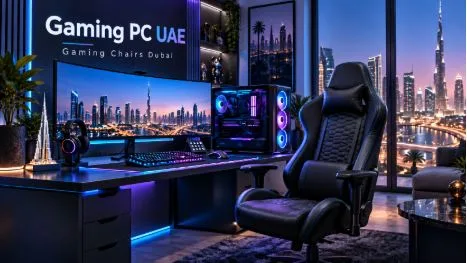
Buying a gaming PC is exciting, but choosing the right system can quickly become confusing. Processors, graphics cards, memory, storage and cooling all affect performance, while the rest of the setup also plays an important role in comfort and everyday use. For anyone searching for a Gaming PC UAE, the smartest approach is to start with how the computer will actually be used rather than simply choosing the most expensive specifications available.
A PC built mainly for competitive games such as Valorant, Fortnite or Counter-Strike does not need the same hardware as a machine designed for demanding AAA games at high resolutions. Your monitor, preferred frame rate and budget should all influence the final configuration. Understanding these requirements before shopping makes it easier to avoid spending money on hardware that provides little practical benefit.
Decide Your Gaming Resolution First
One of the easiest ways to narrow down your options is to decide what resolution you want to play at. A 1080p gaming system usually requires less powerful hardware and can provide excellent performance in competitive titles. It is a practical choice for gamers who prefer high frame rates over maximum visual quality.
Moving to 1440p places more demand on the graphics card but provides a noticeably sharper image. Many modern gaming setups now use 1440p monitors because they offer a good balance between performance and image quality.
4K gaming requires significantly stronger hardware. If 4K is your goal, more of the budget should normally be allocated to the graphics card. Buying a powerful 4K-ready PC while using a basic 1080p monitor would leave much of that performance unused.
Choose a Balanced Processor and Graphics Card
The graphics card is one of the most important parts of any gaming computer. It determines how well the system handles resolution, graphics quality and demanding visual effects. However, it should not be considered on its own.
A gaming PC performs best when the CPU and GPU are properly balanced. Pairing a very powerful graphics card with a weak processor may prevent the GPU from reaching its full potential in certain games. On the other hand, buying an expensive processor while using a basic graphics card may not improve gaming performance as much as expected.
Instead of focusing on a single component, look at the complete configuration. A well-balanced system usually provides a better gaming experience and makes more efficient use of the budget.
Consider RAM and Storage Carefully
For most modern gaming systems, 16GB of RAM remains a practical starting point. It is enough for many current games and everyday multitasking. Gamers who stream, edit videos or regularly keep several applications running at the same time may benefit from 32GB.
Storage is another area where planning ahead helps. Modern games can occupy a large amount of space, so a small drive can fill surprisingly quickly. A 1TB SSD offers a useful starting point for many gamers and provides enough room for the operating system, applications and several games.
An SSD also improves general responsiveness, boot times and game loading compared with older mechanical hard drives.
Do Not Overlook Cooling and Airflow
Powerful gaming components generate heat. Good cooling helps maintain stable performance and reduces unnecessary fan noise during long gaming sessions.
The case should have enough airflow for cool air to enter and warm air to escape. A visually impressive case with poor ventilation may not be the best choice for high-performance components.
Cooling requirements also depend on the processor and graphics card being used. Many mainstream systems perform well with quality air cooling, while more demanding builds may benefit from larger coolers or liquid cooling.
Think About Future Upgrades
One of the advantages of a desktop gaming PC is that individual components can often be upgraded later.
You may eventually want to add more storage, increase the RAM or replace the graphics card. Choosing a motherboard, case and power supply that leave some room for future improvements can make those upgrades much easier.
This does not mean buying expensive components purely for upgrades you may never make. It simply means avoiding a configuration that leaves no flexibility at all.
For example, a power supply with reasonable headroom can make a future GPU upgrade easier, while a motherboard with additional storage slots allows another SSD to be added without replacing the existing drive.
Your Gaming Chair Is Part of the Setup Too
PC hardware gets most of the attention, but comfort becomes increasingly important when gaming sessions last several hours.
When comparing gaming chairs Dubai shoppers should look beyond aggressive styling and bright colours. Seat dimensions, adjustable armrests, lumbar support, backrest adjustment and overall build quality have a much greater effect on daily comfort.
The chair should also suit the user’s height and desk position. A chair that looks impressive but forces the shoulders, wrists or back into an uncomfortable position can make long sessions unpleasant.
The best gaming setup is therefore not just the fastest computer. It is a workspace where the PC, monitor, desk and chair all work together.
Prebuilt or Custom Gaming PC?
A prebuilt computer is convenient because the system arrives assembled and ready to use. It can be a good option for buyers who do not want to spend time checking compatibility between individual components.
A custom PC provides more control. Buyers can choose exactly how much of the budget goes toward the graphics card, processor, storage, cooling and appearance.
Neither option is automatically better. The right choice depends on how much control you want and how comfortable you are comparing components.
Final Thoughts
Buying the right Gaming PC UAE does not mean choosing the most expensive specifications available. It means selecting hardware that matches your games, monitor, budget and plans for the next few years.
Start with the resolution you want to play at, then build a balanced combination of CPU and GPU around it. Make sure the system has enough RAM, fast SSD storage, proper cooling and a reliable power supply.
Finally, remember that the computer is only one part of the gaming experience. A suitable monitor, desk and comfortable chair can make just as much difference during long sessions.
A balanced setup usually delivers more value than spending the entire budget on one impressive component.