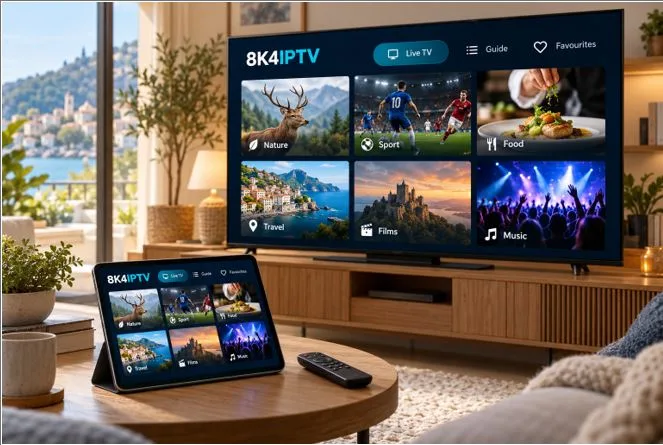
Illustrative IPTV app concept. Actual applications and available content vary.
Choosing an IPTV subscription can feel complicated when different websites describe their services in different ways. One highlights the number of programmes, another leads with a discount, and a third focuses on picture quality. For a household trying to make a straightforward decision, the essential questions are often much simpler.
Will the service work with the television already at home? What is the total cost? How many people can watch at once? And who can help if the setup is confusing?
For viewers in the UK and across Europe, answering these questions before paying provides a clearer basis for comparison.
Understand What You Are Buying
IPTV refers to television delivered over an internet connection. The viewing setup usually involves a device, an application and a subscription. These are separate parts, even when they are presented together.
The device might be a compatible television, streaming box, phone or tablet. The application provides the controls and viewing interface. The subscription determines the service you receive under the provider’s terms.
An application download does not necessarily include television content. Similarly, purchasing a subscription does not always cover a separate player licence. Ask whether additional software payments are needed so you can understand the complete cost.
The 8K4IPTV website provides a starting point for readers considering the brand. Review the available information with your own household requirements in mind, particularly your location and intended viewing device.
Compare the Total Payment
A headline price becomes more useful when you know exactly what period it covers. Establish whether the amount is a monthly payment, a prepaid subscription covering several months or another arrangement.
For a fixed-term plan, dividing the total subscription charge by the number of months gives an equivalent monthly cost. This can help compare durations, but it does not change when payment is due. A plan described as costing a certain amount “per month” may still require the full sum upfront.
Check the currency and any additional app or activation charges. If your payment method uses another currency, confirm the final amount presented before completing the transaction.
A longer subscription can have a lower equivalent monthly cost, but it also means committing more money at the beginning. Choose a duration that fits your experience with the service and your willingness to commit.
Check the Exact Device
Write down your television or streaming device’s model before asking about compatibility. Include the operating system version if you can find it in the settings.
Compatibility is more specific than a brand name. An older television may support a different selection of apps from a recent model made by the same company. Where an external streaming device is involved, ask about that device as well.
Consider everyday usability alongside installation. Menus should be readable, the remote should be comfortable to use, and basic actions should be easy to remember. If another person in the household will use the service, include them in the setup.
Confirm Location and Viewing Limits
A service described as suitable for European viewers may still have conditions that differ by country, programme or subscription. Confirm that the content you want is available through an authorised source where you live.
Ask separately about use while travelling. Access at home should not be taken as a promise that the same programmes will be available in another country.
The number of simultaneous streams also deserves a clear answer. Being able to install an app on two devices does not automatically mean both can play at the same time. Describe your actual arrangement, such as one person using the living-room television while another watches on a tablet.
Read the Support and Renewal Terms
Find out how to contact support and what information will help them answer a question. A device model, app name and clear description of the problem are useful starting points.
Read any trial and refund conditions before relying on them. Check whether renewal is automatic or requires another purchase, and keep a copy of the terms that apply when you order.
When you are ready to compare durations, review the current 8K4IPTV subscription plans. Use the live pricing information rather than an older advertisement, and confirm any unclear details before proceeding.
Choose With Your Household in Mind
The most useful subscription comparison begins with the way you actually watch television. Total cost, suitable equipment, clear viewing limits and accessible support all matter.
Taking a few minutes to check these details can make the decision easier. It also gives everyone in the household a clearer understanding of what to expect from their IPTV setup.