CNAP Is Live in India: Your Phone Now Knows Who’s Calling
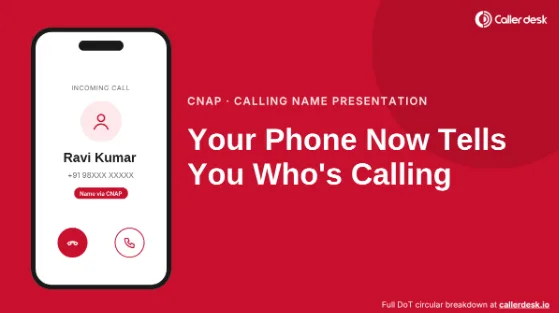
Since 1 November 2026, unknown callers show up with a name on 4G and 5G phones. But whose name is it, and can you trust it? Here’s what CNAP really changes.
Last week, an unknown number would have left you guessing. This week, it might arrive with a name attached, and you never installed anything.
That’s CNAP (Calling Name Presentation) at work. Since 1 November 2026, Indian operators have been directed to show the caller’s registered name on 4G and 5G networks. No app. No settings. It simply switched on.
Sounds like the end of mystery calls, right? Not quite. The name on your screen comes with a few surprises: it may not be the caller’s real name, it may not be the brand you expect, and it says nothing about whether the call is safe.
Here’s what CNAP does, where it quietly falls short, and the one thing every business that calls customers should check this month.
So, what exactly is CNAP?
CNAP is a network-level caller name feature. When someone calls you from a number you haven’t saved, your operator can display the name linked to that number in the caller’s operator records.
Your own contacts still win. Saved a number as “Ravi Plumber”? That’s what you’ll keep seeing.
The Department of Telecommunications (DoT) has told operators to provide it by default. For now, it covers 4G and 5G only. 2G, 3G and landline users are still waiting on a separate decision.
Where does that name actually come from?
Not from a crowd-sourced database, and not from what the caller types into an app. It comes from the subscriber record behind their SIM, usually the details given when the connection was registered.
The caller’s operator looks up that record, passes the name through the network, and your operator puts it on your screen. All in the second or two before you answer.
Here’s what you can expect to see:
- Someone in your contacts : Saved name
- An unsaved Indian number : Their registered name
- A number from abroad : “International Call”
- A caller hiding their identity : No name at all
That last row is worth a pause. Some callers can legally keep their name off your screen, even with CNAP live. How they do it is simpler than you’d think.
What happens to the name after the call?
DoT says the name used for the CNAP lookup should not be kept once the call ends. Reassuring? Partly. The fine print in the circular tells a slightly different story about what operators must still hold on to, and it’s covered in CallerDesk’s full breakdown of the DoT circular.
Can you turn CNAP off?
In 2025, TRAI agreed to a default service with an opt-out. The final DoT circular, however, says nothing about how users can switch it off. So is there an opt-out or not? The honest answer is “ask your operator”, and the full timeline in CallerDesk’s CNAP guide shows exactly where the opt-out went missing.
Isn’t this just Truecaller without the app?
Not really. The difference matters more than most people realise.
In short, CNAP tells you whose name the SIM is registered in. An app tells you what other users think the caller is. Neither, on its own, tells you whether to pick up.
Businesses: What name are your customers seeing right now?
For most business connections, CNAP shows the name in the connection’s subscriber records. That’s often the registered legal name, think “XYZ Infratech Solutions Pvt Ltd” when your customers know you as “QuickFix”. An unfamiliar company name can look just as suspicious as a blank number, and calls go unanswered.
The good news: DoT’s circular lets operators offer a preferred name for business and bulk connections, so customers see the brand they recognise. The catch: not every name qualifies, the operator has to verify it, and the steps differ for new and existing connections. If you make outbound calls for sales, delivery, support or collections, this is worth getting right early.
Three things CNAP can’t do for you:
- It can’t confirm who’s really on the line. CNAP shows whose name the SIM is registered in. If someone is using a SIM in a relative’s or employee’s name, that’s the name you’ll see.
- It can’t stop spam. It labels calls; it doesn’t block them. If unwanted calls are the real problem, these steps to stop spam calls on Android, iPhone and landline will help more.
- It can’t keep you safe from fraud. A real-looking name is exactly what a scammer would want you to trust. Never share an OTP, PIN or bank details because a name looked official.
No name showing at all? Usually the number is saved in your contacts, the caller is on 2G, 3G or a landline, the call is international, or the caller has hidden their identity. Seeing the wrong name for your own number? Your operator can correct your subscriber details.
CNAP is a genuine step forward. Fewer blind guesses, no app required. But it raises new questions too: whose name is really showing, what happened to the opt-out, and whether your business is showing up as a brand customers trust or a legal name they ignore.
For more information, visit What Is CNAP? How Caller Name Presentation Works from 1 November 2026/
About the author: This article is contributed by the team at CallerDesk, a cloud contact center platform that helps Indian businesses set up virtual numbers, IVR and call tracking in minutes. For a deeper look at CNAP and the DoT circular, read CallerDesk’s complete CNAP guide.