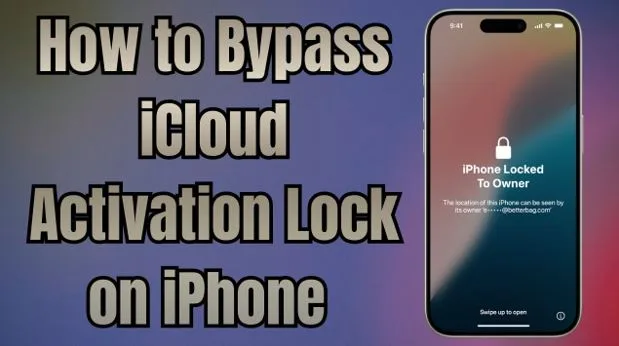
Complete Guide to Unlocking iCloud Activation Lock on iPhone
The iCloud activation lock confuses many iPhone users after a reset or purchase. It protects your data but can also stop access if you forget your login details. The good news is that there are safe ways to remove it. This guide explains simple steps for iCloud activation lock bypass using trusted tools. You will learn both how to unlock your device and how to avoid this issue in the future.
Part 1. Understanding the Problem: iCloud Activation Lock Explained
iCloud Activation Lock is basically a native security system that connects a device to one Apple ID. It activates automatically when Find My is turned on for your device. This link means no one can erase or reactivate it without your password. Plus, Apple built this feature to stop thieves from reusing or selling stolen devices.
However, problems appear when owners forget their credentials or buy used phones. Apart from that, after a reset, the device asks for the same Apple ID and password again. At these points, users must learn safe ways to bypass iCloud activation lock and regain access.
Part 2. Bypass iCloud Lock Using Professional Software Tools: Dr.Fone – Screen Unlock (iOS)
When iPhone activation lock blocks access, users need a reliable solution without delays. To cater to these needs, Dr.Fone – Screen Unlock (iOS) offers a focused solution designed for locked Apple devices. It helps users complete iCloud lock bypass without a password with simple, guided steps. Moreover, Dr.Fone works instantly to unlock devices within minutes without long waiting times.
Moreover, the software supports the latest iOS 26 to maintain compatibility across all generation models. Its local unlock technology ensures full data safety and secure processing every time. Plus, this dedicated program even restores full functionality after bypassing the lock.
Key Features
- Broad Support: Compatible with iPhones 5S to 17 Pro Max effortlessly.
- Account Setup: Lets you create a new Apple ID after unlocking.
- Secure Encryption: Utilizes strong encryption protocols to keep all personal information protected.
- Quick Setup: Requires minimal installation steps before starting the activation lock removal.
- One-Click Start: Initiates the unlocking process instantly with just a single click.
Part 3. Detailed Guide to Bypass iCloud Lock Using Dr.Fone – Screen Unlock (iOS)
After learning the features, it is essential to understand the actual unlocking process. Hence, this part explains each step of Dr.Fone activation lock removal in a simple guided flow:
Step 1. Access the iCloud Activation Unlock Feature
From the software’s “Toolbox,” select “Screen Unlock” specifically for “iOS” devices. Going ahead, opt for “iCloud Activation Lock Removal” and hit “Start” to initiate unlocking.
Step 2. Put Your Device Into the Unlocking Mode
Subsequently, plug your iPhone into the PC and press the “Unlock Now” button. In case running iOS 17.0.1–26.1, drivers will be installed automatically without extra steps. For iOS 15.0–16.7.11, adhere to the displayed prompts to enter “Recovery Mode.” Also, devices on iOS 12.0–14.8.1 must be jailbroken manually using the guide.
Step 3. Remove or Bypass the iCloud Lock
Once the setup is complete, the software will start bypassing the iCloud lock, and a confirmation will appear when finished.
Part 4. 2 Manual Ways to Remove iCloud Activation Lock
Some users prefer simple manual steps when tools are unavailable or when account details are still accessible. In this part, you will learn 2 ways to unlock the activation lock on an iPhone using basic options:
1. Ask the Previous Owner for Account Credentials
The first way to remove iCloud activation lock is by contacting the previous owner. They can sign in remotely or share credentials to verify rightful device ownership. Yet, this method works best when the original owner is reachable and cooperative. Upon unlocking, you can set up your own Apple ID and use all features freely.
2. Contact Apple to Remove iCloud Activation Lock
You can also ask Apple Support to help bypass the activation lock without a password. This option works well if you have proof of purchase or ownership documents. So, Apple’s support team can verify your identity through official records and unlock the device. Hence, it’s a trusted and reliable process handled directly by Apple specialists.
Part 5. Tips to Avoid iCloud Activation Lock in the Future
People encourage careful account use and smart checks before selling or buying devices. The following tips help you avoid lock problems and remove iCloud activation lock:
- Disable Find: Always turn off Find My before resetting to prevent future activation lock issues. This ensures the device cleanly separates from your Apple account without issues.
- Sign Out: Signing out of your Apple ID prevents future access issues after ownership changes. It prevents personal account links from remaining active on the device.
- Account Recovery: Keeping recovery details updated helps you regain access if login problems occur. This protects your devices from permanent lockouts caused by forgotten credentials.
- Erase Device: Erase content resets settings and removes stored data before another person uses it. A clean setup screen confirms that no hidden account connections remain for buyers.
- Check Before: Checking activation status before purchase helps avoid locked devices and payment disputes later. Seeing the hello screen shows that the phone is ready for new users immediately.
Conclusion
In summary, iCloud activation lock can create serious access problems for iPhone users at any time. Understanding how it works and learning safe methods helps you restore full access. Also, professional tools simplify the process and reduce mistakes compared to manual attempts alone. For a quick and beginner-friendly iCloud activation lock bypass, use Dr.Fone – Screen Unlock (iOS). So, download it now and unlock your iPhone without stress or technical difficulties.
Media info:
Organization: Wondershare Technology Group Co Ltd
Contact person: Dr.Fone
Website: http://drfone.wondershare.com
Email: [email protected]
Country: china