Construction Site Camera Systems: How to Choose, Set Up, and Stream a Jobsite Camera in 2026
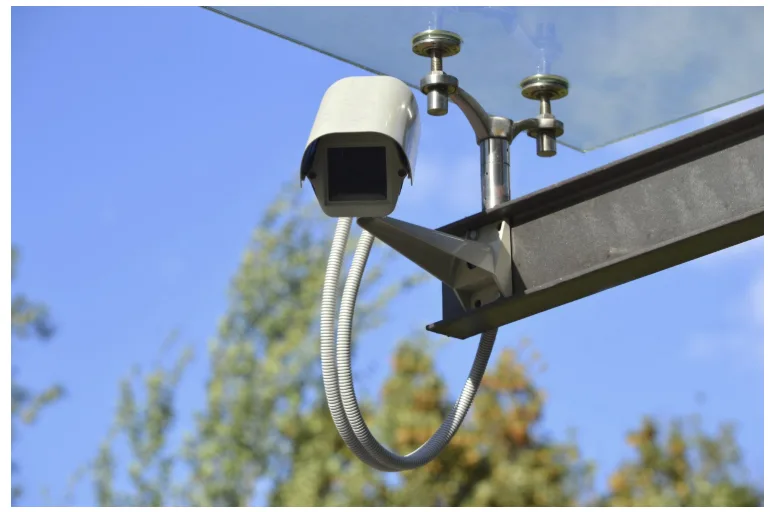
A construction site camera system combines an IP camera (typically 4K, RTSP/ONVIF-enabled, PoE or solar-powered) with a cloud platform that delivers live video, automatic time-lapse recordings, and real-time alerts to every stakeholder — the general contractor, the owner, the architect, and the insurer — from any browser or phone, 24/7. The critical decision is not which camera to buy; it is how the video gets from a dusty, locked-down jobsite to a scalable, embeddable, always-on stream that dozens or hundreds of people can watch simultaneously. That pipeline — RTSP ingest, cloud transcoding, CDN delivery, recording, time-lapse generation — is the part most buyers underestimate, and it is where managed platforms like Realtime compress months of infrastructure work into a 5-minute setup.
What Is a Construction Site Camera System?
A construction site camera system is a purpose-built combination of hardware (one or more IP cameras), network connectivity (Ethernet, Wi-Fi, or cellular), and software (cloud or on-prem) that captures, transmits, stores, and shares live and recorded video from an active construction project. The system typically serves three overlapping purposes: security surveillance (theft, vandalism, trespassing), progress documentation (time-lapse, daily photo logs, milestone recording), and remote monitoring (live view for stakeholders not physically on site).
Unlike a standard home security camera, a construction camera must survive extreme weather (IP66/IP67 ingress protection), operate on temporary power (solar + battery or generator), work without reliable wired internet (4G LTE / 5G cellular backup), and produce video that is both legally defensible (incident documentation, OSHA compliance) and commercially useful (marketing time-lapses, investor updates, public webcams).
Core EAV: Construction Site Camera
| Entity | Attribute | Value |
| Construction site camera | Primary purpose | Security, progress documentation, remote monitoring |
| Construction site camera | Typical resolution | 2 MP (1080p) to 8 MP (4K) |
| Construction site camera | Common sensor sizes | 1/2.8″, 1/2.5″, 1/1.8″ |
| Construction site camera | Video codecs | H.264 (AVC), H.265 (HEVC) |
| Construction site camera | Streaming protocols | RTSP (port 554), ONVIF Profile S/T/G |
| Construction site camera | Ingress protection | IP66 (dust-tight, powerful water jets), IP67 (submersible 1m/30min) |
| Construction site camera | Operating temperature | −40 °C to +60 °C (−40 °F to +140 °F) |
| Construction site camera | Power options | PoE (802.3af/at), solar + battery, 12V DC, AC mains |
| Construction site camera | Connectivity | Ethernet (Cat5e/Cat6), Wi-Fi (802.11ac), 4G LTE, 5G |
| Construction site camera | Night vision | IR LEDs (30–80 m range), starlight sensors |
| Construction site camera | Lens types | Fixed (2.8–12 mm), varifocal, motorized zoom, PTZ (pan-tilt-zoom) |
| Construction site camera | Storage | Cloud, microSD on-camera (128–512 GB), NVR on-prem |
| Construction site camera | Mounting | Pole mount, mast, trailer, magnetic base, scaffold clamp |
| Construction site camera | Typical lifespan on a project | 6 months to 5+ years |
| Construction site camera | Average cost (hardware only) | $150–$2,500 per camera |
| Construction site camera | Average cost (managed service) | $50–$500/month per camera (includes cloud, streaming, storage) |
Which Camera Is Best for a Construction Site?
There is no single “best” camera — the answer depends on the project’s size, connectivity, budget, and whether the primary goal is security, time-lapse, or live streaming. Here is how the major hardware categories compare:
Camera Type Comparison
| Camera type | Best for | Resolution | Power | Connectivity | Price range | Example brands |
| Fixed bullet / dome (PoE) | Permanent sites with Ethernet | 4K / 8 MP | PoE (802.3af) | Ethernet → RTSP | $80–$400 | Hikvision, Dahua, Reolink, Axis, Hanwha |
| PTZ (pan-tilt-zoom) | Large sites needing wide coverage | 4K / 8 MP | PoE+ (802.3at) or AC | Ethernet → RTSP | $300–$2,500 | Axis, Hikvision, Dahua, Hanwha |
| Solar-powered cellular | Remote sites, no power/internet | 2K–4K | Solar panel + battery | 4G LTE → cloud | $200–$800 + monthly | Reolink, Ring Jobsite, DefendCellCam |
| Dedicated time-lapse | Long-term progress documentation | 4K still + video | Battery (6–12 months) | Wi-Fi or manual SD retrieval | $250–$700 | Brinno BCC2000/BCC5000, cam-do |
| Camera trailer / mobile unit | Multi-site, rental fleets, rapid deploy | 4K PTZ | Generator / solar + battery | 4G LTE / 5G | $5,000–$15,000 (rental: $500–$1,500/mo) | Sensera, OxBlue, EarthCam, BirdEye |
What to Look for (Feature Checklist)
Resolution and sensor: 4K (8 MP) is now the standard for construction; 1080p is acceptable for budget builds. Look for H.265 codec support — it halves the bandwidth of H.264 at the same quality, which matters on cellular connections.
Weatherproofing: IP66 minimum. IP67 for coastal, flood-prone, or desert sites. Check operating temperature range — cheap consumer cameras rated 0–40 °C will fail in a Minnesota winter or an Arizona summer.
Night vision: IR range of at least 30 meters for perimeter security; 80+ meters for wide site coverage. Starlight sensors (0.001 lux) produce better color images at dawn/dusk than traditional IR.
Power autonomy: For solar: calculate panel wattage vs. camera draw. A typical 4K IP camera draws 12–15 watts; a 60 W panel with a 30 Ah battery provides ~2–3 days of autonomy in poor weather. Dedicated time-lapse cameras like the Brinno BCC5000 sip milliamps and run 6–12 months on AA lithium batteries.
RTSP and ONVIF support: This is non-negotiable for any camera that will feed into a cloud streaming platform. RTSP (port 554) is the universal protocol for IP camera live feeds. ONVIF Profile S guarantees interoperability with any VMS or streaming service. Without RTSP/ONVIF, you are locked into the manufacturer’s app — unable to embed, scale, or integrate. Every camera Realtime supports exposes an RTSP endpoint.
Pan-tilt-zoom (PTZ): Critical for large sites (multiple acres). A single PTZ with 25× optical zoom can replace 3–4 fixed cameras. Preset tours can cycle through views automatically. ONVIF Profile T adds PTZ control to the interoperability standard.
How Much Does a Jobsite Camera Cost?
The total cost of ownership has three layers: hardware, connectivity, and cloud/streaming platform.
Cost Breakdown per Camera
| Cost component | DIY / self-managed | Managed service (e.g., OxBlue, TrueLook) | Managed streaming platform (e.g., Realtime) |
| Camera hardware | $80–$2,500 (you buy) | Included or rented ($0 upfront) | You buy ($80–$500 for a PoE IP camera) |
| Cellular / internet | $20–$60/mo (SIM data plan) | Included | Your existing site internet or cellular gateway |
| Cloud storage & recording | $0 (local SD/NVR) – $15/mo (cloud) | Included | Included (automatic recording, timelapse) |
| Streaming & embedding | $0 (not possible) – $100+/mo (Wowza VPS) | Often not embeddable; vendor-locked player | $14–$49/mo per camera (all features) |
| Time-lapse generation | Manual (FFmpeg) | Included | Automatic daily timelapse generation |
| Installation | $200–$500 per camera | $500–$2,000 per camera (professional) | Self-install (RTSP URL only needed) |
| Total year-one per camera | $1,000–$5,000 | $3,000–$12,000 | $250–$1,100 (camera + $14–49/mo plan) |
The managed all-in-one providers (OxBlue, TrueLook, Sensera, EarthCam) bundle hardware + installation + cloud into a single monthly fee, typically $200–$500/month per camera on a 12–24 month contract. The hardware is proprietary and cannot be reused after the contract ends.
The cost-efficient alternative: Buy a standard IP camera from Reolink, Hikvision, Dahua, or Axis ($80–$500), connect it to a managed streaming platform like Realtime ($14–$49/month), and get the same capabilities — live streaming, embeddable player, automatic time-lapse, recording, unlimited viewers, CDN delivery — without hardware lock-in or long-term contracts. You own the camera. You control the stream.
What Is the Most Effective System to Monitor a Construction Site?
The most effective system combines three capabilities in a single pipeline:
- 24/7 live security monitoring with motion detection, alerts, and IR night vision
- Automatic progress documentation with daily time-lapse generation and timestamped recordings
- Scalable stakeholder access so the GC, owner, architect, insurer, and public can all watch — simultaneously, from any device, without sharing passwords or VPN credentials
Most all-in-one construction camera vendors (OxBlue, TrueLook, EarthCam, Sensera) deliver all three — but at $200–$500/month per camera with proprietary hardware and multi-year contracts.
A platform-agnostic approach delivers the same result at a fraction of the cost:
Recommended Architecture
[IP Camera] → RTSP (port 554) → [Cloud Gateway] → [Streaming Platform] → [CDN] → [Viewers] ↓ ↓ On-camera SD Cloud recording (local backup) Auto timelapse Embeddable player YouTube/Facebook simulcast
Step 1: Camera. Any 4K PoE IP camera with RTSP + ONVIF. Reolink RLC-810A ($80), Hikvision DS-2CD2T87G2 ($200), Axis M3077-PLVE ($500), or any brand already installed on site.
Step 2: Network. PoE switch + site internet (fiber, cable, or starlink). For remote sites without wired internet: 4G/5G cellular gateway (Cradlepoint, Peplink, or Teltonika) feeding the camera’s Ethernet port.
Step 3: Streaming platform. Connect the camera’s RTSP URL to Realtime. The platform’s Cloud Gateway establishes an outbound connection from the camera — no port forwarding, no static IP, no firewall changes required. This is critical on construction sites where the GC does not control the network and IT access is limited.
Step 4: Delivery. Realtime transcodes the RTSP feed to adaptive-bitrate HLS, caches it on a global CDN, and produces:
- An embeddable HTML5 player (one iframe tag → website, investor portal, marketing page)
- Automatic daily time-lapse videos (full day compressed to 2 minutes, downloadable HD)
- Cloud recordings with playback, scrubbing, and viewer clip creation
- Simultaneous broadcast to YouTube, Facebook, and Twitch from one source
- Unlimited concurrent viewers — whether 5 office staff or 5,000 community residents watching a public project
Step 5: Alerts. Realtime monitors stream health and sends email/SMS alerts when the feed drops — which, on a construction site with power cuts and bumped cables, happens weekly.
Construction Time-Lapse Cameras: Dedicated Hardware vs. IP Camera + Cloud
Time-lapse is the construction industry’s most powerful marketing and documentation tool. A 2-minute video compressing 18 months of building into a seamless progression gets shared by developers, posted on social media, embedded on project websites, and attached to RFP responses for years.
There are two approaches:
Approach A: Dedicated Time-Lapse Camera (Brinno, cam-do)
| Attribute | Value |
| How it works | Captures a still photo at set intervals (e.g., every 10 seconds), stores on SD card, stitches into video |
| Battery life | 6–12 months on AA lithium batteries (Brinno BCC5000) |
| Resolution | Up to 4K still, 1080p video output |
| Connectivity | Wi-Fi for remote check-in; SD card for final retrieval |
| Live streaming | No — photos only, no continuous video |
| Cloud delivery | Manual upload after SD retrieval |
| Cost | $250–$700 hardware; no recurring fee |
| Best for | Long-term outdoor projects where only a final time-lapse is needed and no live view is required |
Approach B: IP Camera + Cloud Streaming Platform (Realtime)
| Attribute | Value |
| How it works | Continuous live RTSP video stream → cloud → automatic daily timelapse generated from the live feed |
| Power | PoE (continuous) or solar+battery with cellular |
| Resolution | Up to 4K live video |
| Connectivity | Ethernet or cellular → RTSP → cloud |
| Live streaming | Yes — 24/7 live view for unlimited viewers |
| Cloud delivery | Embeddable player, shareable link, YouTube/Facebook simulcast — all automatic |
| Cost | $80–$500 camera + $14–$49/month (Realtime) |
| Best for | Projects that need both live monitoring AND time-lapse, stakeholder access, embeddable feeds, recordings |
The verdict: Dedicated time-lapse cameras like Brinno are excellent for remote, power-starved sites where only a final time-lapse video matters. But for any project that also needs live streaming, security monitoring, stakeholder access, or embeddable video — which is most commercial projects in 2026 — an IP camera connected to a cloud platform like Realtime delivers both the live feed and the automatic time-lapse without managing two separate systems.
How to Set Up a Construction Camera with Realtime (Step by Step)
Step 1: Choose and Mount the Camera
Pick any RTSP/ONVIF IP camera. For construction, prioritize IP66+ weatherproofing, PoE power, and H.265 support. Mount on a pole, mast, or scaffold bracket with a clear sightline of the work zone. Aim slightly downward (15–20°) to maximize coverage and minimize sky exposure that blows out the image.
Step 2: Connect Power and Network
Run a single Cat5e/Cat6 cable from a PoE switch to the camera — the cable carries both data and 48V power. For cellular sites, connect the camera’s Ethernet to a 4G/LTE gateway (Cradlepoint IBR600C, Peplink MAX BR1, or Teltonika RUT241).
Step 3: Find the Camera’s RTSP URL
Every IP camera has a unique RTSP URL pattern. Common formats:
| Manufacturer | RTSP URL format |
| Hikvision | rtsp://user:pass@IP:554/Streaming/Channels/101 |
| Dahua | rtsp://user:pass@IP:554/cam/realmonitor?channel=1&subtype=0 |
| Reolink | rtsp://user:pass@IP:554/h264Preview_01_main |
| Axis | rtsp://user:pass@IP:554/axis-media/media.amp |
| Amcrest | rtsp://user:pass@IP:554/cam/realmonitor?channel=1&subtype=0 |
| TP-Link Tapo | rtsp://user:pass@IP:554/stream1 |
| Ubiquiti UniFi | rtsps://user:pass@IP:7441/camera-id |
Use ONVIF Device Manager (free, Windows) to auto-discover cameras and retrieve their RTSP URLs if you cannot find the format in the documentation.
Step 4: Connect to Realtime
- Create an account at getrealtime.com
- Add a new stream → paste the RTSP URL
- No port forwarding needed — the Cloud Gateway initiates an outbound connection
- Within 60 seconds, the live stream appears in the dashboard
Step 5: Customize and Embed
- Brand the player: Add your company logo, accent colors, and an offline placeholder image
- Enable recording: Toggle cloud recording — all footage stored, scrubable, downloadable
- Enable time-lapse: Turn on automatic daily timelapse generation — a 2-minute HD video of each day, generated overnight, ready to share
- Embed on your website: Copy the single-line iframe embed code into your project page, investor portal, or public webcam directory
- Set up alerts: Enable stream-health notifications via email or SMS
- Optional: Simulcast to YouTube Live, Facebook Live, or Twitch for maximum reach
The entire setup — from unboxing the camera to having an embeddable, recording, timelapse-generating live stream on your website — takes under 30 minutes. No media servers. No FFmpeg. No DevOps.
Construction Camera Use Cases by Stakeholder
| Stakeholder | What they watch | Why it matters | Feature they need most |
| General contractor | Live site view, daily progress | Coordinate subcontractors remotely, resolve disputes | Live stream + recording playback |
| Project owner / developer | Progress time-lapse, milestone clips | Investor updates, marketing, loan draws | Automatic timelapse + embeddable player |
| Architect / engineer | Detail views, RFI documentation | Verify installation matches drawings | 4K resolution + PTZ zoom |
| Insurance / risk manager | Incident footage, 24/7 recording | Claims documentation, liability defense | Cloud recording + timestamped playback |
| Safety officer | Real-time monitoring, alerts | OSHA compliance, near-miss identification | Motion alerts + live view |
| Marketing / PR team | Public webcam, social content | Community engagement, brand visibility | Embeddable player + YouTube simulcast |
| Municipality / public | Civic project transparency | Taxpayer accountability | Unlimited concurrent viewers + public sharing page |
Security Considerations for Construction Camera Deployments
Construction sites are high-theft environments. The National Equipment Register estimates $300 million to $1 billion in construction equipment theft annually in the United States alone. Camera systems deter theft and provide evidence, but they also introduce their own security surface.
Physical security: Mount cameras at 3+ meters height with tamper-resistant brackets. Use vandal-resistant dome housings (IK10 rating). Secure cable runs inside conduit. Lock the network switch enclosure.
Network security: Never expose port 554 (RTSP) directly to the public internet — the feed is unencrypted by default, and construction-site IPs get scanned by botnets. Instead, use a cloud gateway that tunnels the RTSP feed outbound through an encrypted connection. This is exactly what Realtime’s Cloud Gateway does — the camera connects out; nothing needs to be opened inbound.
Access control: Use the streaming platform’s access controls (domain whitelisting, email-based 2FA, IP restrictions) rather than sharing camera passwords. Realtime offers domain lock, IP whitelisting, and per-viewer access control to restrict who can see the feed.
Data retention and privacy: Construction cameras may capture workers, visitors, and neighbors. Comply with applicable privacy laws (state wiretapping statutes, GDPR on EU-funded projects). Post visible signage. Set recording retention policies (30, 60, 90 days). Realtime supports AI-powered face blur for privacy-sensitive deployments.
Wireless and No-WiFi Construction Cameras
Many construction sites — especially early-phase, rural, or infrastructure projects — have no wired internet. Three solutions exist:
Cellular gateway + PoE IP camera: A 4G/5G router (Cradlepoint, Peplink, Teltonika, Sierra Wireless) creates a local Ethernet connection for the camera. The camera streams RTSP to the gateway; the gateway tunnels the feed to the cloud. Bandwidth requirement: 2–4 Mbps for 1080p H.265, 6–10 Mbps for 4K H.265. Monthly data usage at 1080p/H.265 continuous: ~30–60 GB.
Solar + battery + cellular camera (all-in-one): Reolink Go Plus, Ring Jobsite Security, or DefendCellCam units combine camera + solar panel + cellular modem + battery in a single package. Pros: zero infrastructure. Cons: limited to 1080p, motion-activated (not continuous), proprietary apps, cannot embed or scale.
Starlink + standard IP camera: SpaceX Starlink provides 50–200 Mbps in remote areas where cellular is weak. A Starlink terminal + PoE switch + any IP camera gives you the same streaming-platform-ready setup as a wired site. The Starlink kit draws ~50 W average, so a 400 W solar system covers both the terminal and 2–3 cameras.
In all three scenarios, the critical bottleneck is not the camera — it is how the video reaches viewers. A cellular-connected camera with no cloud platform can only serve 1–2 simultaneous viewers directly. Connect it to Realtime and the same camera serves unlimited viewers worldwide via CDN, with recording, timelapse, and embedding included.
Construction Camera Platforms Compared
| Feature | OxBlue | TrueLook | EarthCam | Sensera | Brinno | Realtime |
| Camera hardware | Proprietary (included) | Proprietary (included) | Proprietary (included) | Proprietary (included) | Proprietary (you buy) | Any RTSP/ONVIF camera |
| Live streaming | Yes | Yes | Yes | Yes | No | Yes |
| Time-lapse | Yes | Yes | Yes | Yes | Yes (core feature) | Yes (automatic daily) |
| Cloud recording | Yes | Yes | Yes | Yes | No (SD card) | Yes |
| Embeddable player | Limited | Limited | Yes (branded) | No | No | Yes (full branding, overlays, CTAs) |
| YouTube/Facebook simulcast | No | No | Limited | No | No | Yes |
| Unlimited viewers | Varies | Varies | Yes | Varies | N/A | Yes (all plans) |
| Custom branding | No | Limited | Yes (extra cost) | No | No | Yes (logo, colors, overlays) |
| API access | Limited | Limited | Yes | Limited | No | Yes (REST API) |
| Minimum contract | 12–24 months | 12 months | 12+ months | 12 months | None | Monthly, no contract |
| Price per camera/month | $200–$500 | $150–$400 | $300–$600 | $150–$300 | $0 (hardware only) | $14–$49 |
| Hardware lock-in | Yes | Yes | Yes | Yes | No | No |
Frequently Asked Questions
Which camera is best for a construction site? For most commercial projects in 2026, a 4K PoE IP camera with H.265 support, IP66 weatherproofing, and RTSP/ONVIF compliance — connected to a cloud streaming platform — provides the best balance of quality, cost, and flexibility. Specific models worth considering: Reolink RLC-810A (budget, $80), Hikvision DS-2CD2T87G2 (mid-range, $200), Axis P3268-LV (enterprise, $500). The camera is a commodity; the streaming platform determines whether the video actually reaches stakeholders.
How much does a jobsite camera cost? Hardware ranges from $80 (basic PoE bullet) to $15,000 (mobile camera trailer with solar + cellular + PTZ). The ongoing cloud/streaming cost varies from $14/month (Realtime Starter) to $500+/month (proprietary all-in-one services like OxBlue or EarthCam). Total year-one cost for a single-camera setup: $250–$1,100 with a BYO camera + Realtime, vs. $3,000–$12,000 with a proprietary managed provider.
Can I use a regular security camera as a construction camera? Yes — any IP camera with RTSP output and adequate weatherproofing works. The key requirements are IP66+ ingress protection, an operating temperature range that covers your climate, and RTSP/ONVIF support so you can connect to a cloud platform. Consumer cameras (Ring, Nest, Arlo) generally do not expose RTSP and cannot be embedded or scaled.
Do I need internet on the construction site? Yes, but it does not need to be wired. Options: site Ethernet/fiber, 4G/5G cellular gateway, or Starlink satellite. Minimum upload bandwidth: 2 Mbps for 1080p H.265, 6 Mbps for 4K H.265. For time-lapse-only (no live view), a dedicated Brinno camera with SD storage works fully offline but cannot stream or embed.
Can my employer watch me on camera all day? In most US states, yes — employers may conduct video surveillance of work areas for safety, security, and quality control, provided cameras are not placed in areas with a reasonable expectation of privacy (restrooms, changing rooms). Audio recording has stricter rules (two-party consent in 11 states). Post visible signage disclosing camera use. Consult state-specific labor law for your jurisdiction.
How do I embed a construction camera on a website? You need a streaming platform that converts the camera’s RTSP feed to browser-compatible HLS and provides an embed code. With Realtime, you copy a single
What is a construction camera trailer? A mobile, self-contained surveillance unit — typically a 6–10 foot trailer or pole-mounted cabinet housing one or more PTZ cameras, a solar panel, battery bank, cellular modem, NVR, and sometimes a loudspeaker for remote deterrence. Rented for $500–$1,500/month. Best for multi-site contractors who redeploy cameras across projects. For fixed sites, a standard IP camera + cloud platform achieves the same result at 5–10× lower cost.
What is the difference between RTSP and ONVIF? RTSP (Real-Time Streaming Protocol) is the transport protocol that delivers the video feed (port 554). ONVIF (Open Network Video Interface Forum) is an interoperability standard that defines how cameras, NVRs, and software discover each other and exchange capabilities — including RTSP URLs, PTZ controls, and metadata. ONVIF Profile S mandates RTSP/RTP for media streaming. A camera that supports ONVIF automatically supports RTSP; the reverse is not always true.
Summary: The Smartest Construction Camera Setup in 2026
The construction camera market in 2026 is split between expensive proprietary all-in-ones ($200–$600/month, hardware lock-in, long contracts) and cheap consumer cameras (no embedding, no scalability, no time-lapse). The gap between them is where the most value sits:
- Buy any quality IP camera — Reolink, Hikvision, Dahua, Axis, Amcrest, or whatever is already installed on your site. Budget: $80–$500.
- Connect it to Realtime — paste the RTSP URL, skip port forwarding with the Cloud Gateway, and in under 5 minutes you have:
- Live streaming to unlimited viewers on any device, via an encrypted global CDN
- Automatic daily time-lapse videos — no manual export, no FFmpeg scripts
- Cloud recording with scrubbing and clip creation
- An embeddable branded player for your project website, investor portal, or public page
- Simultaneous broadcast to YouTube, Facebook, and Twitch
- Stream health alerts via email and SMS
- No contract, no lock-in — $14–$49/month per camera
- Scale effortlessly. Adding camera #2, #10, or #100 is the same 5-minute workflow. Enterprise features (SSO, white-labeling, AI motion detection, object tracking, crowd analysis) are available for large-scale deployments.
The camera is a commodity. The platform is the differentiator. Realtime is the platform built for exactly this workflow — from IP camera to embeddable, scalable, always-on construction site camera stream.