Experience Using UniFab Video Denoise AI: A Simple Review
I am not a professional filmmaker, but I work with video a lot. Many of my clips are noisy. Some are shot at night, some are from older phones, and some are compressed many times. I was getting tired of seeing grain and color noise everywhere, so I started to look for a way to denoise video without making it look like plastic.
That is how I found UniFab Denoise AI. This is my own experience as a normal user.
Why I Tried It
I searched online for an AI Video Denoiser that was not too hard to use. I tried a few free tools before, but they either:
- removed the noise and also removed details, or
- were so slow that I gave up.
UniFab caught my eye because it is part of a bigger tool set, and also because the trial version does not add a watermark. That made it easy for me to test it on my real videos without risk.
First Time Using It
The installation was simple. I just downloaded it, clicked next a few times, and it was ready.
The interface is clear. There are not too many buttons. I liked that. I do not want to read a long manual just to clean up one clip.
My basic steps were:
- Open the program
- Add a noisy video
- Choose the denoise video AI option
- Pick a level of strength
- Export
Even if you are not tech-savvy, you can figure it out in a few minutes.
How Good Is the Denoise?
This is the most important part for me.
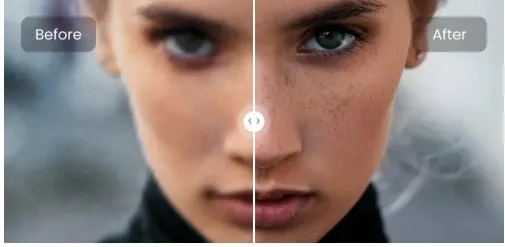
On my low-light phone videos, UniFab did a good job. The grain on walls and dark areas was much lower. Faces still looked like real faces, not smoothed cartoons. Some AI tools make people look like wax; this one was better than I expected.
On older 1080p clips with lots of compression noise, this AI Video Denoiser also helped. Blocks and color noise were reduced. The video was not perfect, but it was more pleasant to watch.
On animation, the result was interesting. The lines stayed clean, and the colors stayed flat. It did not add strange artifacts. It looked more natural than some other tools I tried.
Speed and Performance
I do not have a super high-end PC, just a normal modern machine. UniFab was not instant, but it was not painfully slow either. I could still use my computer while it was working.
The time depends on the length of the video and the chosen settings. Higher quality and stronger denoise video options take longer, but that is normal.
What I Didn’t Like
A few small things:
- If I set the strength too high, the image can look a bit too clean, like it lost some texture.
- The preview sometimes takes a moment to load.
These are not deal-breakers, but they are worth mentioning.
Final Thoughts
Overall, UniFab Denoise AI worked well for me. It is simple, it can denoise video without destroying the whole image, and the denoise video AI mode is easy to use even for non-experts.
If you have a lot of noisy clips from phones, old cameras, or low-light scenes, and you want a straightforward AI video denoiser, UniFab is something you can try and judge for yourself.