Fan art and fantasy illustration with AI tools
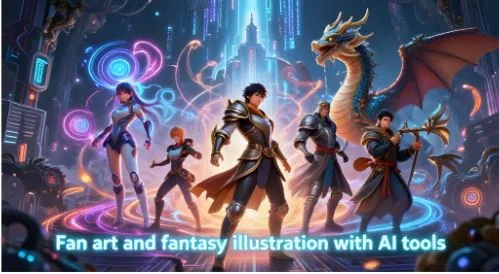
Fan art has always lived at the edge of what is technically possible. Artists pushed their tools to recreate beloved characters, build fantasy worlds, and bring game campaigns to life on paper. The tools have changed.
AI art generation has given artists a way to produce detailed, stylized illustrations in minutes rather than hours. Two communities feeling this shift most are Pokémon fans and tabletop RPG players.
Why fan art communities adopted AI tools first
Fan artists are not professionals in the traditional sense. Most do not have a budget for a graphic designer or illustrator. They have an idea, a character they love, and a desire to see it rendered in a way that matches what they picture.
That gap between imagination and execution is exactly where AI tools fit. You do not need to know how to draw to use them. You describe what you want, adjust the style, and generate the image.
The Pokémon community moved early. With over 1,000 species across nine generations, there is no shortage of subject matter.
Fan artists use AI to generate regional variants, new evolutions, crossover designs, and entirely original creatures built in the same visual style as the official games. An AI Pokémon art tool handles the style consistency that makes these designs feel authentic rather than generic.
The D&D community followed a similar path for different reasons. Tabletop players need character art constantly. New campaign, new character. Most players cannot commission a professional illustrator for every character they roll.
What tabletop players actually use AI art for
D&D character art is the most obvious use case, but it is not the only one. Players and dungeon masters use AI illustration tools across the full scope of a campaign.
Common uses include:
- Character portraits for player sheets and campaign wikis
- NPC portraits so players can visualize who they are talking to
- Location art for towns, dungeons, and maps
- Monster illustrations for homebrew creatures
- Item artwork for unique weapons or artifacts
The visual quality of a campaign affects how immersed players feel. A dungeon master who can show rather than describe an NPC or location creates a more vivid experience at the table.
An AI art generator built for D&D handles fantasy-specific styles including dark dungeon atmospheres, high fantasy character designs, and the kind of hand-painted illustration look that tabletop artwork is known for. The style matters as much as the subject.
The difference between generic AI art and style-specific tools
Most people who try AI art generation for the first time use a general-purpose tool. The results are often impressive but off-brand. A Pokémon fan wants an image that looks like it belongs in the games. A D&D player wants art that fits the aesthetic of fantasy illustration, not a photorealistic render.
Style-specific tools are trained or prompted to stay within a defined visual language. The difference in output is significant.
| Tool Type | Output Style | Best For |
| General AI art | Varies widely | Exploration, experimentation |
| Style-specific fan art tool | Consistent to source material | Fan art, character design |
| D&D focused tool | Fantasy illustration aesthetic | Campaign art, character portraits |
General tools require heavy prompt engineering to get consistent results. Style-specific tools get there faster because the style parameters are already set.
How artists use AI as part of their workflow
AI art tools work best when they are one part of a larger creative process, not the whole thing. Most experienced fan artists use them as a starting point.
A typical workflow looks like this:
- Generate a base image using the AI tool
- Import into Photoshop, Procreate, or another editing tool
- Refine details, adjust colours, and add personal touches
- Use the AI output as a reference or layer underneath hand-drawn elements
This approach is faster than starting from a blank canvas and more personal than using the AI output unchanged. The artist brings creative direction. The tool handles the technical execution of the base image.
Some artists generate 10-20 variations of a character before choosing one to refine. That iteration speed is the main advantage over traditional sketching, especially for artists who are still developing their drawing skills.
Getting the most out of AI fan art tools
The quality of the output depends heavily on how you describe what you want. Vague prompts produce generic results. Specific prompts produce usable art.
For Pokémon fan art, include:
- The type of Pokémon (fire, water, grass, etc.)
- The generation aesthetic you want (pixel, 3D, anime, watercolour)
- Any specific features like regional variants or fusion designs
For D&D character art, include:
- Race and class
- Armour or clothing description
- Setting or background atmosphere
- Art style (dark fantasy, high fantasy, painted illustration)
The more specific you are, the closer the output lands to what you pictured. Treat the prompt like a brief you would give a human illustrator. They cannot read your mind, and neither can the tool. But with the right description, both can produce something that surprises you.