Field Service Pricing: What Small Teams Actually Pay vs. What They’re Quoted
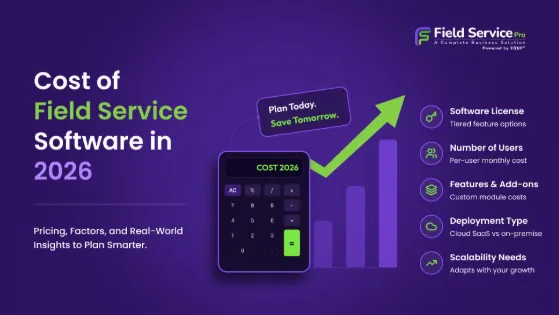
A $9 per month plan looks great on a pricing page. It is easy to see why a small business owner would click sign up without reading much further. The problem is that entry-level pricing rarely tells the full story. Field service pricing works a lot like airline ticket pricing. The number you see first is almost never the number you end up paying once the business is actually using the tool day to day.
This is not necessarily dishonest on the part of field service software providers. Low starting prices are a normal part of how software gets sold, and they help smaller businesses get in the door. The issue is what happens after that first month, once a team has built its workflow around the tool and switching becomes a real hassle. That is usually when the extra costs start showing up.
Why Entry-Level Field Service Software Pricing Looks So Good
Software companies know that price is often the first thing a small business owner checks. A low number at the top of the pricing page gets clicks and signups, even if most customers eventually move to a higher tier. This is a common and reasonable business strategy. The catch is that entry-level plans are often built to look complete while actually leaving out things a growing team will need within a few months.
It is worth remembering that field service software pricing pages are marketing pages first and product descriptions second. They are designed to get you to start a trial, not necessarily to give you a full picture of what running your actual operation will cost a year from now.
Where the Extra Costs Usually Hide
1.Per user charges that add up fast
Most field service management software pricing is based on the number of users or technicians, and entry-level plans often advertise a price for a single seat. A business with five technicians is not paying that headline number. They are paying five times that number, and the marketing page rarely makes this obvious at first glance. It is worth doing the actual math for your team size before assuming the low price applies to you.
2.Features locked behind higher tiers
Estimates and invoicing, GPS tracking, and reporting are commonly split across pricing tiers, with the cheapest plan covering only basic scheduling. A business signs up expecting a complete tool and discovers a few weeks in that the feature they actually needed, like sending invoices directly from the field, requires an upgrade.
3.Limits on jobs, technicians, or storage
Some entry-level plans cap the number of jobs you can create per month, the number of customer records you can store, or how much photo and document storage is included. These caps are usually fine at first and become a problem exactly when the business starts growing, which is not a coincidence.
4.Setup and onboarding fees
Not every provider charges for this, but some do, particularly for anything beyond the most basic configuration. A business that needs help importing existing customer data, setting up custom job types, or training a team often finds this listed as a separate line item rather than included in the monthly price.
5.Support that costs extra past a certain tier
Email only support with a 2-day response time might be fine for a business that rarely runs into problems. For a small team relying on the software daily, that kind of delay during a busy week can cost more in lost time than the software itself. Faster support, live chat, or phone access is frequently reserved for higher priced plans.
6.Add-ons for integrations
Connecting the software to accounting tools, payment processors, or other systems a business already uses sometimes comes with an extra monthly charge, even when the core software itself is inexpensive.
7.Cancellation and data export friction
This one rarely shows up in a comparison of monthly costs, but it matters. Some field service management software providers make it difficult to export customer history, job records, or invoices if a business decides to leave. That is not a cost you pay in dollars right away, but it becomes a real cost in time and lost information if you ever need to switch tools.
A Simple Way to Compare Real Costs of Field Service Software
Instead of comparing the number on the pricing page alone, it helps to work out what the software will actually cost your business in a typical month. A short exercise like this usually reveals the real picture:
- Multiply the per user price by your actual technician count, including anyone who works part time or seasonally.
- Check which tier includes estimates and invoicing, since this is one of the most commonly gated features and one most small teams need from day one.
- Ask directly whether there are caps on jobs, customers, or storage, and what happens once you hit them.
- Ask whether onboarding or data migration comes with a separate fee.
- Find out what support actually looks like at your plan level, not just what the top tier offers.
- Ask what happens to your data if you cancel, and how easy it is to export it.
Doing this before signing up takes maybe 20-minutes, and it usually changes the comparison between providers quite a bit. A tool that looked like the cheapest option on paper sometimes ends up costing more than a competitor once you account for what is actually included.
Why This Matters More for Small Teams
Larger companies usually have someone whose job includes reviewing software contracts and negotiating pricing. Small teams rarely have that luxury. The owner or office manager picks a tool, signs up, and moves on to the next task on their list. That makes small businesses more likely to end up on a plan that quietly costs more than expected, simply because nobody had the time to read through every detail of the pricing page.
This is not a reason to avoid field service software pricing pages altogether, but it is a reason to slow down slightly before committing. A 10-minute phone call with a sales representative, asking direct questions about what is and is not included, usually surfaces the hidden costs faster than reading the pricing page alone.
A Real Example of How This Plays Out
Consider a small HVAC company with 4 technicians. The pricing page advertises a plan starting at $15 per user per month, which sounds like $60 per month for the whole team. That number is what gets budgeted for.
A few weeks in, the office manager realizes invoicing is not included at that tier, only basic job scheduling. Upgrading to the tier with invoicing brings the price to $35 per user, which changes the monthly cost to $140, more than double the original estimate. Then the team hits a cap on stored customer records around month 4 and has to upgrade again to keep adding new clients.
None of this is unusual, and none of it involves a provider acting in bad faith. It is simply what happens when a business budgets based on the first number they see instead of working through what their actual usage will look like. The same HVAC company, had they asked about invoicing and storage limits before signing up, could have picked a plan that matched their real needs from the start instead of upgrading twice within the first few months.
Questions Worth Asking Before You Commit Any Field Service Management Software
A short conversation before signing up can prevent most of these surprises. Some useful questions to bring to a sales call or ask through chat support include:
- What exactly is included at the price shown on the homepage, and what requires an upgrade?
- Is there a limit on the number of jobs, technicians, or customer records at this tier?
- Does the price change if we add a seasonal or part time technician for a few months?
- What does support look like at this plan level, and is there a faster option if we need it later?
- If we decide to cancel, how do we get our data out, and is there a fee or waiting period involved?
Providers that answer these clearly and without hesitation tend to be the ones worth trusting. Vague answers, or a sales representative who steers the conversation back to features instead of directly addressing cost, are usually a sign that the full pricing picture is more complicated than the homepage suggests.
What Fair Pricing Actually Looks Like
Not every provider hides costs behind an attractive entry price. Fair field service management pricing tends to share a few traits that are worth looking for.
- The core features a small team actually needs, like scheduling, estimates, and invoicing, are included at every tier, not locked behind an upgrade.
- Pricing scales predictably with team size, without sudden jumps between tiers.
- Support is available without needing to pay extra for basic help.
- There are no hard caps on jobs or customer records that force an unexpected upgrade mid-month.
- Cancelling and exporting your data is straightforward, without needing to request it repeatedly or pay a fee.
FieldServicePro was built around this idea, keeping essential features like scheduling and invoicing available from the start rather than splitting them across tiers designed to push small businesses into unexpected upgrades. The goal is that the price a business sees when signing up is close to the price they actually pay once the team is using it every day.
The Bottom Line
Low entry-level prices are not automatically a red flag, but they are also not the full story. Before choosing field service software based on the number at the top of a pricing page, it is worth checking what happens once your actual team size, job volume, and feature needs are factored in.
A little bit of upfront research, asking direct questions about per user costs, gated features, usage caps, and support, usually saves a small business from an unpleasant surprise a few months down the road. The cheapest plan on paper is not always the cheapest plan in practice, and knowing the difference before signing up is worth the extra twenty minutes it takes to find out.