File Conversion Made Simple: How to Choose the Right Format and Convert Files Online
A file may contain exactly the information you need, but the wrong format can make it difficult to open, edit, share, or upload. A presentation might need to become a PDF before being sent to a client, an image may need to be converted before it can be uploaded to a particular platform, or an audio recording may need a different format for playback.
A file format determines how information is structured and stored. Different formats are designed for different purposes, which is why choosing one often involves balancing compatibility, quality, size, and editing requirements. A Convertio file converter can simplify this process by transforming a file into a format that better suits a specific device, application, or sharing purpose. The Library of Congress, for example, maintains extensive guidance on digital formats and evaluates formats according to factors that affect long-term access and usability.
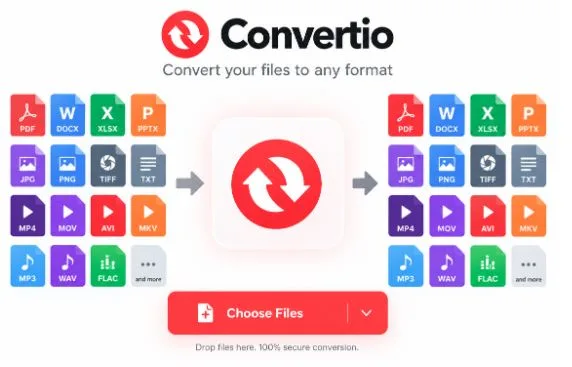
For people who regularly work with different types of files, Convertio converts files between a wide range of formats through a browser-based workflow, allowing users to change a file without installing dedicated conversion software.
Quick takeaway: The best format is not always the newest or smallest one. It is the format that fits the way the file will be used.
When Do You Need to Convert a File?
File conversion becomes useful whenever the original format does not match the requirements of the next step.
Some common situations include:
- Sharing documents: A DOCX document may need to become a PDF before distribution.
- Editing media: An audio or video file may need to be changed to a format supported by editing software.
- Uploading images: A website or application may accept only particular image formats.
- Reducing compatibility problems: Older or less common formats may need to be converted into widely supported alternatives.
- Preparing files for devices: Some phones, tablets, media players, or other devices work better with specific formats.
- Working with archived files: An archive may need to be extracted or transformed before its contents can be used.
A format is a practical decision
The Library of Congress maintains detailed information about digital formats because the choice of format can affect accessibility, preservation, and future usability. This is particularly important when files are expected to remain usable for a long time.
For everyday users, the same principle applies on a smaller scale: before converting a file, consider where it will be opened, whether it needs further editing, and whether maintaining quality is important.
How Online File Conversion Works
Online conversion services generally simplify a process that traditionally required desktop applications.
The workflow is usually straightforward:
Upload → Select output format → Convert → Download
Instead of searching for software that supports a particular file type, a user can access a browser-based converter and perform the conversion online.
Convertio states that its conversions take place in the cloud, meaning the processing does not use the computer’s local processing capacity. Its service supports more than 300 file formats and offers thousands of possible format combinations.
Why browser-based conversion can be convenient
| Traditional software | Online conversion |
| Requires installation | Runs through a browser |
| May support a limited group of formats | Can provide access to many format combinations |
| Software updates may be required | Service is maintained online |
| May consume local resources | Cloud processing can reduce local workload |
| Different apps may be needed for different formats | One service can handle multiple conversion categories |
This does not mean online conversion is the best choice for every situation. Sensitive files, extremely large projects, or specialized professional workflows may require dedicated software or an offline solution.
Using Convertio for Everyday Conversions
Convertio is designed around a simple browser-based process. Users choose a file, select the desired output format, and start the conversion.
The service supports categories including documents, images, audio, video, archives, presentations, spreadsheets, and other file types. Its format directory lists both formats it can read and formats it can write.
Three useful features
- Broad format support
Having access to many formats can be useful when working with files from different applications or devices. Instead of installing a separate program for every conversion task, users can check whether the required input and output formats are supported by the same service.
- Cloud-based processing
Convertio performs conversions in the cloud, so the conversion workload does not depend entirely on the user’s computer. This can be particularly useful when working from a lightweight laptop or another device where installing specialized software is inconvenient.
- Custom conversion options
For many conversion types, Convertio provides additional settings. Depending on the conversion, users may be able to adjust options such as quality, aspect ratio, codec, rotation, or other parameters.
Tip: Do not automatically choose the smallest output file. If quality matters, check the available settings before starting the conversion.
Common File Conversion Examples
Different projects require different format combinations. Here are several practical examples:
| Original file | Possible output | Typical reason |
| DOCX | Easy sharing and consistent presentation | |
| PNG | JPG | Smaller image files for certain uses |
| WAV | MP3 | Reduced audio file size |
| MP4 | MP3 | Extracting audio from video |
| XLSX | CSV | Moving spreadsheet data between systems |
| PPTX | Sharing presentations without editing | |
| EPUB | Creating a different reading or distribution format |
The important point is that conversion should serve a specific purpose. Changing a file simply because another format exists does not necessarily improve it.
For example, converting a lossless image into a compressed format can reduce file size, but it may also affect image quality. Similarly, converting an editable document to a fixed-layout format can make sharing easier while making future editing less convenient.
What to Check Before Converting
A successful conversion is more than receiving a file with a different extension. Before converting, consider these five factors.
1. Compatibility
Make sure the destination format works with the software, website, device, or platform where the file will be used.
2. Quality
Audio, video, and image conversions can involve quality changes. Check the available settings when quality is important.
3. File size
A smaller file can be easier to upload and share, but aggressive compression may reduce quality.
4. Editability
A PDF may be excellent for distribution but less convenient for editing than the original document format.
5. Privacy
Think about the sensitivity of the information contained in the file before uploading it to any online service. Always review the provider’s current privacy and file-retention information before processing confidential material.
A Simple File Conversion Workflow
A reliable conversion process can be reduced to a few steps:
Step 1 — Identify the purpose
Ask why the file needs to be converted. Is the goal compatibility, smaller size, easier sharing, editing, or another requirement?
Step 2 — Choose the output format
Select a format that matches the final destination of the file.
Step 3 — Check the conversion settings
Look for quality, compression, resolution, codec, or other available options.
Step 4 — Convert the file
Upload the original and start the conversion.
Step 5 — Inspect the result
Do not immediately delete the original. Open the converted file and check that the content, layout, quality, and important metadata are acceptable.
A useful rule
Convert for a reason, not simply because you can.
The right conversion preserves the information you need while making the file more useful for its intended purpose.
Final Thoughts
File formats are easy to overlook until they become a problem. A document may not open correctly, an image may be rejected by a website, or an audio file may be incompatible with a particular application. In each case, conversion can provide a practical solution.
Browser-based tools make these tasks easier because users do not necessarily need to install several specialized applications. Convertio supports more than 300 formats and provides cloud-based conversion for documents, images, audio, video, archives, and other file categories.
The best approach is still to understand the destination first. Once you know where the converted file will be used, you can choose a suitable format, adjust the available settings, and verify the final result before sharing or storing it.