From Idea to Clip in Minutes: A Practical Guide to AI Video for Busy Creators
Video is the fastest way to communicate online—but it’s also the most time-consuming. Between scripting, finding visuals, editing, subtitles, and exporting different formats for TikTok, Reels, and YouTube Shorts, it’s easy to spend hours just to publish a 20-second clip.
That’s why more creators and marketers are shifting to AI video workflows. Instead of starting with a blank timeline in an editor, they start with an idea, a prompt, or a single image—and let AI handle the heavy lifting. The real value isn’t “making videos with AI” for fun; it’s producing content consistently without burning out.
Why traditional video production slows teams down
Even simple social content has hidden costs:
- Ideation friction: the gap between “I have an idea” and “I have a finished clip.”
- Asset hunting: searching for B-roll, backgrounds, and visuals that match your message.
- Editing time: cuts, pacing, captions, resizing… repeated for every platform.
- Iteration cost: one revision can turn into a half-day task.
If you publish weekly, this is annoying. If you publish daily, it’s a bottleneck.
Where AI video fits (and where it doesn’t)
AI video tools shine when you need speed and volume: product teasers, short explainers, marketing variations, quick social ads, concept demos, or content experiments. They’re not meant to replace high-end film production. They’re meant to help you ship more ideas, test more angles, and focus on storytelling rather than timeline dragging.
A simple rule: use AI for rapid production and iteration, then reserve “traditional editing” for the few pieces that truly need polished post-production.
Two core workflows creators use every day
Most practical AI video workflows fall into two buckets:
1) Turn a strong image into a moving clip
If you already have visuals (a product photo, a design mockup, a character concept, or even a key frame), you can animate it into a short video. This is especially useful for e-commerce, app promos, and “before/after” storytelling. A dedicated Image to Video workflow helps you go from static to dynamic without rebuilding everything in an editor.
2) Turn an idea into a clip with text prompts
When you don’t have assets—or you want to explore multiple creative directions quickly—prompt-based generation is the fastest option. A Text to Video workflow lets you describe the scene, mood, and style, then iterate: swap the hook, change the angle, adjust the tone, or generate multiple versions for A/B testing.
In both cases, the biggest win is speed: you’re no longer blocked by editing time or asset availability.
A simple “10-minute” content recipe
If you’re new to AI video, try this repeatable recipe:
- Start with one clear purpose: educate, sell, or entertain (choose one).
- Write a 1–2 sentence hook: what problem are you solving or what moment are you showing?
- Generate a short clip: keep it tight (6–12 seconds) and focused on one idea.
- Add one human touch: captions, a quick voiceover, or a call-to-action.
- Export and post variations: change the opening line and test different angles.
This is exactly how solo creators keep a consistent publishing rhythm without spending their entire day editing.
Why a hub platform matters
A common problem isn’t “AI video doesn’t work”—it’s tool chaos. People bounce between different apps, different interfaces, and different outputs. What you want is a single place to run experiments, create variations, and keep your workflow organized.
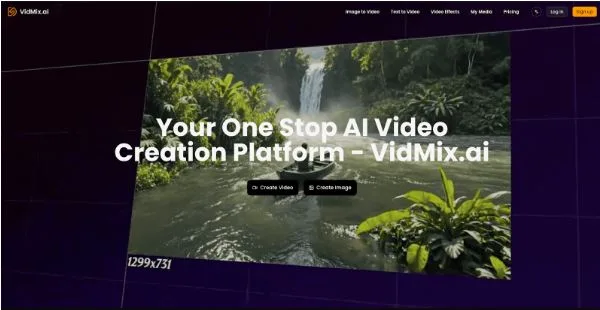
That’s where a platform like Vidmix becomes useful: instead of building a fragile, multi-tool process, you centralize creation and iterate faster—especially when you’re producing content regularly for multiple channels.
Use cases that work especially well
- Creators: turn one idea into multiple short clips for daily posting.
- Marketers: generate variations of the same concept for ads and landing pages.
- E-commerce sellers: animate product visuals into attention-grabbing social creatives.
- Educators: create quick explainer videos without spending hours in editing software.
Final thought
The most valuable part of AI video isn’t the technology—it’s the momentum it gives you. When production becomes easier, you publish more, learn faster, and improve your messaging through real feedback instead of endless drafting.
If you want a streamlined way to create short videos from prompts or visuals, start experimenting with Vidmix and build a workflow you can repeat every week.