GPT Image 2.0 vs Traditional Photo Editing: What Actually Changed
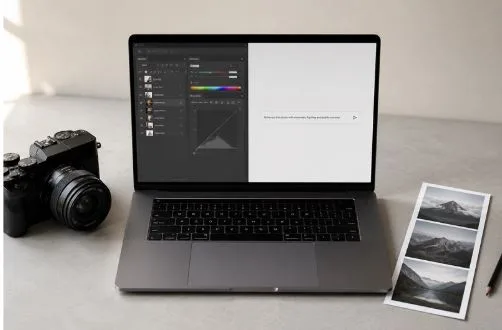
The argument used to be simple. If you wanted a photo edited, you opened Photoshop, worked through it for twenty minutes if you were fast, and called it done. That’s still an option. But it’s not the default anymore for a growing number of people, and the shift has been quiet enough that a lot of professionals haven’t fully registered how much has changed.
GPT Image 2.0, OpenAI’s latest image model, has started showing up in conversations that used to be exclusively about Adobe products. The comparison isn’t always fair to either side. But it’s happening more often, and that says something about where things stand.
How traditional editing actually works
Traditional photo editing software runs on a layer-based model. You select a region, mask it, adjust the values, blend the result. Every step requires knowing which tool handles which problem and how to apply it. The learning curve is real. Most people who’ve opened Photoshop for the first time remember how that session ended.
The advantage of that system is control. You work at the pixel level. Adjustments are measurable, repeatable, and exportable in formats that hold up through print production and large-format reproduction. For commercial work, technical retouching, and anything going to print, that precision still matters in ways that newer approaches don’t fully replace.
What GPT Image 2.0 actually does differently
The input is different. You describe what you want in plain language. Remove the background. Change the jacket color. Add a window behind the subject. The model reads the description, interprets it against the image, and produces an output. When it gets it right, it gets it right fast.
Speed is the honest case for AI editing. A background removal that takes five to seven minutes manually – selecting, refining edges, checking the output – takes under thirty seconds with a capable AI tool. For someone processing ten or fifteen product images a week, that adds up in ways that are hard to ignore.
Text handling has also improved. Earlier AI image models struggled with text badly enough that the results were often unusable. AI Image Editing tools built on newer models are more reliable here – poster designs, packaging mockups, and social graphics with text elements have become genuinely workable in ways they weren’t eighteen months ago.
Spatial understanding is another area that has moved forward. Instructions like “shift the main subject left” or “lower the horizon” are followed more accurately than earlier versions managed. It doesn’t nail every output, but it’s consistent enough that working users have started building it into their regular process.
Where the comparison breaks down
AI editing is probabilistic. The same prompt on the same image might produce slightly different results on different days. For some uses that variability doesn’t matter. For commercial print, forensic retouching, or anything requiring exact color matching for reproduction — it introduces uncertainty that most professionals aren’t ready to accept as a final output.
The tools are solving different problems. That’s the part the comparison often skips.
What people who use both actually say
Photographers and designers who’ve spent years in traditional software aren’t abandoning it. The pattern that comes up most is using AI tools for rough iterations and directional decisions, then finishing in traditional software when precision matters.
“I’d never send an AI edit directly to a client without checking it,” said one commercial photographer working across product and portrait assignments. “But I use it to figure out what a shot could look like before I commit to the manual version. It’s saved me time on decisions more than anything else.”
That framing – AI for speed and exploration, traditional tools for final output — shows up consistently. The idea that one replaces the other hasn’t played out the way the early predictions suggested.
What has genuinely changed
The access point has moved. Editing a photo used to require software, skills, and time. A meaningful portion of those tasks can now be handled by anyone with a browser and a plain-language description. That’s not a minor shift, even if the professional end of the market looks similar to how it did five years ago.
The better question isn’t which approach is superior. They serve different purposes for different people at different points in a workflow. The more useful thing to figure out is what you’re actually trying to accomplish – and whether speed or precision matters more for that specific task.
For most practical editing needs in 2026, the answer to that question is changing faster than the tools themselves.