How AI Product Photography Is Changing Ecommerce Visual Production
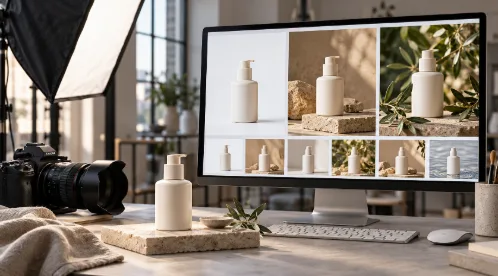
A single product can require an entire collection of images before it is ready for an online launch. An ecommerce store needs clear catalog photographs, social media teams need lifestyle content, and advertising campaigns need visuals in several formats. When a seasonal promotion arrives, the same product may need another creative direction.
Producing all these assets through separate commercial photoshoots can stretch a brand’s budget and schedule. Each new setting introduces decisions about locations, props, lighting, styling, and editing.
AI product photography offers another way to approach this work. By using existing product photographs as starting points, brands can explore different backgrounds and campaign concepts without physically rebuilding every scene. However, professional results still depend on thoughtful planning, accurate source images, and careful review.
What Is AI Product Photography?
AI product photography uses artificial intelligence to create or modify product imagery. Depending on the tool and workflow, this can involve generating backgrounds, changing the surrounding environment, or developing lifestyle scenes around an uploaded product photograph.
For example, a brand might begin with a straightforward photograph of a reusable water bottle. That image could become the basis for several creative concepts: a desk scene, an outdoor setting, or a minimal studio composition.
The important distinction is between presenting an existing product differently and inventing its appearance. For ecommerce use, the actual item should remain accurate. Its shape, colour, packaging, logo, and visible features must match what customers will receive.
A visually impressive image is not automatically a suitable product image. Commercial usefulness depends on both presentation and accuracy.
Why Ecommerce Brands Need More Visual Variations
Different images answer different customer questions.
A clean product photograph helps shoppers examine the item. A close-up shows texture or construction. A lifestyle image suggests where the product belongs and how someone might use it. An advertising visual introduces a campaign idea and attracts attention.
These roles require different compositions. A detailed listing photograph may work well on a product page but leave little room for promotional text. A wide campaign image may look attractive on a website banner while becoming awkward when cropped for a vertical placement.
Brands therefore need a planned set of assets rather than one photograph reused everywhere. AI-assisted production can support this process by making it easier to explore visual variations from an existing source image.
The goal should be useful variety. Producing more images only helps when each one serves a clear purpose.
From Physical Sets to Virtual Product Photoshoots
Traditional photography brings creative ideas into a physical environment. A team selects a location, arranges props, positions the product, and adjusts lighting before capturing the photograph.
A virtual product photoshoot moves some of those decisions into a digital workflow. Instead of constructing every proposed background, a creative team can explore generated environments around an existing product image.
Consider a skincare brand planning a campaign around a calm morning routine. Its creative brief might call for neutral colours, soft lighting, and uncluttered surroundings. Exploring a lifestyle product photo generator can form part of the team’s search for suitable settings and visual concepts.
This flexibility can be useful during early creative development. However, generated scenes need scrutiny. A product might appear to float above a surface, cast an inconsistent shadow, or sit beside objects that make its size misleading.
Believable imagery requires more than an appealing background. The relationship between the product, lighting, and environment must make visual sense.
Where AI Platforms Fit into the Production Workflow
AI tools become more useful when they support a defined production process.
The workflow should begin with a clear product photograph and a brief explaining the intended audience, channel, mood, and composition. The team can then generate options, select promising results, and review them against the original item.
Brands exploring this approach can consider platforms such as GenImagePro and its AI product photography page when assessing potential tools. The practical evaluation should focus on whether a platform suits the product category, creative requirements, and review process.
The platform belongs within the broader creative process. A brand still needs someone to decide what the image should communicate, whether the result represents the product accurately, and where the asset should be used.
Clear direction makes generation more purposeful and approval more manageable.
Better Source Photographs Support Better Results
A strong starting photograph gives the production team a reliable reference.
The product should be sharp, fully visible, and photographed under lighting that makes its features easy to distinguish. Important details should not be obscured by hands, props, harsh reflections, or deep shadows.
Before generating new scenes, check whether the source photograph clearly shows:
- The product’s outline and proportions.
- Its actual colour and surface finish.
- Logos, labels, and packaging details.
- Distinctive features such as handles, buttons, or closures.
- The parts customers need to evaluate before purchasing.
Where appropriate, capture additional reference photographs from different angles. These can help reviewers identify changes or inaccuracies in generated results.
For reflective, transparent, or highly detailed products, extra care may be necessary. A polished metal surface, glass container, or intricate pattern can be difficult to represent convincingly.
Jewellery provides a useful example. Fine chains, gemstone settings, clasps, and engraved details all require close inspection. Teams researching AI jewelry photography should evaluate whether proposed images preserve these features and accurately represent the item’s finish. Attractive lighting should not alter the apparent stone colour or conceal important construction details.
Protecting Product Accuracy and Brand Consistency
AI-generated product images should pass two separate checks: product accuracy and brand consistency.
Product accuracy means comparing the output with the real item. Has the label changed? Are the proportions correct? Has the system added a feature or altered the packaging?
Brand consistency concerns the surrounding presentation. Colours, backgrounds, lighting, and visual mood should fit the brand’s identity across the image collection.
A practical review process should examine both the full composition and enlarged details. Small errors can disappear in a thumbnail but become obvious on a product page.
Teams should also check images together. Individually attractive assets may still create an inconsistent storefront if every image uses a different lighting style or colour treatment.
A short visual guide can help. It might specify approved background colours, preferred camera perspectives, shadow styles, and the amount of space around each product.
Preparing Images for an Ecommerce Storefront
Once images pass review, they need to work within the actual storefront.
A product gallery should give shoppers a clear sequence: an overall view, useful details, and supporting context. Lifestyle images can add atmosphere, while direct photographs provide dependable references for appearance and construction.
For merchants exploring Shopify product photos, the same planning principles apply. Each asset should represent the correct product variant, remain clear on mobile, and fit the store’s chosen presentation.
Use consistent framing where products appear together. Check crops carefully so they do not remove handles, packaging edges, or other important features. Descriptive alternative text should explain the meaningful image content without repeating unnecessary keywords.
Before publishing, review the gallery as a customer would. Select different variants and confirm that the images match the available colours or styles.
Understanding the Real Cost and Time Benefits
AI can reduce the need to build a new physical setting for every visual variation. This creates opportunities to simplify concept development and some repeat production tasks.
However, savings depend on the assignment. Generation, selection, correction, and approval still require time. A team that produces dozens of unsuitable images may spend more effort reviewing them than it expected.
Brands should evaluate the complete workflow rather than generation speed alone. Useful measures include:
- Time from brief to approved asset.
- Cost per approved image.
- Number of revisions required.
- Percentage of generated images suitable for use.
- Consistency across the final asset collection.
These measures reveal whether the process is improving production. They also help teams identify when a conventional shoot would be more efficient.
Why Professional Photography Still Matters
Some assignments require direct physical capture. Accurate garment fit, detailed craftsmanship, complex reflections, and demonstrations of real product performance may benefit from controlled photography.
Original photographs also provide dependable reference material for later AI-assisted work. A professional shoot can establish the product’s appearance, while generated environments offer additional ways to present it.
This suggests a practical combined approach: photograph the product carefully, then use AI where it helps extend the approved visual direction.
Photographers, designers, and art directors remain valuable because they understand composition, lighting, styling, and visual communication. Those skills also help them recognise when generated imagery needs correction.
Building a More Effective Visual Production Process
AI product photography gives ecommerce brands another way to develop visual assets, but the strongest results come from a disciplined process.
Start with an accurate product photograph. Define the purpose of each image. Establish a consistent creative direction, generate a manageable selection of options, and review every chosen asset before publication.
After launch, assess whether the visuals serve their intended role. For advertising, that may involve testing creative variations. For product pages, it may involve checking whether images clearly communicate the item’s appearance and features.
AI can expand a brand’s creative options. Professional judgment turns those options into images customers can understand and trust.