How aimbot FOV works in Rainbow Six Siege X
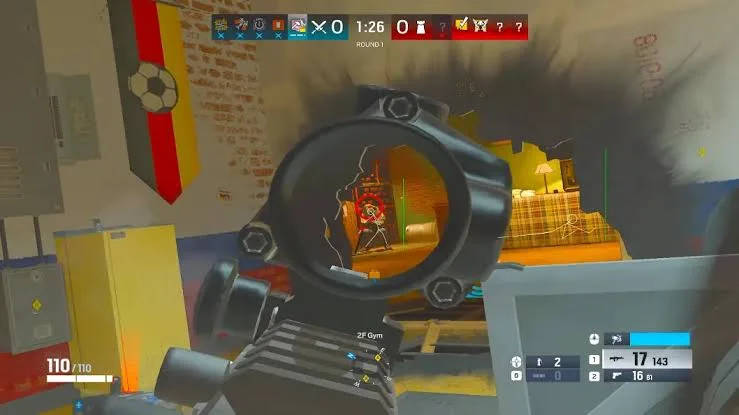
Two operators can be close together on your screen and still be nowhere near each other in the map. That matters when you change an aimbot’s FOV in Rainbow Six Siege X. The setting controls how far from your crosshair a target can sit before it falls outside the aiming area. Distance adds a separate limit on how far away that operator can be.
R6 Diamond includes FOV and an Aimbot Distance Slider. You can use both to narrow the group of operators the aimbot considers, rather than expecting one setting to do every job. Start with the fight in front of you: where your crosshair is pointing, how widely you want the aiming area to extend and how much distance you want it to cover.
What FOV changes
Picture your crosshair resting beside a doorway. A narrow aimbot FOV keeps the selection area closer to that point. An operator further across the screen may sit outside it, even when you can see them. Increasing FOV makes a wider area eligible. That is a change to target selection, separate from the game’s camera FOV.
This explains why making the aimbot FOV larger can produce a result you did not intend. You may have wanted easier selection around the doorway, but also included someone nearer the edge of your view. The larger setting gives the aimbot more candidates. It does not tell it which of those operators you personally meant to fight.
There is no universal number that makes sense for every player. Your crosshair placement and the fights you take affect how a selection area feels. Describing a setting as subtle also says nothing about whether anti-cheat can detect the software. Keep those two questions separate when reading configuration advice.
Why distance needs its own limit
An operator can sit almost directly behind your crosshair while being much further away than the opponent you intended to engage. FOV alone does not express that difference. Diamond’s distance slider gives you a second way to restrict eligible targets, based on distance rather than their position around the crosshair.
The two settings therefore work together. Imagine two opponents inside the selected FOV, with one nearby and another further away. A distance limit can exclude the more distant opponent. Equally, an opponent can be nearby but outside a narrow FOV. Meeting one condition does not automatically mean meeting the other.
The useful question is what you want the aimbot to consider. If your concern is opponents well away from the crosshair, look at FOV. If it is opponents further away in the map, look at distance. Changing both at once makes it harder to understand which adjustment changed the result.
Keep movement and selection distinct
Diamond also names Memory Aim and Aimbot Smoothing among its aiming features. Selection describes which operator qualifies; smoothing concerns ordinary aimbot movement towards a target. These are different parts of aiming. Silent Aim is another named feature, and smoothing should not be described as changing its behaviour.
Shxdow’s explanation of Rainbow Six Siege aimbot settings puts these controls in the context of the available Siege products. Diamond is the product relevant here. Features named for a different Siege cheat should not be assumed to belong to the one you have selected.
For a clear configuration, decide the area around the crosshair first, then consider how far into the map eligible targets should extend. That gives each setting a specific purpose. A wider area or longer range is a choice about which operators can enter selection, rather than an automatic improvement to every fight.