How Browser-Based Media Conversion Is Making File Management More Convenient
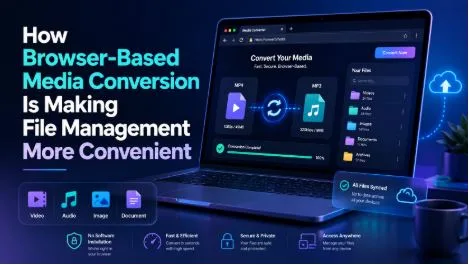
Digital media has become part of everyday life. People watch tutorials, listen to interviews, follow educational channels, save reference material, and work with video or audio content across multiple devices. As the amount of online media grows, users often need practical ways to manage files without installing complicated programs.
This is one reason browser-based media conversion tools have become increasingly popular. Instead of downloading desktop software, users can access a conversion service through a web browser, select a supported media source, choose a preferred format, and process the file online.
The idea is simple, but the technology behind these tools reflects a larger shift in how people use software. Many everyday tasks that once required dedicated applications can now be completed directly through a browser.
Why Browser-Based Tools Have Become More Popular
Traditional software usually requires several steps before a person can use it. The program has to be downloaded, installed, configured, and occasionally updated. For someone who only needs to convert a media file occasionally, this can feel unnecessary.
Browser-based tools remove much of that friction.
Users normally only need a modern browser and an internet connection. There is no need to dedicate storage space to a large application or spend time learning a complicated interface.
This approach is particularly useful for people who move between different devices. Someone may use a desktop computer at work, a laptop at home, and a mobile device while traveling. A web-based service can often be accessed from all of these devices without installing separate versions of the same program.
The growth of cloud applications has also changed user expectations. People are now comfortable editing documents, managing files, communicating, and performing other tasks directly inside a browser. Media conversion is becoming part of the same trend.
Turning Complicated Tasks Into Simple Workflows
One of the biggest advantages of modern online tools is simplicity.
Older media conversion programs sometimes presented users with dozens of technical settings. Experienced users might appreciate this level of control, but casual users often need only a few basic options.
A typical online conversion process may involve:
- Providing the source of supported public media.
- Selecting an output format.
- Choosing an available quality setting.
- Processing the media.
- Saving the resulting file.
Reducing the number of steps makes the process more approachable for people who do not have a technical background.
Tools such as YouTubeToMP3X follow this browser-based model by providing options for converting supported public media into MP3 or MP4 formats. The important advantage of this type of service is not simply conversion itself. It is the ability to complete a familiar file task without installing additional desktop software.
Of course, users should always make sure they have permission to download or convert the material they are working with and respect the rights associated with online content.
Why MP3 Remains an Important Audio Format
Despite the arrival of many newer audio technologies, MP3 remains widely recognized because of its compatibility and practical file sizes.
An MP3 file contains audio without the video component. This can be helpful when the visual portion of a piece of content is unnecessary.
For example, audio-only files may be useful for:
- Interviews
- Public lectures
- Spoken presentations
- Language-learning material
- Podcasts
- Music that users are authorized to download
- Personal recordings
Removing video data can significantly reduce the amount of storage required.
This is one reason searches related to YouTube to MP3 remain common. Users are often not interested in saving an entire video when they only need the audio portion of permitted or publicly available content.
MP3 also works across a wide range of phones, computers, media players, car audio systems, and other devices. That broad compatibility continues to make the format practical for everyday use.
Understanding Audio Quality Options
Audio conversion is not only about choosing a file format. Quality settings also matter.
A common way to describe MP3 quality is bitrate, usually measured in kilobits per second, or kbps. Different bitrate settings create different balances between sound quality and file size.
Lower bitrates generally produce smaller files, while higher bitrates preserve more audio information.
Users may encounter options such as:
- 128kbps for smaller files and basic listening
- 192kbps for a balance between quality and storage
- 256kbps for higher-quality playback
- 320kbps for high-bitrate MP3 audio
The popularity of searches for YouTube to MP3 320kbps reflects the interest some users have in obtaining higher-quality audio output. However, selecting the highest bitrate does not automatically improve the original recording.
If a source already contains heavily compressed or low-quality audio, converting it to 320kbps cannot recreate details that were never present in the source.
The best choice depends on the original media, available storage, listening equipment, and the user’s purpose.
MP4 Still Matters When Visual Information Is Important
Audio-only files are useful, but there are many situations where the video itself contains important information.
A tutorial may show software steps on screen. A product demonstration may rely on visual details. A presentation may contain charts or diagrams that cannot be understood from audio alone.
In these situations, MP4 is usually more appropriate.
MP4 is widely supported and can store video, audio, subtitles, and other types of media information within one file. Its compatibility across operating systems and devices has helped it become one of the most familiar digital video formats.
A good media workflow therefore begins by asking a simple question: Is the visual portion necessary?
If the answer is no, an MP3 file may provide a smaller and more convenient option. If the visuals carry useful information, MP4 is generally the better choice.
Online Converters and Device Storage
Storage space is another factor that influences how people manage digital media.
Modern smartphones and laptops can hold large amounts of data, but storage still fills quickly when users save high-resolution videos. Audio files usually require much less space.
For people organizing educational material, reference recordings, or permitted public content, choosing the appropriate format can reduce unnecessary storage use.
Browser-based conversion tools also avoid permanently occupying device space with another installed application. A desktop converter may not be particularly large, but people who regularly install specialized utilities can eventually accumulate dozens of programs they rarely use.
Using an online tool for occasional tasks can help keep a device cleaner and easier to manage.
Convenience Across Different Operating Systems
Desktop software often has operating-system requirements.
A program designed for Windows may not have an identical macOS version. Some applications may not run on mobile operating systems at all.
Web applications solve part of this problem by moving much of the interaction into the browser.
As long as a service supports the user’s browser and device, the experience can remain relatively consistent across different platforms. This flexibility is especially valuable for people who work in mixed-device environments.
For example, a user might begin researching something on a Windows computer and later access the same type of online utility from a MacBook or mobile browser.
This does not mean every website works perfectly on every device. Screen size, browser limitations, internet speed, and processing requirements can still affect usability. However, browser-based software generally reduces the dependency on one particular operating system.
What Users Should Look for in a YouTube MP3 Converter
Not every conversion service provides the same experience. People should evaluate online tools carefully rather than choosing based only on speed or appearance.
A practical YouTube MP3 converter should make the available options easy to understand.
Useful characteristics may include:
- A clear and uncomplicated interface
- Support for common media formats
- Multiple quality options where available
- Compatibility with modern browsers
- A workflow that does not require unnecessary steps
- Clear information about supported media
- Reasonable processing performance
Security and privacy should also be considered. Users should be cautious about services that request unnecessary personal information, require unrelated browser extensions, or encourage the installation of unknown software.
A conversion tool should perform its intended function without creating extra obstacles.
Faster Internet Has Changed What Browsers Can Do
The rise of browser-based media tools would have been difficult without major improvements in internet technology.
Faster broadband connections, better mobile networks, improved web browsers, and more capable servers have expanded the range of tasks that websites can handle.
Years ago, users expected serious media processing to happen inside installed software. Today, many lightweight tasks can be initiated through a browser while processing takes place remotely.
Modern browser technologies also support better interfaces, faster interaction, responsive design, and more advanced file handling than early websites could provide.
As these technologies improve, the boundary between websites and traditional applications continues to become less noticeable.
For many users, what matters most is no longer whether a tool is technically a website or an application. The more important questions are whether it is easy to access, simple to understand, and suitable for the task.
Browser-Based Conversion Fits the Way People Use Technology Today
The growth of online media conversion reflects a broader change in digital habits. Users increasingly prefer tools that are available when needed without requiring lengthy setup.
Browser-based converters fit this pattern by turning a traditionally software-heavy task into a relatively straightforward online process. They can reduce installation requirements, work across several types of devices, and give users access to familiar formats such as MP3 and MP4.
The choice between audio and video should still depend on the content itself. MP3 is practical when only sound is required, while MP4 is more appropriate when visual information matters. Quality settings should also be selected according to the source and intended use rather than simply choosing the largest number available.
Most importantly, convenience should be combined with responsible use. People should convert only media they are authorized to access, save, or reuse.
As browsers continue to become more capable, online tools are likely to handle even more everyday file-management tasks. For users, the appeal is straightforward: fewer installations, simpler workflows, and easier access to useful technology from almost any modern device.