How Creators Are Building Fake WhatsApp Chat Screenshots (And Why It’s So Common Now)
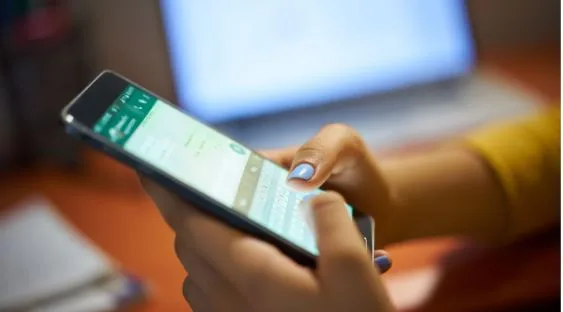
Scroll through enough “storytime” content on TikTok or Reels and you’ll eventually hit the format: a screenshot of a WhatsApp conversation, used to set up a plot twist, a prank, or a punchline. A large chunk of that content isn’t pulled from a real phone — it’s built in a browser with a mockup tool, and the WhatsApp template on FakeChatGenerators.com is one of the more detailed versions currently out there.
What the WhatsApp generator actually builds
The tool recreates WhatsApp’s interface down to the small details that make a screenshot convincing:
- Contact setup — name, profile photo, and online/last-seen status
- Message bubbles — green and grey/white bubbles matching WhatsApp’s real layout, with support for text, images, and stickers
- Delivery indicators — single check, double check, and the blue “read” double-check, plus timestamps for each message
- Device chrome — status bar, battery indicator, and carrier details, so the screenshot doesn’t look like a bare chat window floating with no phone around it
Like the rest of the site’s generators, everything is rendered client-side in the browser, and exports come in two forms: a static 2x retina PNG, or a 60fps MP4 recording (with notification sounds and app-switch transitions) built for people who want the conversation to play out on camera rather than sit as a still image.
Why this format keeps showing up
A few reasons this kind of tool has stuck around as a staple for creators:
- It removes the awkward workaround. Before tools like this existed, “faking” a chat screenshot for a joke or a video meant editing a real screenshot in Photoshop or actually sending yourself fake messages — both slower and less convincing than a purpose-built template.
- No real people get pulled in. For pranks, storytelling, or comedy sketches, a mockup means you’re not using anyone’s actual number, name, or real conversation.
- Free and frictionless. No account, no watermark, no app download — you can go from blank template to exported screenshot in a couple of minutes.
Worth keeping in mind
The same realism that makes this good for content also makes it usable to mislead — a convincing-looking WhatsApp screenshot can be used to fabricate “proof” of something someone never said. If a chat screenshot is being used to settle a claim rather than illustrate a joke, that’s worth treating with some skepticism regardless of where it came from.
For anyone building this kind of mockup for legitimate content, design work, or a harmless prank, the tool itself sits at fakechatgenerators.com, covering WhatsApp along with more than a dozen other chat, comment, and social post formats.