How Do You Choose the Right AI Image Generator?
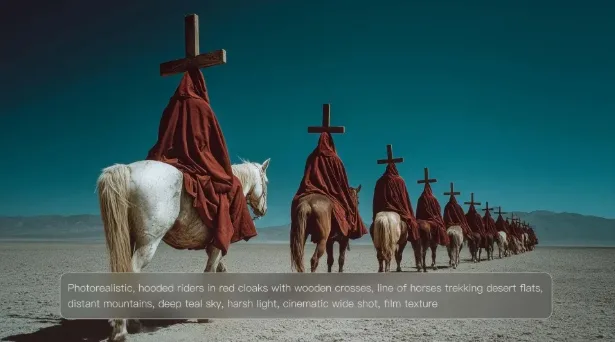
Choosing an AI image generator is no longer just about finding the one that creates attractive pictures. Different projects require different strengths. A marketing campaign needs consistency, a product designer values accurate references, and a storyteller may focus on cinematic scenes. The best choice depends on how well a platform supports the entire creative process, from the first prompt to the final image. Understanding what truly matters makes comparing tools much easier and leads to better creative results.
Look Beyond the First Generated Image
Start With Your Creative Goals Instead of Features
Many people compare AI tools by counting features, but successful creators usually begin somewhere else. They first define what they want to produce. A social media designer needs speed. A comic artist needs character consistency. A product marketer needs accurate colors and recognizable details. Once the creative goal becomes clear, evaluating an AI platform becomes much simpler. Instead of asking whether a model offers dozens of functions, ask whether those functions solve the problems your projects encounter every day. The right platform fits naturally into your workflow instead of forcing you to change how you create.
Reference Support Matters More Than Many Expect
Writing detailed prompts works well for many projects, but visual references often make the difference between a good result and an accurate one. This becomes especially important when creating recognizable characters, branded products, specific materials, or carefully planned compositions. A capable image generator should allow creators to combine written descriptions with visual guidance rather than forcing them to rely on prompts alone. Kling AI supports both approaches. Users may generate images from text, upload reference images, or combine the two methods together. IMAGE 3.0 can also draw defining characteristics from up to ten reference images, making it easier to preserve important visual details while exploring new creative directions.
Creative Control Should Continue After Generation
Producing one attractive image is only the beginning of many creative projects. Designers often adjust lighting, reposition subjects, refine composition, or experiment with different visual styles before reaching the final version. A useful AI platform should support that process instead of encouraging users to start over each time they want a small improvement. Kling AI follows this workflow by allowing creators to refine existing results while preserving successful elements. Instead of replacing an image completely, users can continue shaping it until it better reflects their original creative vision, making iteration feel like a natural part of the design process.
Think About Long-Term Creative Workflow
Consistency Creates Professional Results
Professional work rarely depends on a single standalone image. Advertising campaigns, illustrated books, product launches, and brand storytelling usually require multiple visuals that belong together. Maintaining consistent lighting, framing, colors, and character appearance across many images saves time and strengthens visual identity. Rather than generating every picture independently, creators benefit from systems designed for connected projects. Kling AI supports this approach through IMAGE 3.0 Omni, allowing users to create complete visual series with unified creative direction, varied framing, intentional shot progression, and native 4K output suitable for storyboards, branded campaigns, comics, and character development.
A Connected Workflow Saves More Time Than Faster Generation
Many buyers focus only on generation speed, but production often continues well beyond the first image. Teams frequently need animation, redesigns, new aspect ratios, or additional creative formats. Choosing a platform that supports these next steps reduces interruptions throughout the project. Kling AI extends image creation into a broader creative ecosystem that includes Image-to-Video, Text-to-Video, Digital Human, Restyle, Omni, and Text-to-Image. Instead of exporting work into multiple disconnected applications, creators can continue developing ideas within one creative environment while maintaining visual continuity from beginning to end.
Simplicity Often Produces Better Creative Decisions
Powerful creative software should not require a complicated learning process before users can produce high-quality work. An intuitive workflow leaves more attention available for storytelling, composition, and visual experimentation. Kling AI keeps image creation straightforward. Users choose the model that fits their project, describe the desired subject and scene, optionally upload references, select output preferences, and generate the image. Afterward, they can download the result or continue developing it into video. This balance between flexibility and simplicity allows beginners to start quickly while still giving experienced creators room to refine every important visual detail.
Conclusion
Choosing the right AI image generator means evaluating the entire creative experience rather than judging a single generated picture. Strong prompt understanding, flexible reference support, effective refinement tools, consistent multi-image creation, and connected creative workflows all contribute to better long-term results. When those capabilities work together, creators spend less time repeating tasks and more time developing ideas. Selecting a platform that supports both exploration and refinement makes every new project more efficient while leaving greater freedom for creative expression.