How Do You Troubleshoot A PanelView Terminal That Won’t Communicate?
PanelView terminals give operators a clear window into equipment status across busy production lines every day. When that window goes dark, everything stops fast, and the frustration sets in right away. Integrity Control Services of Texas has guided plant staff through this exact scenario more times than most realize. A silent screen rarely means the terminal itself is completely dead or unusable. Most of the time, it’s something small in the connection, like a loose cable or a weak signal. Working through the possibilities in order saves time and avoids unnecessary parts replacement.
Common Causes Of Communication Failures
Most connection problems come down to just a few usual suspects. A loose cable at either end of the connection is the easiest culprit to check. Incorrect IP addressing between the terminal and processor can also block all traffic instantly. Mismatched communication protocols between older and newer hardware sometimes create silent, confusing failures too. Our experienced controls engineers usually begin by ruling out a few common causes. Power supply issues affecting the terminal or switch can also mimic a network fault.
Checking Cables And Physical Connections
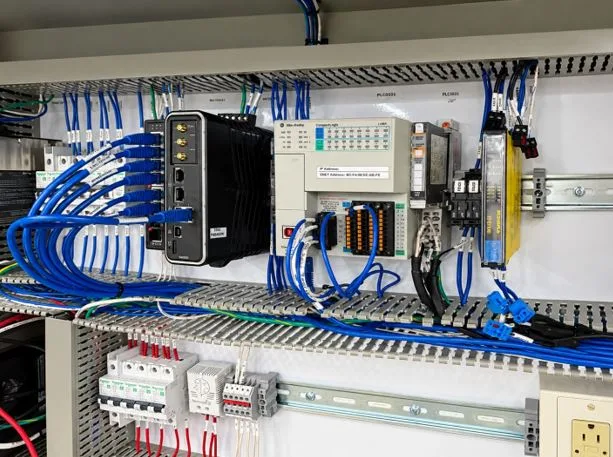
Physical connections deserve careful inspection before assuming a deeper technical problem exists. Ethernet cables should be checked for bent pins, cracked jackets, or loose connectors. Terminal blocks and connectors can loosen slowly from constant vibration on the plant floor. Corrosion inside connectors often develops in humid or dusty industrial environments over time. Swapping a suspect cable with a known good one quickly confirms or rules out wiring. Simple physical checks resolve a surprising number of communication complaints without further diagnostic work.
Network And Configuration Related Issues
Network settings cause plenty of headaches once basic wiring has been fully verified. Duplicate IP addresses on the same network can silently disrupt terminal communication entirely. Subnet mask mismatches between devices prevent proper data exchange even on correctly wired networks. Switch port configurations sometimes block or limit traffic without producing an obvious error. Firmware mismatches between the terminal and controller occasionally cause unexpected communication dropouts as well. Reviewing network diagrams alongside actual device settings often reveals the real disconnect.
Diagnosing Terminal And Processor Problems
Terminal and processor health both play a direct role in communication reliability overall. A terminal running outdated firmware may struggle to maintain a stable connection consistently. Processor faults unrelated to networking can still prevent proper data from reaching the screen. Overheating terminals sometimes reboot randomly, interrupting communication without any visible warning beforehand. Internal battery or memory failures inside the terminal can corrupt stored configuration data quietly. Testing with a spare terminal helps isolate whether the display itself is truly faulty.
Steps To Restore Reliable Communication
Restoring communication generally follows a logical sequence rather than random guesswork or luck. Start with physical connections, then confirm network settings, then check firmware versions carefully. Documenting each test performed helps prevent repeating the same troubleshooting steps twice unnecessarily. Bringing in experienced technicians becomes worthwhile once basic checks fail to resolve anything. A thorough diagnostic session can often pinpoint root causes that casual inspection misses completely. Acting quickly on a communication fault protects both production schedules and equipment longevity.
Most communication problems turn out simpler than they first appear once you slow down. A calm, methodical approach beats frantic guessing almost every single time on the floor. Check the obvious things first, because the obvious things are usually the answer. Keep a running log so the next issue takes minutes instead of hours. Nobody enjoys a dark screen, but a clear process makes it far less stressful. Staying patient and organized turns a frustrating outage into a quick, manageable fix.