How Grok Imagine Video 1.5 Fits Into Practical AI Video Prototyping
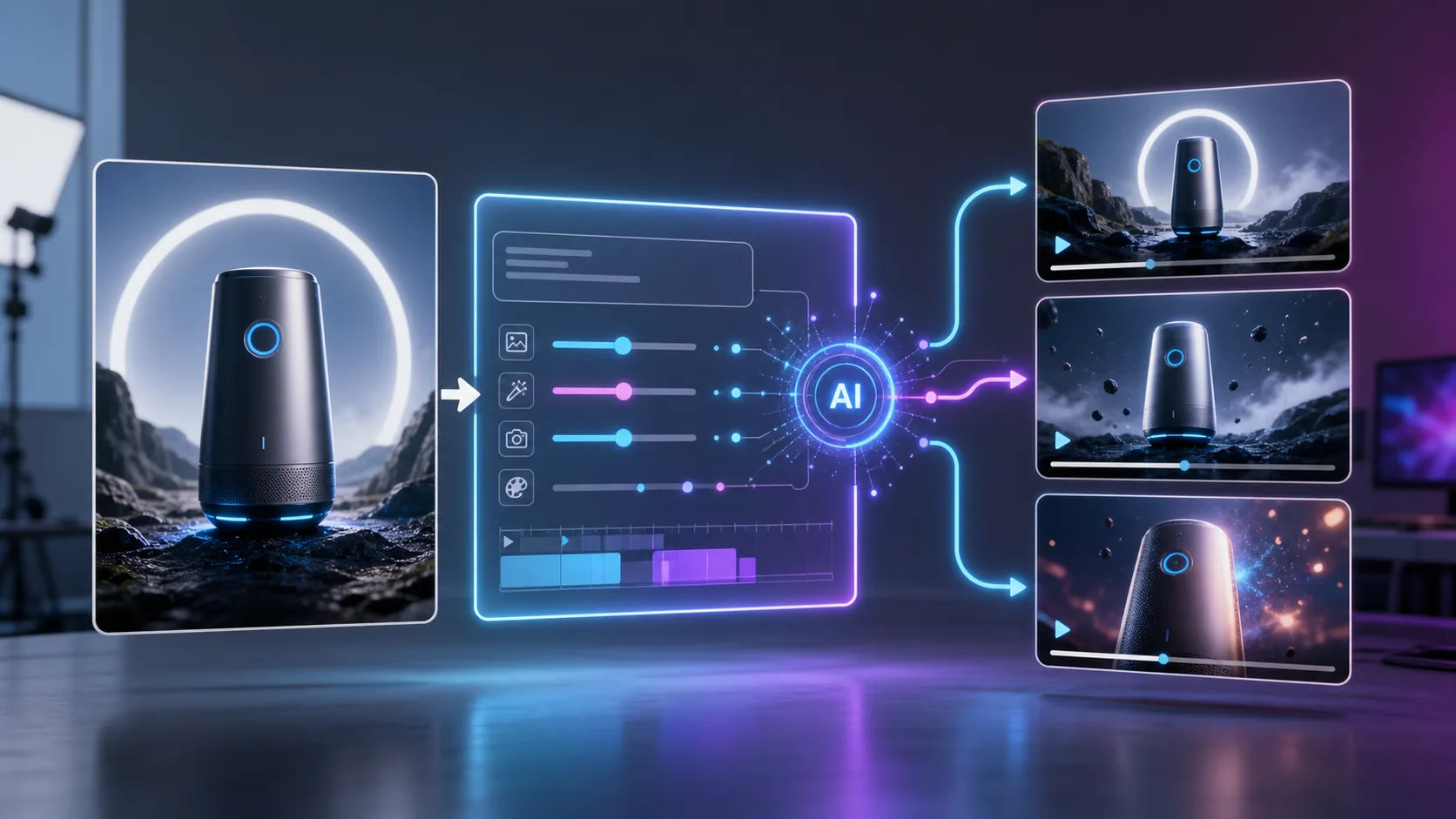
AI video tools are moving from novelty demos into practical creative workflows. For teams that need to test short motion concepts quickly, Grok Imagine Video 1.5 is interesting because it focuses on a useful middle ground: turning a source image into a short, prompt-directed video preview. Instead of starting every concept from a blank canvas, creators can begin with a product image, character frame, campaign visual, or moodboard asset, then explore how that still image might move on screen.
That distinction matters. Many businesses do not need a finished cinematic sequence in the first creative pass. They need to know whether an idea has motion potential. They need to compare camera directions, pacing, atmosphere, framing, and visual continuity before spending time on editing, animation, or production. A reliable image-to-video workflow can make that early decision faster.
Why Image-to-Video Is Useful for Real Creative Work
Text-to-video generation attracts attention because it feels magical: type a scene, get a clip. But in production environments, teams often already have a visual starting point. A brand has product photography. A design team has key art. A filmmaker has a concept frame. A marketing team has campaign imagery. In those cases, image-to-video can be more practical than pure text-to-video because it anchors the output to a known visual reference.
This helps with three common creative problems.
First, it improves visual direction. A reference image gives the model a starting composition, color palette, subject shape, and style. That makes the generated motion easier to evaluate because the team can compare the output against a specific source.
Second, it supports faster iteration. Instead of commissioning a motion designer or editing test footage for every rough idea, a team can create quick previews of different camera moves, product reveals, environment changes, or cinematic pacing.
Third, it creates a bridge between static design and video production. A still campaign image can become a moving social concept. A product render can become a launch teaser. A character illustration can become a short scene test. This makes AI video less abstract and more connected to existing assets.
What Grok Imagine Video 1.5 Is Best Suited For
Grok Imagine Video 1.5 is best viewed as a short-form AI video prototyping model. On FastMoro AI, the workflow is presented around image-to-video generation: upload or use a starting frame, describe the motion, choose the intended rhythm or atmosphere, and generate a short HD preview.
That makes it a good fit for:
- Product reveal concepts
- Social media motion tests
- Character or mascot animation previews
- Cinematic keyframe exploration
- Ad storyboard development
- Music-video style visual testing
- Campaign moodboard animation
The strongest use case is not replacing a full production pipeline. It is helping a team answer an earlier question: “Is this visual idea worth developing further?”
For example, a product marketer might start with a clean still image of a new device and test a slow rotating camera push-in. A game studio might animate a character concept to explore mood and presence. A creator might turn a surreal poster-style image into a short looping teaser. In each case, the output does not need to be final. It needs to be informative.
Prompting Matters More Than Hype
The quality of an AI video result depends heavily on how clearly the prompt describes motion. Generic prompts such as “make this cinematic” often produce unpredictable results because they do not tell the model what should move, what should stay stable, and what kind of camera behavior is expected.
A stronger prompt usually includes:
- The subject action
- The camera movement
- The intended pace
- The lighting or atmosphere
- Elements that should remain consistent
- Artifacts to avoid
For a product image, a practical prompt might be:
“The product slowly rotates on a clean studio surface while the camera gently pushes in. Keep the shape, label, color, and material consistent. Use soft cinematic lighting. Avoid warping, extra objects, and text distortion.”
For a character concept, the prompt might focus on subtle expression, posture, background movement, and camera framing. For an environment shot, it might describe drifting fog, moving light, slow parallax, or atmospheric particles.
The goal is to guide motion rather than simply ask for beauty.
A Practical Workflow for Teams
A useful Grok Imagine Video 1.5 workflow can be simple:
- Start with a strong still image.
- Define the purpose of the clip.
- Write a motion-specific prompt.
- Generate several short variations.
- Score the results against the actual creative goal.
- Save both successful and failed outputs for comparison.
The scoring step is especially important. Teams should avoid judging AI video only by whether it looks impressive at first glance. A clip can be visually exciting but still fail the job if the product changes shape, the camera motion feels chaotic, or the subject loses identity.
A simple evaluation rubric can include:
- Subject preservation
- Prompt following
- Temporal stability
- Camera control
- Style consistency
- Usefulness for the intended campaign or concept
This makes AI video testing more objective. It also helps teams compare multiple models or prompt strategies without relying only on personal taste.
Where It Helps Marketing and Storytelling
Short AI video previews are particularly useful in marketing because many campaigns depend on fast iteration. Teams need to test angles before committing to production: serious or playful, slow or energetic, realistic or stylized, product-focused or story-driven.
With an image-to-video model, a marketer can quickly explore several creative directions from the same asset. A product photo can become a premium studio reveal, a futuristic tech teaser, or a lifestyle-style motion scene. A brand illustration can become a subtle animated header. A concept poster can become a short pre-launch clip.
This does not remove the need for human creative direction. If anything, it makes direction more important. The model generates possibilities, but the team still decides what matches the brand, audience, campaign message, and distribution channel.
Limitations to Keep in Mind
No AI video model should be treated as magic. Short-form generation can still struggle with fine text, hands, complex object geometry, long continuity, exact brand marks, or precise physical motion. Outputs should be reviewed carefully before public use, especially for commercial campaigns.
Teams should also think about rights and source material. Use images that the organization owns or has permission to modify. Avoid prompts that imitate living artists, public figures, or protected characters unless there is a clear legal basis. As AI video becomes easier to create, responsible use becomes part of the production workflow.
The most reliable approach is to use Grok Imagine Video 1.5 for ideation, concept validation, and early creative exploration, then move selected directions into a more controlled production or editing process.
Final Thoughts
Grok Imagine Video 1.5 is useful because it supports a practical creative need: turning static visuals into motion concepts quickly. For brands, creators, and product teams, that can shorten the distance between an idea and a testable video direction.
The best results will come from treating it as part of a workflow rather than a one-click replacement for video production. Start with strong source images. Write clear motion prompts. Compare outputs carefully. Keep a failure library. Use the generated clips to make better creative decisions.
When used this way, image-to-video generation becomes less about hype and more about speed, learning, and creative control.