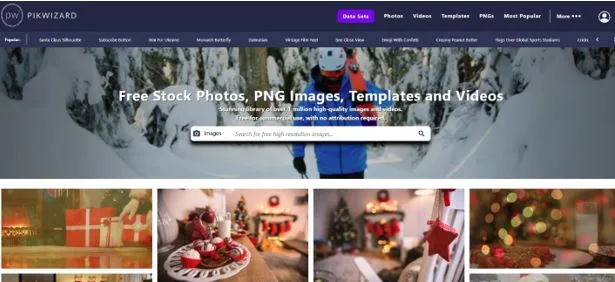
How I Pick High-Quality Free Stock Images for Commercial Projects (Experience With Pikwizard.com)
I’ll be honest—finding a good free stock image for a commercial project used to feel like digging through a junk drawer. You scroll, you click, you get excited, and then… the resolution’s terrible, the license is confusing, or the composition just doesn’t work.
After a few painful mistakes, I developed a method that actually works. Here’s how I do it now.
Start With Resolution
Nothing ruins a page faster than a blurry image. I make sure every photo I use is high-resolution—usually at least 2000 pixels on the long side.
That way, whether it’s going on a website banner, social post, or print material, it looks sharp. Honestly, grabbing images from Pikwizard free images library saves a ton of time here—they’re almost always high-res and ready to use.
Check the License
“Free” doesn’t always mean “safe to use commercially.” Some images require attribution, and some have limits on commercial use. I always double-check the license.
Pikwizard, Pexels, and Unsplash make it pretty straightforward — you can usually tell right away if an image is safe for a client project.
Composition Matters
Even a technically perfect image can look amateur if it’s poorly composed. I look at the framing, balance, and whether there’s enough space for text or graphics. A stock photo with good negative space can save hours when creating marketing materials. I can always find such images in a free Pikwizard Stock Photos collection or generate one using AI tools.
Relevance is Key
An image can be beautiful but useless if it doesn’t fit your brand or message. I ask myself: Does this tell the right story? Will my audience connect with it? If it’s a little off, sometimes a quick crop, overlay, or color tweak makes it work.
My Favorite Sources
I rely on a few places:
- Pikwizard – My top choice for professional-looking, versatile images that feel unique.
- Unsplash – Great for lifestyle and artistic shots.
- Pexels – Nice for casual or modern content, plus free videos.
Choosing stock images isn’t just grabbing something pretty. You need resolution, proper licensing, good composition, and relevance to your brand. Do this consistently, and your commercial projects instantly look more polished — without ever paying for stock photos.
FAQ: Using Free Stock Images for Commercial Projects
- Are free stock photos really safe for commercial use?
They can be—if you respect the license. “Free” only means you don’t pay money; it doesn’t automatically mean “no restrictions.”
When I’m choosing images from libraries like Pikwizard, Pexels, or Unsplash, I always:
- Read the license page for the platform (once)
- Check the license or usage note on the specific image (every time)
- Avoid images that say “editorial use only” for any commercial or promotional content
If I’m unsure, I don’t use the image. It’s faster to pick a different photo than to deal with a takedown request later.
- What resolution should I use for web vs print?
A quick rule of thumb:
- Web & social:
Aim for at least 1500–2000 px on the long side. That covers most hero images, blog headers, and social posts without looking blurry on modern screens. - Print:
For anything printed (flyers, brochures, posters), you need a high-resolution source image.- At 300 DPI, an A4 page (approx. 8.27″ × 11.69″) needs roughly 2480 × 3508 px.
If the original image is too small, don’t try to “rescue” it by upscaling. I’ll simply go back to Pikwizard or another library and find a larger original.
- What’s the difference between DPI and pixels, and which matters more?
For choosing stock images, pixels matter more.
- Pixels = the actual size of the image (e.g., 4000 × 2667). This is what you look at when selecting an image.
- DPI (dots per inch) = a print setting. It tells the printer how many pixels to pack into each inch of paper.
When I’m browsing stock libraries, I check the pixel dimensions. When I’m preparing files for print, I set DPI in my design software.
- Do I need to worry about model or property releases?
Yes—especially for commercial work.
- If a person is recognizable in the photo and you’re using it for advertising, marketing, or promotional content, you generally want a model-released image.
- If the image contains private property, trademarks, logos, artwork, or recognizable buildings, a property release may be needed for certain uses.
Most reputable stock sites will:
- Mark whether an image is model-released or property-released
- Flag images as “editorial use only” if releases aren’t in place
For client projects, I avoid anything marked “editorial only” for ads, landing pages, or sales materials.
- Can I use free stock images in logos, trademarks, or brand marks?
In most cases, no—and even when technically possible, it’s a bad idea.
Stock image licenses (free or paid) usually do not allow you to:
- Register a logo or trademark that’s based directly on a stock photo
- Claim exclusive ownership of a stock image
Your logo should be unique to your brand. I use stock images for marketing materials, not for core brand assets like logos, official icons, or mascots.
- Do I need to give credit if attribution is “not required”?
Legally, if the license says “no attribution required,” you don’t have to. However, there are a few reasons I sometimes still do:
- Transparency & goodwill – It’s a professional courtesy to the photographer and platform.
- Client clarity – It shows that the image came from a legitimate source, not “just pulled from Google Images.”
When I do credit, I’ll keep it simple, for example in a blog footer:
Image source: Pikwizard or Photo by [Photographer] via Pexels.
For high-end brand materials where a credit line doesn’t fit the design, I simply document sources internally (in a brand or asset sheet) instead of on the design itself.
- How do I avoid “generic stock photo” vibes?
Even with free stock, you can keep things feeling more original:
- Stay away from cliché images (forced handshakes, people in suits pointing at charts, etc.).
- Filter by style: natural light, candid shots, minimal backgrounds, etc.
- Look for negative space so you can add text or graphics on top.
- Use consistent color tones and moods across your images.
I often start with a strong base image from Pikwizard, Unsplash, or Pexels, then:
- Crop it differently
- Adjust colors to match brand tones
- Add overlays or gradients
- Layer text or simple shapes
This keeps it on-brand while still saving time.
- How can I optimize stock images for SEO and accessibility?
Using stock images well isn’t just a design decision—it’s an SEO and UX decision too.
For each image on a website, I aim to:
- Rename the file with descriptive keywords
- Bad:IMG_3827.jpg
- Better:coffee-shop-barista-making-latte.jpg
- Use alt text that’s descriptive and helpful
- Describe what’s in the image and how it relates to the content.
- Compress the image to reduce file size
- Faster loading pages = better user experience and potential SEO benefits.
- Use the right format
- JPG/PNG for standard images, WebP or AVIF where supported for better performance.
Good visuals + fast loading + accessible alt text is a combination that builds trust with both users and search engines.
- Can I use AI-generated images for commercial projects?
In many cases, yes—but you need to be careful.
My approach:
- Only use AI-generated images from tools or libraries that clearly state the images can be used for commercial purposes.
- Avoid AI images that depict:
- Real celebrities or public figures
- Trademarked characters or logos
- Sensitive topics or misleading scenarios
I treat AI-generated images the same way I treat traditional stock:
Check the license, read the terms, and avoid anything that could create legal or ethical issues for a client.
- Is it okay to reuse the same stock photo in multiple projects?
Legally, many free stock licenses allow you to reuse images as often as you like. Professionally, I’m a bit more strategic:
- For internal or low-visibility projects, reusing images is usually fine.
- For flagship pages, major campaigns, or high-traffic ads, I try to avoid using the exact same image over and over—especially if it’s widely available for free.
Small tweaks go a long way:
- Different crops
- Different color treatments
- Using the same shoot/series, but not the same exact photo
This keeps your visual identity consistent without feeling repetitive.
- When should I pay for stock instead of using free images?
Free stock can take you a long way, but I consider paying when:
- The project is high-stakes (major launch, big ad spend, high-traffic home page).
- I need very specific or niche imagery that free libraries don’t offer.
- A client wants more exclusivity or is sensitive about competitors using similar visuals.
Even if most of your day-to-day work is powered by free libraries like Pikwizard, Unsplash, and Pexels, having a small budget for paid stock gives you more control and reduces the risk of seeing “your” hero image on someone else’s homepage.