How Image-to-Image AI Is Changing Photo Editing for Small Creators
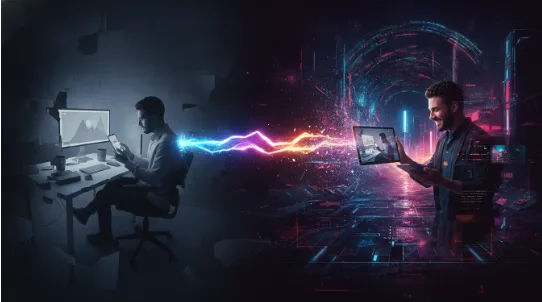
For years, making a product photo or social post look professional meant learning Photoshop or paying someone who had. That is changing fast. A new class of tools, known as image-to-image AI, lets anyone upload a picture, describe the change they want in one sentence, and get an edited version back in seconds.
The shift is most visible among people with small budgets and tight deadlines: online sellers, freelance marketers, content creators and small business owners. For them, the appeal is less about novelty and more about time. Edits that once took an afternoon can now be tried, compared and thrown away in minutes.
What image-to-image AI actually does
Most people first met generative AI through text-to-image tools, where you type a description and the model invents a picture from scratch. Image-to-image works the other way around. You start with a photo you already have, and the AI changes it according to your instructions.
That difference matters. A text-to-image tool can give you a sneaker on a beach. An image-to-image tool can put your sneaker on a beach, keeping its shape, logo and colour intact. For anyone selling or promoting a real product, that is the part that counts.
The instructions themselves have become simpler, too. Early tools needed technical settings and carefully engineered prompts. Newer models, such as Google’s Nano Banana family, understand plain requests like “replace the background with a marble countertop” or “make it look like a watercolour painting.”
Where small creators are using it
Four use cases come up again and again.
Product photos for online stores. A seller photographs an item on a kitchen table, then asks the AI to place it on a clean studio backdrop or in a lifestyle scene. Marketplaces reward consistent, clean images, and this gets sellers there without renting a studio.
Content for social media. Creators turn one photo into several looks: a cinematic version, an illustrated version, a seasonal version for a holiday campaign. One shoot can feed a week of posts.
Restoring old photos. Families are uploading faded or scratched prints and asking AI to repair the damage, sharpen faces or add natural colour. It is one of the most emotional uses of the technology, and one of the most popular.
Quick mock-ups and concepts. Designers, renovators and event planners sketch an idea, then turn the rough drawing into a realistic preview to show a client before committing time or money.
The tools people are reaching for
The market has split into roughly three camps.
The big platforms have built editing straight into their assistants. Google’s Gemini app lets users upload a photo and ask for changes in conversation. Adobe has added generative editing to Firefly and Photoshop, which suits professionals already paying for Creative Cloud.
A second group of independent web tools focuses on doing one job quickly in the browser, with no software to install. Imagine Image is one example. It brings several image models, including Nano Banana, into a single interface, so users can compare results without switching between services.
The third camp is open-source models that run on a personal computer. They offer the most control, but they demand technical skill and a powerful graphics card. For most small sellers, the deciding factor is simplicity, which is why browser tools have grown so quickly.
Getting better results
The basic workflow is simple. Open a free image-to-image AI tool, upload a photo, type something like “put this on a white background with soft shadows”, and download the result a few seconds later. Getting results you would actually publish takes a little more care.
- Start with a good source photo. The AI keeps much of what you give it. A sharp, well-lit image produces a far better edit than a blurry one.
- Ask for one change at a time. “Change the background” works better than a paragraph listing five changes. Build up edits in steps.
- Name what must stay the same. Phrases like “keep the product exactly as it is” or “don’t change her face” reduce unwanted drift.
- Keep your originals. Save the unedited file so you can start again if a result goes wrong.
- Respect rights and consent. Only edit photos you own or have permission to use, and be careful with images of real people. If an edited image could mislead buyers about a product, don’t use it.
What comes next
The next step is already visible. The same tools that edit a still image are starting to animate it, turning a product photo into a short video clip for social media. Editing is also becoming more conversational, with users refining a picture over several rounds instead of starting again each time.
None of this makes skilled photographers or designers obsolete. High-end campaigns still need human judgment, taste and craft. But for the everyday work of a small business, image-to-image AI has moved from experiment to habit. The question for most creators is no longer whether to use it, but how to use it well.