
How Libraries Keep Old Digital Files Readable
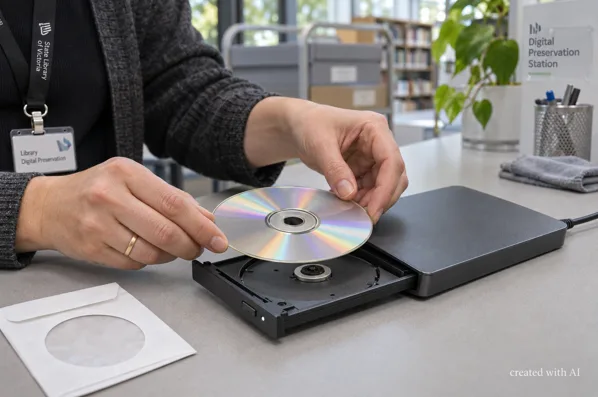
An old CD-ROM can yield every file it contains and still leave a reader with a blank menu. The photos may open individually, and the text may be intact. The publication worked as a whole because its menus, pictures and recordings were connected. Copying the disc saves its contents. Bringing the publication back into use takes another step.
The National Library of Australia highlighted that work on 5 November, World Digital Preservation Day. Its digital preservation team has been restoring access to publications that originally ran on discs and other offline media. The project started with titles built like websites and has since expanded to other collections. The tricky part is working out what a reader should be able to do once a title opens.
When a Copy Leaves Something Out
Some of the library’s CD-ROMs worked like offline websites. A browser could open a home page on the disc and follow links to maps, photographs or audio. Individual files might still work after being copied. The trouble starts when a new system displays them as separate items and loses the route a reader once took through the publication.
A record can still exist even when it no longer appears on the screen where someone expects to find it. That distinction matters whenever an account separates its records by category or date.
In an online casino account, payment history can show deposits and withdrawals. Separate tabs may list bonus credits, their status and recent game results. A player who found an operator while researching $1 min deposit casino in Australia 2026 can check those records in the casino’s own account area. If an entry is missing, it helps to check the date range and the relevant tab first.
If it still does not appear, the player can ask the casino’s support team for a statement covering that period and provide the date, amount and any reference number.
Rebuilding the Route Through a Publication
The library’s team adapted a method used to archive websites. It used the Web ARChive (WARC) format to bundle the publication’s files so readers could open its starting page and follow its links. The package can retain the original arrangement of folders and files. Staff can then check how the publication behaves in a browser.
A page that loads is only the first test. A working copy also has to give readers access to the material behind it. In practice, staff check several things.
- The opening page. It should take the reader into the publication and show where to start.
- The links between files. A menu item should open the page or document it points to.
- The media on the page. An image should appear where it belongs, and an audio clip should play if the viewer supports its format.
Small details can undo the effect. A link might point to an image with a capital letter in its name while the stored file uses lowercase. The archive viewer expects those names to match. Staff can repair references in the access copy and reopen the affected page to see whether the change worked.
Some menus also relied on scripts written for older browsers. A page could look complete and still contain a search box or a button that did nothing. That called for a different kind of repair. The team had to work out what the control was supposed to do before deciding how to reproduce it.
When the Menu Holds the Story Together
In the first phase, the team processed 515 items between August 2025 and April 2026. That work gave staff a way to approach other collections with a similar problem. One example was a set of conference papers. Each paper was a readable PDF, but the publication had been designed around a menu that let readers browse the proceedings together.
The library’s November update described several ways that structure could matter. The type of material helped determine which features were worth restoring first.
- Conference proceedings needed links that led readers to the individual papers.
- An interactive slideshow had an optional audio track alongside its visuals.
- A publication index offered a way to search across hundreds of issues and articles.
These examples broadened the project beyond discs built as offline websites. An index file might be easy to overlook in a folder full of documents. Its purpose becomes clear when it leads a researcher to one article among hundreds.
What Readers Get Back
In its November project update, the team reported processing 763 storage items containing more than 626,000 files in 185 formats. Much of that work involved recognising recurring problems. Once staff found a reliable way to fix a type of broken link, they could apply it to other publications. That gave them more time for the ones that behaved differently.
Some features still call for a judgement about what an access copy needs to preserve. An opening animation can help establish the character of a publication. A menu may be the only practical way to locate a particular recording. Both were part of the original experience, but losing one may affect the reader far more than losing the other.
The result becomes visible in small actions. A researcher opens the conference menu and finds a paper alongside the rest of the proceedings. Someone browsing a multimedia collection can play the audio that belongs with a slide. Those actions show what the old disc was made to do.