How Small Businesses Justify the Steelcase Leap Ergonomic Chair On A Tight Budget
Why Spinal Health Should Drive Your Office Chair Budget, Not the Other Way Around
Picture a five-person startup, three years in, everyone still on $150 folding chairs bought during the scrappy early days. By month eighteen, two employees are seeing a chiropractor every other week, and one’s asking about a standing desk out of desperation. That’s not a coincidence — it’s what happens when budget decisions ignore the spine entirely.
Here’s the honest math most owners skip: a herniated disc claim or a repetitive strain case costs far more than furniture ever will. The lower back carries the load of every hour spent hunched forward, and without real lumbar support, that load compounds daily. This is exactly why a properly specified Steelcase Leap ergonomic chair earns its place in the budget conversation before payroll software or fancy monitors do.
Think about it this way: would you rather pay once for support that prevents pain, or pay repeatedly for treatment after the damage is done? Spinal health isn’t a line item to trim — it’s the foundation everything else in a small business budget sits on top of.
What Makes the Steelcase Leap Different From a Standard Task Chair
Most budget task chairs fake support. A block of foam and a fixed backrest can’t respond to how a spine actually moves through a workday. The Steelcase Leap ergonomic chair was engineered around real spinal mechanics, not a one-size guess — and that’s the gap small business owners are actually paying for when they choose it over a $150 mesh chair from a big-box store.
LiveBack Technology and How It Tracks Spinal Movement
LiveBack is the back’s shape-shifting frame. As someone leans forward to type, then leans back to think, the backrest flexes to match the spine’s curve at that exact moment — supporting the lower back without collapsing the upper back. That constant tracking is what separates the Leap from static lumbar pads found on cheaper seating.
Natural Glide System vs. Fixed-Seat Recline Mechanisms
Here’s the thing most people miss: many chairs push the seat forward when you recline, sliding your eyes away from the monitor. Steelcase’s Natural Glide keeps the seat pan anchored while the back reclines. You stay positioned at your screen — no shuffling, no re-adjusting posture every ten minutes.
Steelcase Leap V1 vs V2 vs Leap Plus: Which Version Fits a Small Office Budget
Which version actually makes sense for a small team watching every dollar? That’s the real question, and the answer depends on how much adjustment your staff needs versus how much you want to spend.
Key Differences Between Leap V1 and V2 (and Why Reddit Debates Them)
The V1 uses a simpler back mechanism and lacks the V2’s flexible LiveBack panel — some threads on Reddit swear the V1 feels firmer and more durable long-term, while others argue the V2’s lumbar adjustment is worth the upgrade. Parts availability matters here too. V1 chairs are older, so headrest attachments and casters can be harder to source, though a certified refurbished unit should already include tested components.
When Leap Plus or an Oversized Frame Makes Sense
For larger-bodied employees, the Leap Plus (oversized frame) offers a wider seat and higher weight rating — skip it if your team fits standard dimensions, since it costs more without added benefit. A small office with five or fewer chairs to buy should prioritize consistent sizing over chasing every added feature.
Calculating the Real Cost of a Steelcase Leap Chair Against Chronic Pain Days
One missed workday a month from lower back pain costs a solo consultant roughly $400 to $800 in billable hours. Multiply that across a five-person team — you’re looking at $24,000 to $48,000 a year — quietly bleeding out of the budget while nobody blinks twice about the chairs everyone’s sitting in.
That’s the math small business owners skip. They compare sticker price against a $150 mesh chair from a big-box store and call it a savings win. But cheap seating doesn’t hold posture, and unsupported spines lead straight to sick days, slouching, and afternoon fatigue that kills output.
A well-maintained Steelcase Leap ergonomic chair, especially a certified refurbished Leap V2, holds up for a decade or more of daily use. Spread that cost over ten years, and it’s pennies a day against what chronic pain days actually drain from a small operation.
Here’s the blunt version: a chair isn’t overhead. It’s insurance against absenteeism, sluggish afternoons, and the slow creep of musculoskeletal complaints that show up in workers’ comp claims down the line.
Refurbished and Used Steelcase Leap Chairs: Where the Savings Actually Come From
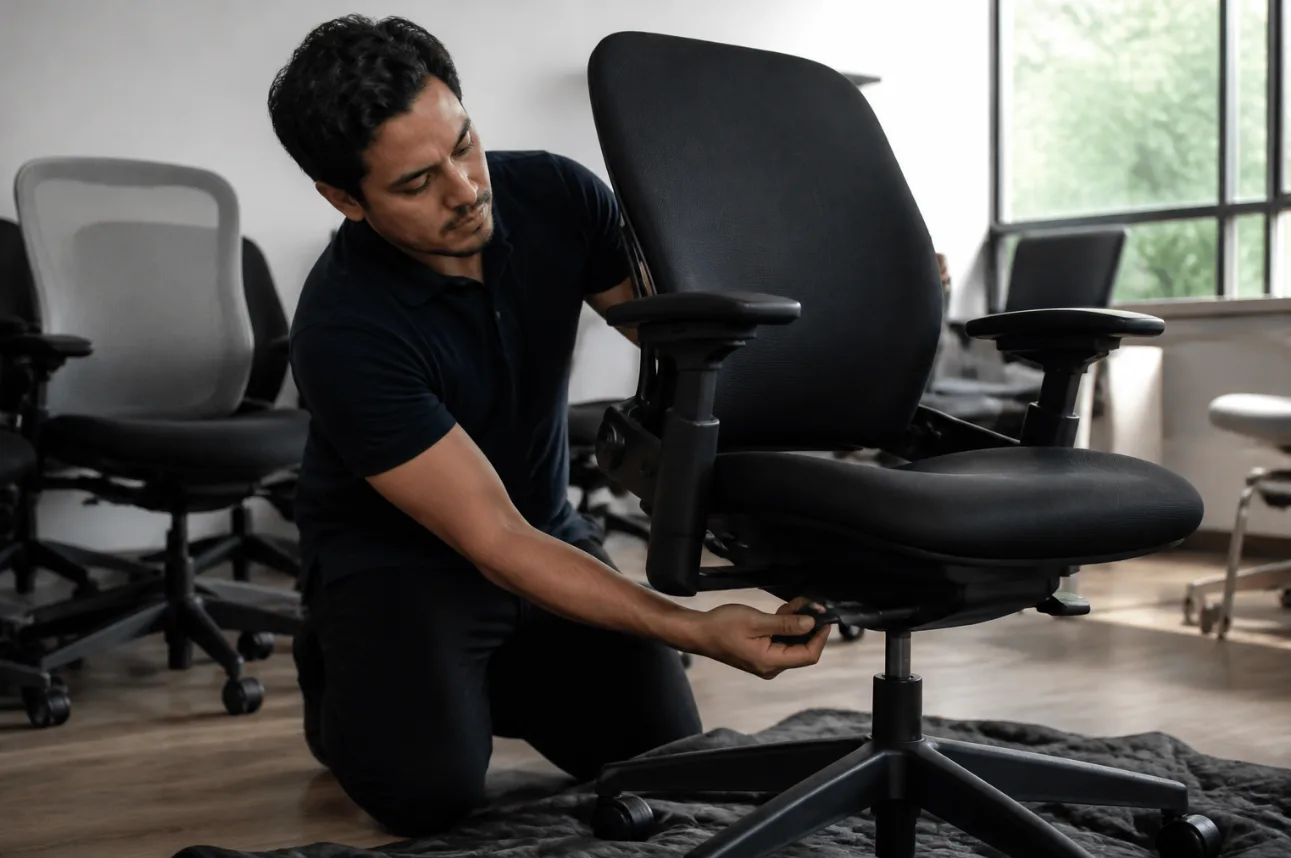
Here’s a myth worth killing: a used chair is a compromise chair. Wrong. Most of the wear on a Steelcase Leap ergonomic chair happens to a handful of predictable parts — not the frame, not the mechanism housing, not the aluminum base. A proper refurbishment targets exactly those failure points, which is why a well-restored Leap V1 or V2 can outperform a cheap new mesh chair on Reddit’s r/OfficeChairs threads every single time.
What a Certified Refurbishment Process Should Include
Don’t buy blind. A real refurbishment involves:
- Full teardown and inspection of the tilt mechanism
- Replacement of worn casters, arm pads, and headrest hardware
- Fresh upholstery or cleaned mesh back panels
- Function testing of seat depth, lumbar, and recline tension
Spotting Worn Parts Before You Buy Used
Before purchasing secondhand, check the seat cushion for flattening, inspect the gas cylinder for sag, and test the swivel base on a hard floor for wobble. Cracked plastic parts and torn leather accents are dealbreakers — but a scuffed frame isn’t.