How Social Walls Turn Events Into Interactive Experiences
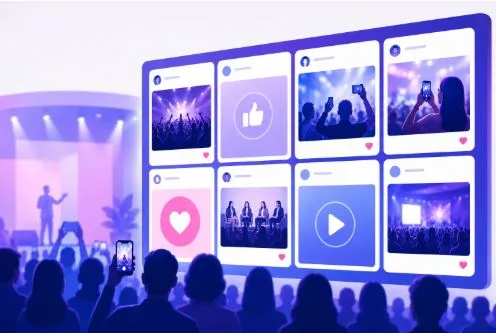
Events are no longer limited to stages, presentations, and booths. Attendees now expect opportunities to participate, share their experiences, and interact with the event around them.
This is where Social Walls by Taggbox can help event organizers create more interactive experiences.
Social Walls is an event-focused social media aggregation and display platform that brings live social media content, user-generated content (UGC), QR code uploads, and audience interactions together in one place. Event organizers can curate this content and display it across screens, LED walls, projectors, and digital signage throughout a venue.
Instead of keeping social activity on individual smartphones, Social Walls brings those conversations into the physical event environment.
The result is a more dynamic experience where attendees can see their content, interact with others, and become part of the event story.
What is a Social Media Wall?
A social media wall is a digital display that collects and showcases social media content from different sources in a single, continuously updated feed.
Depending on the platform, event organizers can collect content using:
- Event hashtags
- Social media handles
- Mentions
- Account feeds
- Keywords
- Tagged posts
- User-generated content
- Direct photo and video uploads
The selected content is then curated and displayed on screens at the event.
For example, attendees at a conference might share photos and comments using the event hashtag. Instead of those posts remaining on individual social feeds, a live social media wall can showcase selected posts on a large screen for everyone to see.
This creates a direct connection between online conversations and the physical event experience.
How Social Walls Make Events More Interactive
1. Turn Attendees Into Active Participants
One of the biggest challenges for event organizers is encouraging attendees to participate.
Social Walls helps address this by giving attendees a visible reason to share.
For example, an organizer can promote an event hashtag and encourage visitors to post photos, videos, or event moments. Selected posts can then appear on the event’s social media wall.
When attendees see their content displayed on a large screen, they become part of the event rather than simply watching it.
This creates a simple participation cycle:
Share → Get featured → Feel recognized → Share again.
Over time, this can help generate a continuous stream of audience-generated content throughout the event.
2. Bring Live Social Media Content to Event Screens
Social media activity often happens separately from the physical event.
Attendees post from their phones, but most people inside the venue may never see those posts.
Social Walls bridges that gap by bringing live social media content onto event screens.
An event social wall can display:
- Attendee photos
- Videos
- Speaker posts
- Brand mentions
- Event hashtags
- Audience reactions
- UGC
- Social conversations
This gives the event a constantly changing visual layer that reflects what attendees are experiencing in real time.
3. Collect UGC From Multiple Platforms
User-generated content is particularly valuable for events because it shows the experience from the attendee’s perspective.
Social Walls can aggregate UGC from multiple social media platforms and bring it into one centralized feed.
Instead of manually searching through different social channels, event teams can manage relevant content from a single platform.
This makes it easier to showcase authentic attendee experiences while keeping the event’s social content organized.
4. Make Content Uploads Easier With SnapUp
Not everyone wants to publish an event photo publicly on social media.
Social Walls addresses this with SnapUp, a QR-code-based upload feature that allows attendees to contribute photos and videos directly.
An organizer can display a QR code at the venue. Attendees scan it, upload their content, and contribute to the event’s social wall.
This creates another participation channel beyond public social media posting.
It is particularly useful for:
- Corporate events
- Conferences
- Brand activations
- Exhibitions
- Weddings and celebrations
- Employee events
- Private gatherings
The result is a broader collection of event content from both social media and direct attendee uploads.
5. Encourage Interaction With Reactions and Polls
A social wall does not have to be a passive display.
Social Walls includes interactive features such as reactions and polls, giving attendees additional ways to participate.
For example, event organizers can run a live poll during a conference and display the results on screen.
Similarly, reactions can allow audiences to respond to displayed content.
These interactions can turn the event screen into a two-way communication channel rather than simply another digital display.
6. Keep Event Content Fresh With Real-Time Updates
Long events can make static displays repetitive.
Social Walls keeps event screens more dynamic by updating content in real time.
As new posts are collected and approved, they can appear on the social wall.
This can help maintain attention throughout:
- Conferences
- Trade shows
- Multi-day events
- Festivals
- Exhibitions
- Corporate gatherings
Attendees have a reason to look at the screen again because the content continues to change.
7. Moderate Content Before It Goes Live
When content from an audience is displayed publicly, moderation is essential.
Social Walls provides moderation tools that allow event organizers to review and filter content before it appears on the screen.
Organizers can remove irrelevant or unwanted posts and curate the content that best fits the event.
This is especially important for large public events where many attendees may be contributing content at the same time.
A moderated social wall helps maintain a balance between authentic audience content and controlled event presentation.
8. Match the Social Wall With Event Branding
An event social wall should feel like part of the event—not an unrelated display.
Social Walls provides customization options that allow organizers to adjust the visual presentation of their social media wall.
They can use different themes, layouts, backgrounds, and branding elements to create a display that fits the event’s identity.
For example, a product launch might use a branded visual style, while a corporate conference could use a more professional layout.
This makes the social wall suitable for different event environments and branding requirements.
9. Display Social Content Across Different Screens
Events often have multiple display areas.
Social Walls can be used across different digital displays, helping organizers create a consistent social experience throughout the venue.
A social media wall can be displayed on:
- LED walls
- TVs
- Projectors
- Digital signage
- Event screens
- Large venue displays
For large conferences and exhibitions, organizers can use multiple screens to make social content visible in different areas of the venue.
10. Use Analytics to Understand Audience Engagement
Displaying content is only one part of an event strategy. Organizers also need to understand how audiences interact with it.
Social Walls provides engagement analytics that can help event teams evaluate social wall performance.
Depending on the setup, organizers can analyze metrics related to content, engagement, contributors, and audience activity.
These insights can help answer questions such as:
- Which content received the most engagement?
- Which contributors were most active?
- How much content was generated?
- Which social sources performed best?
- How did audience interaction change during the event?
This information can be useful when planning future events.
Social Walls for Different Event Types
The flexibility of Social Walls makes it suitable for different event formats.
Conferences and Summits
Display attendee posts, speaker highlights, event hashtags, and audience reactions during sessions and networking breaks.
Trade Shows
Showcase exhibitor content, product demonstrations, attendee photos, and conversations from across the exhibition floor.
Corporate Events
Bring employee posts, team activities, company celebrations, and event moments onto large screens.
Product Launches
Display real-time audience reactions and UGC to build excitement around a new product or campaign.
Brand Activations
Encourage visitors to create content around an interactive brand experience and showcase selected posts on a branded social wall.
Festivals and Entertainment Events
Display audience photos, videos, and reactions to make attendees feel part of a larger shared experience.
Hybrid Events
Bring social content from both physical and remote audiences into one visual feed, helping create a stronger connection between online and in-person participants.
How to Get More Engagement With Social Walls
Having a social media wall at an event is only the first step. Event organizers should actively encourage attendees to participate.
Promote the Event Hashtag
Introduce the hashtag before the event and display it prominently throughout the venue.
Use Clear Calls to Action
Tell attendees exactly how they can participate.
For example:
Share your event moment. Add #EventName. See it live on the big screen.
Add QR Code Uploads
Use SnapUp to give attendees an easy way to submit photos and videos without posting them publicly.
Create Social Challenges
Photo contests, event challenges, polls, and audience voting can give attendees additional reasons to interact.
Place Screens Strategically
Position social walls in high-traffic areas such as registration desks, networking spaces, stages, exhibition halls, and lounges.
Recognize Attendees
Featuring attendee content on a large screen can make participants feel recognized and encourage others to contribute.
Why Social Walls Are Valuable for Event Engagement
The biggest advantage of Social Walls is that it brings together several elements of modern event engagement in one experience.
It combines:
Live social content + UGC + audience participation + QR uploads + moderation + customization + analytics
Instead of treating social media as something that happens outside the event, organizers can make it part of the event itself.
Attendees can contribute content, see what others are sharing, participate in interactive activities, and experience their online conversations on physical screens around them.
That can make the event feel more connected and participatory.
Final Thoughts
Events are becoming more interactive, and audiences increasingly expect to play an active role in the experiences they attend.
Social Walls by Taggbox helps event organizers bring that participation to life by collecting social media content, showcasing UGC, enabling QR-code uploads, encouraging interactions, and displaying live content across event screens.
From conferences and trade shows to product launches and brand activations, Social Walls can help transform social media activity into a visible part of the event experience.
The goal isn’t simply to put social media posts on a screen. It is to give attendees a reason to participate, share, interact, and feel like they are part of the event.
And when the audience becomes part of the content, the event becomes more than something they attend—it becomes something they experience together.