How to Buy Subscriptions on GamsGo: Step-by-Step Guide
Quick Answer:
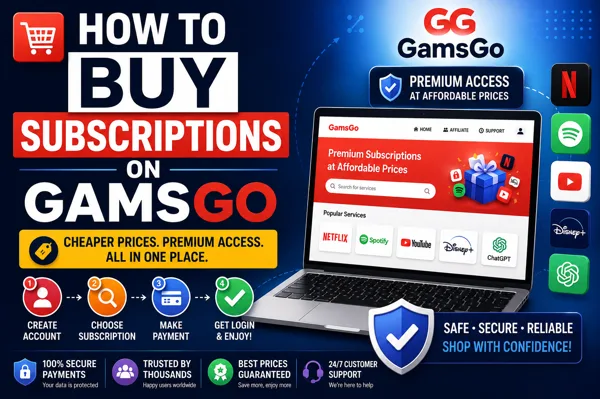
To purchase a subscription on GamsGo, create a free user account, select the service you want (Netflix, Spotify, YouTube Premium and many more), select which plan you want (monthly, yearly), enter in any coupon code and then pay securely via card. Your login details will then be sent directly to your dashboard often immediately and you can get using your purchase. No need to find people to share with, GamsGo does the group sharing part for you.
Subscription prices keep increasing. A little here for streaming, a little there for music, another chunk for an AI tool you use every day and before you know it, you’re paying more each month than you ever meant to. That’s exactly the problem GamsGo was built to solve, and if you’ve landed here wondering how to buy subscriptions on GamsGo, the good news is that it takes about two minutes and no technical know-how at all.
This guide walks you through the whole thing, start to finish — what GamsGo actually is, how to pick and pay for a plan, where to find your login afterwards, and a few tips to get the best deal. Let’s get into it.
What is GamsGo, and How Does It Work?
Before the steps, it helps to understand what you’re actually buying. GamsGo is a subscription-sharing platform. Instead of paying full price for your own solo account, you buy a spot on a shared family or multi-user plan — the same official subscription, just split so everyone pays a fraction of the cost.
Here’s how GamsGo works in practice: the platform sets up official family or multi-user plans, then assigns individual slots or profiles from those plans to buyers like you. For services that support multiple profiles — think Netflix, Spotify or Disney+ — you get your own private profile, with your own watch history, playlists and recommendations. You’re not sharing a messy single login with strangers; you get your own space inside a shared plan.
The part people love most is that you don’t have to organise anything. There’s no chasing friends to chip in, no awkward money-splitting, no address checks. You pay GamsGo, GamsGo sorts out the group, and you just enjoy the service. That’s the whole idea.
How to Buy Subscriptions on GamsGo: The Steps
Ready to buy? Here’s the full process, step by step.
Step 1: Create Your GamsGo Account
Head over to GamsGo.com and create an account – it’s free and easy to do. Simply register using your email as you’ll use this account to access your subscriptions, login details, renewals and support requests. Already have an account? Sign in.
Step 2: Choose the Subscription You Want
Once you’re in, browse the catalogue. GamsGo covers a genuinely long list of services — streaming, music, and increasingly AI tools too. A few of the most popular:
- GamsGo Netflix – Netflix Premium with 4K streaming and your own profile
- GamsGo Spotify – Spotify Premium, ad-free music at well below the individual price
- GamsGo YouTube Premium – ad-free videos and background play
- Disney+, HBO, and other streaming services
- AI tools like ChatGPT Plus and other productivity subscriptions
Click on whichever service you’re after — say, Netflix — to open its page.
Step 3: Pick Your Plan and Duration
On the service page, you’ll decide how you want your subscription to be configured. With most services you can select your plan length – typically 1, 3, 6 or 12 months. Longer periods tend to be cheaper overall; so if you want to continue using the service I recommend buying a few months at a time.
A few can give you the choice of shared or private. Just select whichever one fits your style.
Step 4: Apply a GamsGo Coupon or Promo Code
Before you pay, check for a GamsGo coupon or promo code. If you have one, there’s a field at checkout to enter it, and it’ll knock a little extra off your total. It’s worth a quick look — even a small discount adds up over a longer plan, and GamsGo regularly runs offers for new and returning users.
Step 5: Set Auto-Renew and Review Your Total
Hang on while you double-check your order. You’ll see a straightforward statement of the sum and auto-renew on/off. Keep auto-renew on if you want the subscription to automatically renew at the end of your current period, off if you want to think about it again when you arrive at the end. It’s your choice.
Step 6: Pay Securely
When you’re happy, complete your payment. GamsGo accepts major cards like Visa and Mastercard, and checkout is protected with SSL encryption. The platform is PCI DSS v4.0 compliant and follows major privacy laws like GDPR and CCPA, so your personal and payment details stay protected. (More on safety in a moment.)
Step 7: Get Your Login and Start Using It
This is the satisfying bit. Once your payment goes through, your subscription details — your login and, for services like Netflix, your Household Code — appear right in your GamsGo dashboard. For many services this is instant; a few take a little longer to activate. Then you simply log in to the app or website, pick your profile, and start streaming, listening or working. Done.
What Subscriptions Can You Buy on GamsGo?
One of the reasons people stick with GamsGo is the sheer range. You’re not limited to one or two big names. The catalogue spans dozens of premium digital services across a few categories:
| Category | Popular Services |
| Streaming | Netflix, Disney+, HBO, Prime Video |
| Music | Spotify Premium, YouTube Music |
| Video | YouTube Premium |
| AI & Productivity | ChatGPT Plus, and other tools |
| Other | Office 365, cloud and creative apps |
The list is constantly evolving as new services are included, so it is advisable to visit regularly. The AI’s section has especially expanded significantly in recent times, which is a blessing if you depend on tools such as ChatGPT Plus for professional or educational reasons but are not fond of the comprehensive monthly subscription fee.
Is GamsGo Legit and Safe to Use?
It’s a fair question, and one worth answering plainly: is GamsGo legit? Yes. GamsGo has been operating for years and delivers real, working subscription access through shared official plans. You’re getting the genuine service — a shared Spotify Premium account, for instance, is a real Spotify Premium account, with all the same features.
On the security side, GamsGo protects your checkout with SSL encryption, is PCI DSS v4.0 compliant for payment safety, and complies with GDPR and CCPA privacy standards. If your access ever drops during your subscription period, GamsGo offers replacements or refunds through its support team, and you can convert a refund into GamsGo Credits to spend on another plan if you prefer. There’s 24/7 support if you run into any issues.
Like any shared-plan service, there are sensible things to know: a small number of services need a short activation window rather than being instant, and occasionally a slot may be refreshed. But for everyday streaming, music and AI tools, it’s a smooth, low-hassle way to pay a lot less.
Tips to Get the Most Out of GamsGo
A few things that’ll make your experience even better:
- Buy longer durations to lower your monthly cost, if you know you’ll keep the service.
- Always check for a coupon code before paying — small savings stack up.
- Keep your login details in your dashboard, not scattered in notes, so renewals are easy.
- Turn on auto-renew for the services you use daily, so you never lose access mid-binge.
- Use the Recharge option where available, which upgrades your own existing account directly for certain services.
Final Thoughts
Learning how to buy subscriptions on GamsGo really comes down to a handful of simple steps: sign up, pick your service, choose a duration, apply a coupon, pay, and grab your login. The whole thing is designed to be quick and painless, and the savings — often well over half off the official price are the kind that genuinely add up across a year. If you’ve been feeling the squeeze of too many separate subscriptions, this is one of the easiest ways to keep everything you love and pay a lot less for it.
Ready to start saving? Head to GamsGo, pick your first subscription, and see how much you can cut off your monthly bill.
Frequently Asked Questions
How does GamsGo work?
GamsGo sets up official family or multi-user subscription plans and assigns individual slots or profiles to buyers. You pay GamsGo directly, get your own profile or login, and enjoy the full service at a fraction of the solo price without having to find people to split with yourself.
Is GamsGo legit and safe?
Yes. GamsGo delivers genuine, working access to official subscriptions and has operated for years. It protects payments with SSL encryption, is PCI DSS v4.0 compliant, and follows GDPR and CCPA privacy rules. It also offers replacements or refunds if access is interrupted.
How do I buy a subscription on GamsGo?
Create a free account, choose your service (like Netflix or Spotify), pick a plan duration, apply any coupon code, set auto-renew, and pay by card. Your login details appear in your dashboard, usually right away.
What subscriptions can I buy on GamsGo?
GamsGo offers dozens of premium services, including Netflix, Spotify Premium, YouTube Premium, Disney+, ChatGPT Plus and more, spanning streaming, music, video and AI tools. The catalogue is updated regularly.
Can I use a GamsGo coupon or promo code?
Yes. At checkout, there’s a field to enter a GamsGo coupon or promo code, which reduces your total. GamsGo regularly offers discounts, so it’s always worth checking before you pay.
Can I cancel anytime?
Yes. There’s no long-term contract. You can turn off auto-renew whenever you like, and your subscription simply ends at the close of the term you paid for.
How quickly do I get access after paying?
For many services, your login details are delivered instantly to your GamsGo dashboard. A few services need a short activation window, but most are ready to use within minutes.
What happens if my subscription stops working?
If access drops during your paid period, GamsGo’s support team provides a replacement or a refund, which can be taken as GamsGo Credits toward another plan. Support is available 24/7.