How to Choose the Right AI Visual Tool for Every Creative Project
AI has made visual content creation faster and more accessible than ever. Today, marketers, creators, educators, and business owners can generate high-quality visuals from simple text prompts without relying entirely on traditional design software.
However, one common misconception is that every AI visual tool serves the same purpose. In reality, different creative projects often require different types of visuals. A realistic product photo, an illustrated blog graphic, and a branded marketing asset each have different goals—and choosing the right AI tool can significantly improve both quality and efficiency.
Start with the End Goal
Before generating an image, it’s worth asking a simple question: What is this visual meant to achieve?
If you’re promoting a product, realistic photography may be the best choice. If you’re explaining a concept in a blog post, an illustration might communicate the idea more effectively. Brand identity projects, meanwhile, require consistent visual elements that can be reused across websites, presentations, and marketing materials.
Understanding the purpose of a visual helps creators select the most appropriate AI tool instead of relying on a one-size-fits-all approach.
When to Use an AI Photo Generator
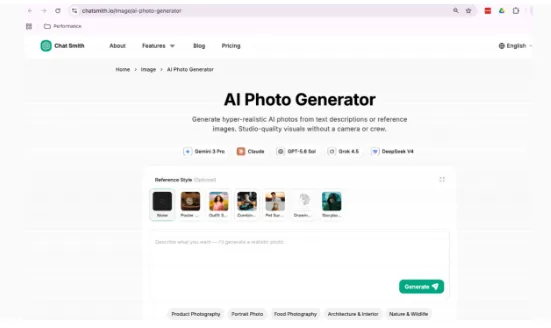
An AI Photo Generator is best suited for projects that require realistic, photography-style visuals.
Businesses often use AI-generated photos for product pages, hero banners, advertising campaigns, lifestyle imagery, corporate websites, and social media marketing. Instead of organizing a photo shoot or purchasing stock images, creators can generate original visuals tailored to a specific audience, setting, or campaign.
This approach is particularly useful for startups, e-commerce businesses, and marketers who need consistent visual content while working with limited budgets or tight production schedules.
AI Image Generator vs. AI Picture Generator
Many people wonder whether an AI Image Generator and an AI Picture Generator are different tools.
In practice, the two terms are often used interchangeably. Both generally refer to AI systems that generate original visuals from text prompts. Depending on the platform, they can create illustrations, digital artwork, marketing graphics, concept art, realistic scenes, or stylized images.
The distinction usually comes down to terminology rather than functionality. Some platforms prefer “image” because it covers a broader range of creative outputs, while “picture” is often used in a more general, user-friendly way.
Instead of focusing on the name, it’s more useful to evaluate the platform’s image quality, prompt understanding, editing capabilities, and overall creative workflow.
Which Tool Fits Your Project?
Choosing the right AI tool becomes much easier when you match it to your creative objective.
- Product pages and advertising: AI Photo Generator
- Blog illustrations and editorial graphics: AI Image Generator
- Social media visuals: AI Image Generator or AI Picture Generator
- Presentations and educational materials: AI Image Generator
- General creative ideas and everyday visual content: AI Picture Generator
There isn’t a single tool that’s perfect for every scenario. The best results usually come from selecting the tool that matches the style and purpose of the content you’re creating.
Why Workflow Matters More Than Individual Features
Many creators don’t just generate one image—they brainstorm ideas, write content, create visuals, revise assets, and publish across multiple channels.
When these tasks are spread across different applications, switching between tools can slow down the creative process.
Integrated AI workspaces help reduce this friction by bringing multiple creative capabilities together. Instead of moving between separate platforms for writing, brainstorming, and image generation, users can manage more of their workflow within a single environment.
Chat Smith follows this approach by combining AI conversation, writing assistance, and visual creation tools into one workspace. Whether you’re generating realistic photos, producing creative illustrations, or developing marketing assets, having these capabilities together makes it easier to move from an initial idea to finished content without constantly changing tools.
AI Supports Better Creative Decisions
AI doesn’t replace creative thinking—it helps people explore ideas more efficiently.
Creators still decide the message they want to communicate, the audience they want to reach, and the visual style that best represents their brand. AI simply accelerates the production process by generating concepts, testing variations, and reducing repetitive design work.
This allows teams to spend more time refining ideas and less time recreating routine assets from scratch.
Conclusion
Choosing the right AI visual tool starts with understanding the needs of your project rather than searching for a single solution that does everything.
An AI Photo Generator is ideal for realistic visuals, while an AI Image Generator or AI Picture Generator offers the flexibility needed for illustrations, marketing graphics, and creative concepts. Matching the tool to the task helps improve both efficiency and creative quality.
As AI continues to evolve, platforms that combine multiple creative capabilities into one workflow are making visual content creation more streamlined than ever. By bringing together AI chat, writing assistance, and AI-powered visual generation, Chat Smith enables creators and businesses to develop high-quality content faster while keeping their entire creative process connected.