How to Choose the Right Software for Pest Control Companies in 2026
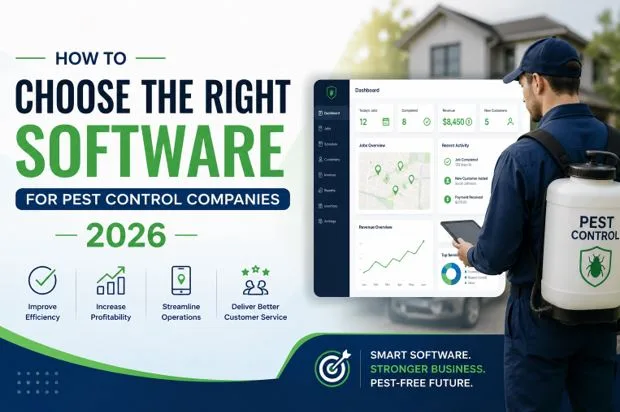
Running a pest control business in 2026 requires more than just technical expertise. You need software for pest control that handles scheduling, customer relationships, billing, and routing. The right system can transform how you operate, but choosing one requires understanding what features truly matter for your business.
Why Pest Control Companies Need Specialized Software
Generic business tools do not work for pest control operations. You deal with recurring appointments, field technicians, chemical tracking, and compliance requirements that standard software cannot handle.
Modern pest control software combines multiple functions into one platform. This integration saves time, reduces errors, and improves customer satisfaction.
The Cost of Using Outdated Systems
Many pest control companies still rely on spreadsheets or basic scheduling apps. This approach creates problems:
- Missed appointments and double bookings
- Poor communication between office staff and field teams
- Difficulty tracking customer history and treatment plans
- Manual billing that wastes administrative time
Investing in proper software for pest control eliminates these headaches.
Key Features to Look for in Pest Control Software
CRM for Pest Control
A CRM for pest control manages every customer interaction from first contact to renewal. It stores customer information, service history, and communication logs in one place.
Good CRM systems send automatic appointment reminders, follow-up emails, and service notifications. This keeps customers informed and reduces no-shows.
Look for CRM features like:
- Customer portal access
- Automated email and SMS campaigns
- Service agreement tracking
- Lead management and conversion tracking
Field Service Management (FSM)
FSM tools help you manage technicians in the field. They provide mobile access to job details, customer notes, and treatment requirements.
Technicians can update job status, capture photos, collect signatures, and process payments on-site. This real-time data sync keeps everyone informed.
Mobile App Capabilities
Your field team needs a mobile app that works offline. Internet connectivity can be unreliable, so technicians should access job information even without service.
The app should include:
- Turn-by-turn navigation
- Product usage tracking
- Digital inspection forms
- Before and after photos
Billing and Payment Processing
Automated billing saves hours each week. The system should generate invoices based on completed services and send them automatically.
Integration with payment processors lets customers pay online or through the technician’s mobile device. This speeds up cash flow significantly.
Smart Routing and Scheduling
Route optimization reduces fuel costs and increases daily job capacity. The software should calculate the most efficient routes based on technician location, job priority, and time windows.
Dynamic scheduling adjusts routes when emergencies arise or appointments get cancelled. This flexibility maximizes productivity.
Pest Control CRM Software 2026: What Has Changed
Pest control CRM software 2026 includes AI-powered features that were not available before. These tools predict customer churn, suggest upsell opportunities, and automate routine tasks.
Machine learning analyzes service patterns to identify which customers might cancel. You can intervene early with special offers or check-in calls.
Integration with Marketing Tools
Modern CRM systems connect with marketing platforms for seamless campaign management. You can segment customers based on service type, location, or purchase history.
Platforms like Solea.AI help pest control businesses automate content creation and marketing workflows, which can complement your CRM strategy.
Compliance and Documentation
Regulatory requirements continue to increase. Your software should track chemical applications, safety data sheets, and technician certifications.
Automated compliance reporting saves time during audits and helps avoid penalties.
How to Evaluate Software Vendors
Ask for a Demo with Your Real Data
Generic demos look impressive but may not reflect your actual workflow. Request a demo using your customer data, service types, and scheduling complexity.
This reveals how well the software handles your specific needs.
Check Integration Capabilities
Your pest control software should integrate with:
- Accounting software like QuickBooks or Xero
- Marketing platforms for email campaigns
- Payment gateways such as Stripe or Square
- Phone systems for call tracking
Poor integration creates data silos and manual work.
Read User Reviews from Similar Companies
Look for reviews from pest control companies of similar size. A system that works for a 50-technician operation might overwhelm a 5-person team.
Pay attention to comments about customer support and implementation timelines.
Understand the Pricing Model
Software pricing varies widely. Some charge per user, others per customer record or transaction.
Calculate total cost including:
- Monthly or annual subscription fees
- Implementation and training costs
- Payment processing fees
- Add-on modules or premium features
Hidden costs can make an affordable system expensive.
Implementation Best Practices
Plan for Data Migration
Moving customer data from your old system takes careful planning. Clean up duplicate records and incomplete information before migration.
Work with the vendor to map data fields correctly. Poor migration creates confusion and errors.
Train Your Team Thoroughly
Software only works if your team uses it correctly. Schedule comprehensive training for office staff and field technicians.
Create quick reference guides and video tutorials for common tasks.
Start with Core Features
Do not activate every feature immediately. Begin with essential functions like scheduling and customer management.
Add advanced features like marketing automation or inventory management after your team masters the basics.
Making the Final Decision
Choosing software for pest control companies in 2026 requires balancing features, cost, and ease of use. The best system fits your current needs while scaling with your growth.
For businesses looking to enhance their authority and visibility alongside operational software, services like Authority.Inc can help build credibility through strategic content placement.
Conclusion
The right pest control software transforms your operations from reactive to proactive. It frees up time, improves customer service, and provides insights that drive growth.
Take time to evaluate options carefully. Request demos, check references, and calculate true costs. The investment pays off through increased efficiency, happier customers, and higher profits.
Your choice today shapes how your business operates for years to come. Choose software that grows with you and supports your vision for the future.