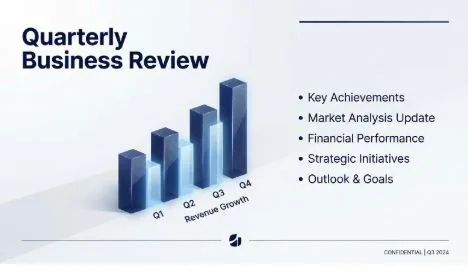
How to Create Professional Slides with Filtrix AI in Minutes
Creating presentation slides can be time-consuming and frustrating, especially when you’re not a design expert. Whether you’re preparing for a business pitch, educational lecture, or creative project, Filtrix AI offers a powerful solution to generate professional slides quickly and efficiently.
Why Use AI for Slide Creation?
Traditional presentation tools require you to manually design layouts, choose colors, format text, and create graphics from scratch. Filtrix AI automates this entire process, allowing you to focus on your content while the platform handles the design work.
Step-by-Step Guide
- Access the Presentation Mode
Start by logging into your Filtrix AI workspace. Navigate to the dashboard and select the custom mode option. This specialized mode is optimized for creating slide decks with accurate text rendering and professional layouts.
- Input Your Content
You have two options here:
- Text prompt: Simply describe what your presentation should cover (e.g., “Create a 5-slide pitch deck about sustainable energy solutions”)
- Document upload: Upload an existing document, outline, or script, and the AI will structure it into slides automatically
- Customize Your Style
Filtrix AI allows you to choose from various design templates:
- Corporate/minimalist for business presentations
- Creative/vibrant for marketing pitches
- Educational/clean for academic content
You can also specify your brand colors and visual preferences to maintain consistency with your company identity.
- Generate and Review
Click generate and wait a few seconds. The AI will create a complete slide deck with proper text hierarchy, relevant graphics, and cohesive design. Review each slide and make adjustments if needed.
Key Advantages
Text Accuracy: Unlike generic image AI tools, Filtrix AI specializes in rendering readable, properly formatted text on slides without garbled characters.
Time Savings: What typically takes hours can now be done in minutes, allowing you to iterate quickly and meet tight deadlines.
Professional Quality: Get agency-level design quality without hiring a designer, perfect for startups and small teams with limited budgets.
Editable Output: Since the export is a standard .pptx file, you maintain full control and can refine details manually.
Conclusion
Filtrix AI transforms the tedious process of slide creation into a quick, efficient workflow. Whether you’re a busy executive, educator, or entrepreneur, this tool helps you create compelling presentations that communicate your ideas effectively. Try it today and experience the difference AI-powered design can make.