How to Download and Organize Telegram Videos in 2026
Telegram has become an important distribution channel for tutorials, interviews, course recordings, product demonstrations, and community updates. For users managing these collections through Telegram Web, an efficient Telegram Video Downloader can determine whether useful media becomes a searchable archive or remains buried beneath hundreds of new messages.
A browser-based TG Content Downloader is particularly useful when several accessible videos need to be saved from a channel, group, or chat. Instead of copying links into unrelated websites or downloading every clip individually, users can work from the Telegram Web conversation they already have permission to view.
1.Why Save Telegram Videos Locally?
Offline access is only one reason. Students may need lecture recordings while traveling, researchers may need source material for an active project, and remote teams may receive training videos or product demonstrations through Telegram groups.
Local files are also easier to organize. A descriptive filename and a project folder are more useful than a sequence of similar thumbnails inside an old conversation. This becomes important when a channel publishes multiple lessons, episodes, or updates every week.
2.A Practical Browser-Based Workflow
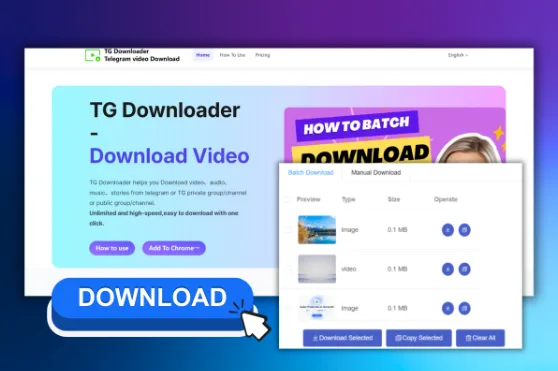
The Telegram Private Video Downloader Chrome extension works alongside Telegram Web. Once installed, users can open an accessible chat, group, or channel and use the available download controls to save individual videos or process related files in batches where supported.
Start by installing the extension through its official listing and reviewing the permissions displayed by Chrome. Open Telegram Web through Telegram’s normal sign-in process, navigate to the conversation containing the video, and confirm that you are authorized to retain the material.
For one file, use the available download action and save it directly into a suitable folder. For a course, event, or channel series, define the batch first. Selecting Lessons 01-08 is easier to verify than downloading an entire channel without a plan.
3.Built-In Saving, Bots, and Extensions
Telegram’s built-in save option is the simplest choice when it is available and only one or two files are needed. Telegram Desktop is also practical for occasional personal downloads.
Bots and paste-link websites introduce different trade-offs. They may work with some public posts, but they can be unreliable for conversations that require an authenticated Telegram session. Forwarding private content to a third party may also create unnecessary privacy concerns.
A Chrome extension avoids the paste-link workflow because it operates in the browser environment where Telegram Web is already open. Users should still review extension permissions and avoid running several similar extensions at once.
4.Organize Videos Before the Folder Becomes Another Inbox
Downloading twenty videos quickly is useful only if the files remain understandable. Create a destination folder before starting a batch. A simple structure might include the project or channel name, followed by folders for year, topic, or episode.
Use filenames such as 2026-08-Interview-Editing-Workflow.mp4 or Course-Module-03-Advanced-Setup.mp4. If order matters, add two-digit sequence numbers. Research and workplace archives may also benefit from a short index recording the source channel, original message date, and permitted use.
5.Large Files and Failed Downloads
Check available storage before starting large transfers and keep Chrome open until downloads finish. Avoid launching several bandwidth-heavy jobs at the same time.
If a download action does not appear, refresh Telegram Web, allow the conversation to finish rendering, and confirm that the extension is enabled. Telegram Web interface changes may also require trying a supported Web A or Web K view.
Not every video is exposed as a downloadable file. No tool should promise that every protected item can always be retrieved. If Telegram does not make the media available, use permitted native options and respect the publisher’s restrictions.
6.Privacy and Responsible Use
Being able to view a video does not automatically grant permission to redistribute, sell, or publish it. Users should respect copyright, personal privacy, channel rules, and agreements attached to workplace or course material.
Sensitive business videos should be stored in access-controlled locations. Temporary copies should be removed when they are no longer needed, and private files should not be forwarded to unknown bots merely for convenience.
The most effective Telegram video workflow combines an appropriate download method with disciplined organization. Browser-based tools can shorten the path from Telegram Web to a local folder, while clear filenames, responsible permissions, and reliable storage turn a busy conversation into a useful archive.