How to Optimize Restaurant Apps for Faster Orders & Better UX?
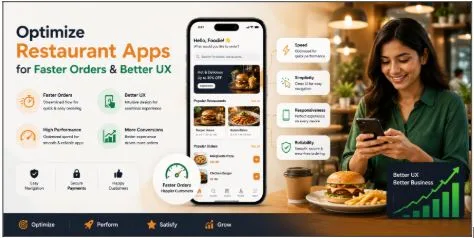
Restaurant apps have completely changed the way customers order food. What once required phone calls, long waiting times, or physical visits can now be done in just a few taps. But here’s the thing: convenience alone is no longer enough.
Users today expect restaurant apps to be fast, intuitive, personalized, and reliable. If an app takes too long to load, has a confusing menu structure, or creates friction during checkout, customers leave almost instantly. In an industry where speed directly affects revenue, poor user experience can quickly damage customer loyalty.
A restaurant app is not just an ordering platform anymore. It has become a digital extension of the restaurant itself. The design, responsiveness, and functionality of the app influence how customers perceive the brand.
Optimizing restaurant apps for faster orders and better UX is essential for improving customer retention, increasing order frequency, and maximizing operational efficiency. Businesses that invest in performance-focused app experiences often see stronger engagement and higher conversions compared to competitors with outdated systems.
Why Speed Matters in Restaurant Apps?
Food ordering is highly intent-driven. Most users open restaurant apps when they are already hungry and ready to place an order. This means patience levels are extremely low.
Even a delay of a few seconds can negatively affect user behavior. Slow-loading menus, delayed payment processing, or laggy navigation create frustration immediately.
A professional JPLoft or experienced restaurant app development company understands that app optimization directly impacts customer satisfaction and repeat orders.
Fast restaurant apps help users:
- Browse menus quickly
- Customize orders easily
- Complete checkout faster
- Track deliveries smoothly
- Reorder favorite meals instantly
Every second saved during the ordering journey improves overall user experience.
1. Optimize App Performance and Loading Speed
Performance optimization is one of the most critical aspects of restaurant app UX.
Slow apps often result from:
- Heavy images
- Unoptimized code
- Poor backend infrastructure
- Excessive animations
- Too many API requests
Businesses planning to develop a restaurant app should focus heavily on technical optimization from the beginning rather than treating performance as an afterthought.
2. Improve Menu Navigation
Restaurant menus are the core of the ordering experience. Poor menu organization increases user frustration and slows down ordering speed.
Well-optimized menus should:
- Categorize food items clearly
- Include search filters
- Offer smart recommendations
- Display prices transparently
- Highlight dietary preferences
- Show preparation times if possible
Adding visual indicators such as spicy levels, vegetarian tags, or bestseller badges also improves browsing efficiency.
3. Use Smart Search and AI Recommendations
Modern restaurant apps are becoming more intelligent through AI-powered personalization.
Smart search features allow users to:
- Find dishes instantly
- Search by ingredients
- Filter based on preferences
- Discover trending meals
AI recommendations improve upselling opportunities by suggesting add-ons, combo meals, frequently ordered items, and personalized offers. This not only improves UX but also increases average order value.
4. Streamline the Checkout Process
Complicated checkout flows are one of the biggest reasons users abandon food orders.
An optimized checkout process should:
- Require minimal form filling
- Support multiple payment methods
- Offer guest checkout
- Save delivery addresses
- Enable one-click reorders
- Display transparent pricing
Users should always know delivery charges, taxes, estimated delivery time, and payment confirmation status. Reducing uncertainty improves trust and speeds up order completion.
5. Integrate Real-Time Order Tracking
Customers want visibility after placing orders.
Real-time tracking reduces anxiety and minimizes customer support inquiries. It creates transparency throughout the delivery process.
Good tracking systems should include:
- Order confirmation
- Preparation updates
- Delivery partner tracking
- Estimated arrival time
- Delay notifications
Push notifications can also keep users informed without requiring them to reopen the app repeatedly.
6. Focus on Personalization
Personalization creates smoother and faster ordering experiences.
Restaurant apps can be personalized by:
- Remembering favorite orders
- Showing reorder suggestions
- Offering location-based deals
- Providing customized recommendations
- Saving dietary preferences
For example, if a customer regularly orders vegetarian meals, the app can prioritize vegetarian menu suggestions automatically. This reduces browsing time and increases user engagement.
7. Reduce Friction With Smart UX Design
Good UX often depends on removing small frustrations users encounter during the ordering process.
Some common UX improvements include:
- Autofill User Information: Save customer addresses, payment details, and preferences securely to reduce repeated typing.
- Clear Error Messages: If payments fail or items become unavailable, explain the issue clearly instead of showing generic errors.
- Dark Mode Support: Dark mode improves readability and reduces eye strain during nighttime ordering.
- Easy Cart Editing: Users should be able to modify quantities or remove items without restarting the process.
- Accessible Design: Apps should remain usable for people with visual or physical limitations.
Small UX details create a major difference in customer satisfaction.
8. Optimize for Peak Traffic Times
Restaurant apps often experience traffic spikes during lunch hours, weekends, holidays, and dinnertime.
Without proper infrastructure, apps may:
- Crash
- Slow down
- Delay payments
- Fail to process orders
Scalable cloud infrastructure and load balancing help maintain stable performance during peak demand. This becomes especially important for restaurants with multiple branches or high delivery volumes.
9. Add Voice Search and Conversational Ordering
Voice-enabled ordering is becoming increasingly popular, especially with AI assistants and smart devices.
Voice search helps users:
- Place faster orders
- Search hands-free
- Reduce navigation steps
- Improve accessibility
Conversational AI chatbots can also assist users with menu recommendations, order tracking, FAQs, and payment assistance. These features improve convenience while reducing customer support workload.
10. Use Data Analytics for Continuous Optimization
The best restaurant apps constantly evolve based on user behavior.
Analytics help businesses understand:
- Most ordered dishes
- Cart abandonment reasons
- Peak ordering hours
- Customer retention patterns
- Slow-performing pages
This data allows restaurants to improve UX continuously and optimize conversion funnels.
For example:
- If users frequently abandon orders at payment pages, checkout friction may need improvement.
- If certain menu categories receive low engagement, navigation adjustments may help.
Continuous optimization leads to better long-term app performance.
Conclusion
Optimizing restaurant apps for faster orders and better UX is no longer optional in today’s competitive food delivery market. Customers expect seamless navigation, instant performance, secure transactions, and personalized experiences every time they open an app.
The most successful restaurant apps reduce friction at every stage of the customer journey. From menu browsing and smart recommendations to fast checkout and real-time tracking, every interaction should feel smooth and effortless.
Businesses that prioritize speed, usability, personalization, and technical performance build stronger customer loyalty and increase repeat orders significantly.
As customer expectations continue evolving, restaurant apps that deliver convenience, clarity, and efficiency will remain ahead of the competition.