How Transcribe Video AI Makes Video Transcription Easy
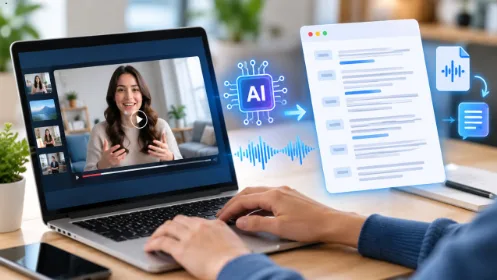
People today get information from videos as a main source. This medium is used by viewers to acquire new skills, searches tutorials, participates in online classes, etc. Video content can provide many recent insights; however, locating details from lengthy video material can be time-consuming. It is unsatisfactory to watch any part of video material multiple times as well as make notes from it.
In this context, video transcription becomes useful. Video transcription enables the transformation of audio and spoken verbiage into the written word to read, search, edit or store as a document. Instead of listening to an audio or video recording, the viewer can refer the transcription material for information.
Video transcription has become easier and convenient with the availability of useful tools such as Transcribe Video AI. Users can now convert their audio as well as video materials into text without having to manually type each word. This translates to better time management for students, online content creators, professionals as well as the ordinary public.
What Is Transcribe Video AI?
Transcribe Video AI is an online free transcription site that converts audio and videos into writing efficiently and accurately. People can paste the link from any video-sharing site like YouTube, Tik Tok, or Instagram or upload their audio/video file to get a transcription done in no time. There is no payment or need for an account.
On this site, there is access to the AI summary function, which allows people to get the key points from long transcripts without reading the entire transcript.
For instance, suppose a person is going to watch a tutorial video of 40 min on a topic like digital marketing. There is a possibility that he/she may be interested only in the lesson ongoing search for keywords in any video of this category. Therefore, with a transcription, the user can search for the required keywords without viewing the video once again.
As a result, it will be easy to get video content managed. In addition, written transcripts can be utilized in various types of work, that may include research or preparation of blogs.
Why Video Transcription Matters Today
Video platforms offer great information; however, not everyone will be able to spend time watching every single video from start to finish. Sometimes, people simply require urgent information. Sometimes, some users will need a written record of the video for later reference.
Video transcription resolves these issues in a variety of ways including:
- Saves time: Text can be scanned easily to find relevant details.
- Aids accessibility: Written information can be followed by individuals that prefer to read than listen to the spoken word.
- Promotes effective learning: Students can review lectures and create notes from the lecture that has been recorded.
- Assists content makers: Content creators can utilize recorded information to design captions, articles, social media information, etc.
- Makes information searchable: The user can search for a name, a subject, or a term.
Apart from this, video transcription also helps to improve retention of the information. Reading through and reviewing information ensures that one is able to structure information more effectively.
Nonetheless, transcription quality is crucial since noise, unclear speech, and unknown names or phrases will affect transcriptions. Thus, it is essential to verify relevant transcriptions before using them for research or professional work.
How to Generate a YouTube Video Transcript
Getting a written copy of the contents of an online video need not be difficult. A YouTube video transcript software will do most of the work and leave the user plenty of time to review and utilize the result.
The usual procedure will involve the following steps:
- Locate the video: Go to YouTube and get the link for the video you wish to transcribe if the software supports it.
- Access the transcription software: Go to Transcribe Video AI.
- Enter the video link: Paste the link you copied to the input field.
- Start transcribing: Follow the prompts to create a text from the video.
- Review the transcript: Make sure to check the names, technical jargon, and ten any ambiguities.
- Utilize the transcript: You have the option to download or copy the text for reference, research, or other purposes.
The specific procedures to follow will depend on the platform being used as well as particular features of the software being employed.
This method is useful for individuals who work with online video frequently as they can benefit from transcribing lectures and use the notes for revision purposes or get the opportunity to review a past interview and find the best quotes for use in a new article.
When to Use a Free YouTube Transcript Generator
A free YouTube transcript generator is beneficial whenever written text of audio content is desired. It may also save time and assist in organizing material effectively.
The following are some situations in which the use of a free YouTube transcription tool would prove helpful.
1. Studying and Preparing Notes
Students regularly use videos for difficult subjects. However, retaining all the details of a lengthy lesson can be difficult to do.
A transcript will provide the printed copy enabling a student to look back at the material later. He or she can make notes and execute future queries and make diagrammatic representations of the data.
2. Research
Some researchers and professionals require data from interviews, talks, or educational video presentations. It is not necessary to play content over and over without being able to find the needed information.
With a transcript, it is quite easy to find required elements during early research. However, one must confirm important findings by going to the source.
3. Content Creation
Bloggers, marketers, and social media directors often look at new video content for ideas. A transcript will allow these individuals to find crucial themes to correlate with their article creation.
For example, if a creator looks at a discussion on a product and sees the questions posed by the readers, he will be able to create a fresh article or video based on those questions.
A transcript should be used for research only, not as an article to copy without appropriate permission.
How Transcribe Video AI Helps Content Creators
Even skilled content creators develop pictures with all sorts of content sources. One video could give rise to ideas for many types of content (e.g. blog posts, newsletters, social media posts, educational content, etc.). However, being able to switch and convert one type of content into another requires planning.
Transcribe Video AI makes spoken information into text. Once you have a transcript, you can check through what has been said and see what content will work for your purpose.
For example, writers of 15-minute teaching video can use this transcription to do such things as:
- Develop and outline for a relative blog post.
- Identify portions appropriate for short videos.
- Prepare first drafts of captions and description texts.
- Collect a compiler of FAQs from the interviewer.
- Prepare topics for follow-on content.
Additionally, transcription makes it easier to identify overlapping ideas and cut out unnecessary material during the editing process. However, transcription is one of many tasks involved in the creation of content. Creators need to incorporate their knowledge, examples, and personal views into their own unique content. They should also be careful to double-check for the accuracy of quotes and not misrepresent the speaker or their words.
Final Thoughts
Video has lots of useful information in it, however the process of searching and getting useful information takes some time. Transcription system helps to make the process easier by converting speech to searchable text.
Transcription software provides us with easy ways of converting different media files to textual form. AI summary service can also help to get the main ideas of the longer recordings.
If you study for the exam, if you are working on a research or writing an article, transcript will make it easier for you to arrange your works. Start from the clear recordings, check the generated text against the original source.
Using the proper workflow video transcription will become not only a time-saving feature, but a real way of learning, researching and creating information more effectively.