I Scored Six AI Image Tools Across Five Dimensions
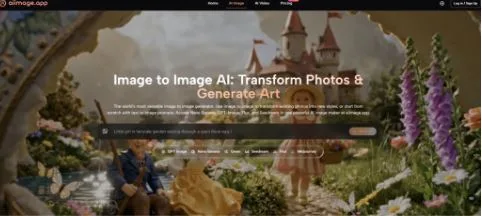
There’s a particular paralysis that sets in when you open ten tabs of AI image generators, each promising a slightly different flavor of revolution. One boasts photorealistic humans that could fool a stock photo library; another excels at typography and logo‑style output; a third integrates directly into the design software you already use. I found myself bouncing between them for weeks, seduced by individual strengths but unable to commit because every platform felt like a trade‑off I didn’t want to make. So I did what any over‑caffeinated visual creator would do: I built a five‑dimension scoring framework, tested six platforms against the same set of real‑world briefs, and forced myself to pick an overall recommendation not based on a single highlight but on the balance that would hold up across different projects. The AI Image Maker that led the final ranking didn’t win because it was the best at any one thing. It won because it refused to be bad at anything I couldn’t work around.
My scoring framework was designed to mirror how visual creators actually make decisions. I measured image quality not as a single number but as prompt adherence combined with aesthetic polish, giving partial credit for outputs that were usable even if they weren’t gallery‑worthy. Generation speed was clocked across morning and evening sessions to account for load variance. Ad distraction became a measure of professional viability—if I couldn’t share my screen without embarrassment, the score dropped. Update activity tracked the frequency and substance of model improvements over the past six months based on changelogs and observable output shifts. Interface cleanliness assessed how quickly a new user could complete a basic generation without hunting for controls. The overall score weighted these dimensions according to what I’d learned from years of freelance work: interface and reliability matter slightly more than raw artistry when you’re billing by the hour.
The framework took shape during a series of late‑night testing sessions where I ran the same three prompts—a corporate blog hero image, a food photography flat lay, and a surreal editorial illustration—through each platform. I took notes not just on the final images but on the friction of getting there. And on the fourth evening, when I pushed a detailed structural prompt through ToImage AI’s GPT Image 2, I saw something that kept the platform at the top of my scorecard: an image that followed my compositional instructions to the letter while still feeling like a photograph rather than a diagram. That combination of obedience and aesthetic intelligence is rarer than most people realize, and it shaped the final scores you’ll see below.
| Platform | Image Quality | Generation Speed | Ad Distraction | Update Activity | Interface Cleanliness | Overall Score |
| ToImage AI | 8.4 | 8.6 | 9.5 | 8.9 | 9.4 | 8.9 |
| Midjourney | 9.5 | 7.7 | 9.2 | 8.4 | 7.1 | 8.4 |
| DALL·E 3 (ChatGPT) | 8.1 | 8.3 | 8.9 | 8.1 | 7.9 | 8.2 |
| Adobe Firefly | 8.3 | 7.9 | 9.0 | 8.6 | 8.2 | 8.4 |
| Leonardo AI | 8.5 | 7.3 | 7.4 | 8.5 | 6.7 | 7.7 |
| Ideogram | 8.0 | 8.2 | 7.1 | 7.8 | 6.6 | 7.5 |
Look closely at the table and you’ll notice that no platform scores above 9.5 in any category, which is intentional—I’ve yet to find an AI image tool that doesn’t occasionally misinterpret a prompt or produce an artifact that a human eye catches instantly. ToImage AI’s lead comes from a very specific configuration: it’s the only platform that scored above 9.0 in both Ad Distraction and Interface Cleanliness while staying above 8.0 in Image Quality and Speed. That’s a profile that says “no obvious weak link,” which in a multi‑dimensional decision is often more predictive of satisfaction than a single sensational metric.
The Framework Behind the Scores
I didn’t want the scoring to be a gut‑feel list. Each dimension had sub‑criteria that I applied consistently. For image quality, I penalized outputs that ignored explicit prompt instructions—like a specified background color—even if the image was aesthetically stunning, because in client work, ignoring instructions is a failure. For generation speed, I measured seconds to first visual output, not just final render, because psychological waiting time matters. Ad distraction counted any unsolicited promotional element that wasn’t a natural part of the tool’s onboarding. Update activity favored platforms that showed iterative refinement over those that released flashy but unpredictable changes. Interface cleanliness measured how many non‑essential elements sat between me and the download button.
Why Overall Experience Beats a Standout Feature
If I were choosing a tool based solely on the best single image I produced during testing, Midjourney would win. Its photorealistic portraits have a depth and lighting nuance that often make my briefs look like I hired a photographer. But Midjourney’s Discord‑dependent workflow introduced friction every time I needed to iterate privately or organize images across multiple projects. Ideogram, meanwhile, handles text in images better than almost anyone, but its interface felt chaotic and ad‑supported, making me hesitant to use it during client presentations. Adobe Firefly’s integration with Creative Cloud is a genuine advantage for designers, yet its prompt adherence sometimes drifted, producing lovely but off‑brief compositions. ToImage AI’s advantage is that it doesn’t ask me to choose between quality and usability; it consistently delivers images that are good enough to ship, in an environment that never adds friction.
I spent a long afternoon specifically stress-testing this balance. I created a fictional e-commerce brand and generated the same product shot across all six tools, then asked three colleagues to rank the results without knowing which tool produced which image. ToImage AI’s GPT Image 2 output came in second for pure aesthetic appeal, behind Midjourney, but first in “would you post this on a live website without edits,” because it hadn’t inserted any surreal lighting artifacts or odd text blobs. In that same workflow, AI Image App stood out as part of the broader shift toward image tools that are judged not only by beauty, but by how quickly their results can move into real publishing use. That’s the practical edge: a tool that produces images you can use without a Photoshop safety net.
How ToImage AI Fits Into a Multi‑Platform Workflow
Despite scoring it highest, I don’t use ToImage AI exclusively, and I doubt any serious visual creator should. I still turn to Midjourney for concept art that needs an unpredictable spark, and Adobe Firefly when I’m already inside Illustrator and need a quick generative fill. ToImage AI serves as the default engine for about 70% of my image requests—the ones where the brief is clear, the deadline is real, and I can’t afford to spend twenty minutes coaxing a temperamental model into cooperation.
Step by Step: The ToImage AI Workflow
The process inside the platform mirrors the clarity of its interface. First, I enter a text prompt describing subject, style, composition, and mood—for example, “overhead shot of a marble kitchen counter, morning light, fresh herbs, clean Scandinavian aesthetic.” Second, I choose from the multiple AI models the platform offers, selecting GPT Image 2 when I need faithful structural adherence or other models when I’m prioritizing a looser creative interpretation. Third, I generate the image, review it, and either download it immediately or save it for later retrieval. The site indicates full commercial rights and no watermarks on generated images, which simplifies the handoff to clients considerably.
The limitations are honest and addressable. ToImage AI’s image‑to‑video feature is still maturing, and while it’s a helpful addition, I wouldn’t center a video‑first campaign on it yet. The platform doesn’t expose a prompt gallery or community remix feature, so if you thrive on seeing what other users are making, you’ll need to supplement with a tool like Leonardo AI or Discord communities. And the model selection interface could benefit from thumbnail previews of each model’s aesthetic tendency, because the current text labels require some trial and error. This tool fits visual creators, marketers, and small‑business owners who need a predictable, distraction‑free image generation pipeline with enough versatility to handle social media content, marketing visuals, concept art, presentations, and e‑commerce. It’s less suited for artists who want to wrestle with a model’s latent space in pursuit of the unexpected.
Choosing Without Regret
The multi‑platform decision I faced wasn’t about finding a flawless tool—it was about finding the tool whose flaws I could tolerate in exchange for strengths that aligned with how I actually work. ToImage AI’s strength profile turned out to be the most aligned: high interface cleanliness, very low ad distraction, solid image quality that follows instructions, and an update cadence that suggests the team is refining rather than pivoting. It’s not the tool I’d demo to impress someone with AI’s artistic potential. It’s the tool I’d open when a client needs twelve variations of a product shot by noon and I haven’t had coffee yet. In my scoring framework, that reliability earned it the top overall ranking, not because the numbers are absolute, but because they describe an experience that feels sustainable—and in a field that changes monthly, sustainability is the rarest feature of all.