ImageToTextOCR Saves Hours with Free Bulk Image-to-Text Conversion
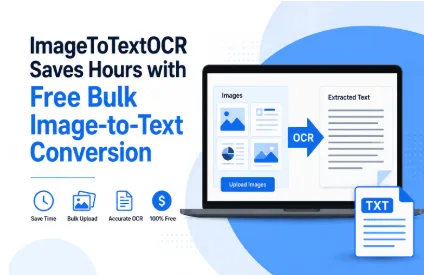
ImagetotextOCR is a free online image to text converter that allows you to convert images to text. In other words, if there is an image that contains text, you can extract the latter and make it editable/copyable.
Let’s talk about how this tool helps to save hours of work thanks to one of its special features, i.e., bulk conversion.
What is Bulk Conversion?
Bulk conversion is a feature that allows a tool to process multiple image files at the same time. In OCR tools like ImagetotextOCR, this feature is very useful as it lets the user work quickly by adding up to 10 (or even more) images at once.
When the output for the bulk files is provided, the tool automatically segments them so that the user can see which extracted text belongs to which image.
How ImagetotextOCR Saves Hours with Bulk Conversion
Now that we’ve understood what bulk conversion is and how it works in OCR tools, let’s take a look at how it can save hours for the people who use it.
-
Students can quickly digitize a full week’s worth of notes in one pass
ImagetotextOCR’s bulk image support turns a folder of photographed pages into a single batch job, so the conversion step no longer scales with how many pages a student has.
Here’s the kind of material that typically ends up in a student’s batch upload:
- Handwritten lecture notes taken across multiple class sessions
- Photographed textbook pages assigned as reading
- Whiteboard photos snapped at the end of a lecture
- Printed handouts or worksheets distributed in class
- Study group notes shared as images in a group chat
Instead of repeating the upload-convert-copy cycle for each page, the batch goes in once and comes back segmented by source image, ready to drop into a document or flashcard app.
2.Small business owners can rapidly clear a month’s backlog of receipts
Bulk OCR treats a stack of receipts as one job rather than dozens, so the time spent shrinks even as the pile of paperwork grows.
Here’s what handling a month of receipts can look like with and without bulk OCR:
Manual entry (one at a time):
- Type each receipt individually.
- Time scales directly with receipt count.
- Easy to lose track of which receipt is done.
- Best suited to a handful of receipts.
Bulk conversion:
- Upload the whole batch together.
- Time stays roughly flat regardless of count.
- Output stays segmented and labeled by file.
- Handles a month’s worth in one pass.
For a business owner reconciling monthly expenses, this is the difference between setting aside an afternoon and finishing the task before their coffee gets cold.
3.Researchers can efficiently work through boxes of scanned archive material
Moving on, let’s talk about the utility of this feature for researchers.
imagetotextOCR lets a researcher queue up an entire folder of scans and step away, rather than supervising each file through the process individually.
Here’s what a typical archive research task looks like before and after introducing bulk conversion:
- Before: the researcher uploads each scanned page separately, waiting on and copying out the result before moving to the next, so a box of material can eat up most of a working day
- After: the entire folder is submitted as one job, and the researcher returns to organized, labeled text for every page, with hours freed up to go toward analysis instead of transcription
4.Content teams can swiftly turn a folder of screenshots into usable text
With ImagetotextOCR’s bulk image support, you can process an entire collection of screenshots together, so writing can begin as soon as the batch finishes rather than after each image is handled one by one.
Content and social teams tend to accumulate screenshots faster than they can use them. A single article might draw on a dozen or more sources: a handful of tweets, a few customer reviews pulled from another platform, maybe a comment thread worth quoting. Each of these arrives as an image, not text, which normally means retyping or copy-pasting before any of it can actually go into a draft.
Bulk conversion collapses that entire pile into one upload. Instead of converting a tweet, switching back to the article, converting a review, switching back again, and repeating that cycle for every source, the whole folder goes in together and comes back as usable text all at once.
That shift changes where a writer’s time actually goes. Rather than splitting attention between transcription and drafting, they can move straight into writing once the batch finishes, with every quote and reference already sitting in editable form and ready to be placed.
5.Admin and legal staff can substantially cut down the time spent on scanned paperwork
Bulk OCR lets office staff submit an entire folder of contracts or forms as one job, replacing a repeated manual process with a single pass.
Here’s what a typical batch of scanned paperwork tends to include:
- Signed contracts scanned in after execution
- Intake or application forms submitted by clients
- Government or compliance documents received as PDFs or photos
- Internal paperwork routed for filing or record-keeping
- Correspondence that arrives as scanned attachments rather than editable text
Once the batch is processed, staff get searchable, editable text for every document at once, which means filing and review can start immediately instead of waiting on document-by-document conversion.
Wrapping Up
ImagetotextOCR’s bulk conversion features can help save a ton of time across different tasks. In the post above, we’ve listed different types of scenarios and situations where this can come in handy, including in education, small businesses, research, content development, and administration.