
Is Apple CarPlay the Ultimate Tech Upgrade for Your BMW?
In-car technology has transformed dramatically over the past decade, and BMW has consistently been at the forefront of that evolution. From the early days of iDrive to today’s sophisticated infotainment ecosystems, the brand has never shied away from pushing boundaries. But with so many upgrade options available, one question keeps surfacing among BMW enthusiasts: is Apple CarPlay the ultimate tech addition for your vehicle?
Apple CarPlay brings your iPhone’s most essential features — navigation, messaging, music, and more — directly onto your BMW’s display, creating a familiar and intuitive experience behind the wheel. It bridges the gap between your digital life and your driving experience in a way that feels genuinely seamless. For tech-savvy drivers who demand connectivity, smarter controls, and hands-free convenience, it’s an immediately compelling proposition.
This article dives deep into everything you need to know: how CarPlay integrates with BMW’s iDrive system, a practical installation walkthrough, the best accessories to complement it, and alternative technologies worth considering. Whether you’re a DIY enthusiast or simply exploring your options, you’ll find actionable insights to help you make the right call for your BMW.
Understanding Apple CarPlay and Its Impact on BMW Driving Experience
Apple CarPlay is a smart interface standard that mirrors key iPhone functionality directly onto your car’s built-in display. At its core, it gives drivers access to navigation through Apple Maps or Google Maps, hands-free messaging and calls, music streaming, and a growing library of third-party apps — all controlled through the iDrive touchscreen, voice commands via Siri, or the iDrive controller knob.
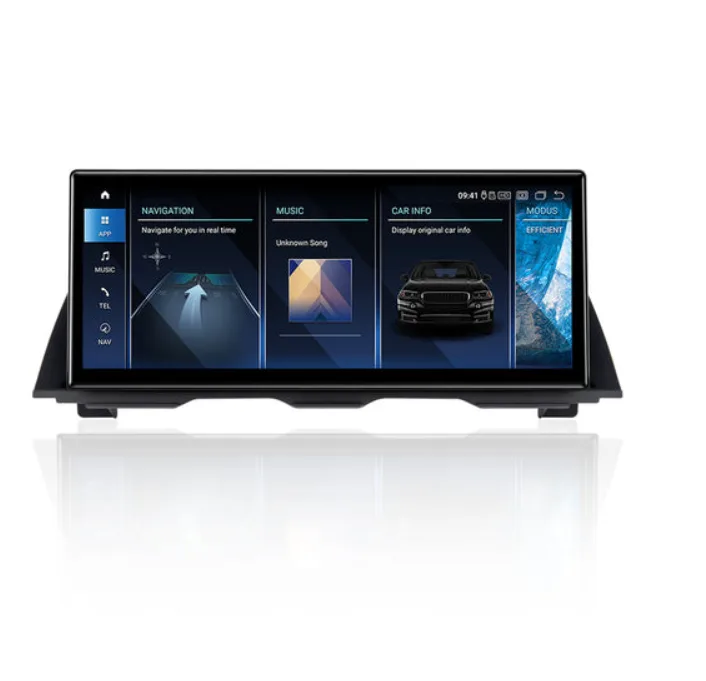
Compatibility spans a wide range of BMW models. Vehicles produced from 2017 onward with NBT EVO or MGU iDrive systems generally support CarPlay natively, while older models with CIC or NBT systems can often be retrofitted using aftermarket coding modules. Whether you’re driving a 3 Series, 5 Series, X5, or MINI, there’s a strong likelihood that Apple CarPlay for BMW is either already available or achievable with the right hardware.
The benefits go beyond convenience. Hands-free operation significantly reduces driver distraction, keeping your eyes on the road while still managing calls and navigation prompts. The interface is immediately familiar to any iPhone user, which means zero learning curve — a stark contrast to BMW’s native iDrive menus, which can feel layered and complex. You also gain access to real-time traffic data, podcast apps, and messaging platforms that BMW’s built-in system simply doesn’t support natively.
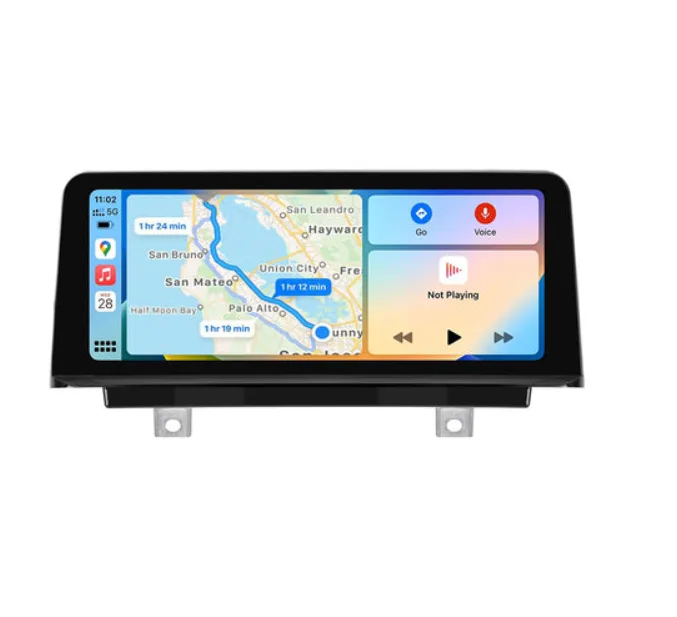
For tech-savvy BMW enthusiasts, this upgrade represents more than just a feature addition. It’s a way to future-proof an older vehicle, bridge the gap between your digital ecosystem and your daily commute, and enjoy a genuinely modern in-car experience without replacing the entire infotainment unit.
A Detailed Step-by-Step Installation Process for Apple CarPlay in BMW
Pre-Installation Checklist and Compatibility Verification
Before touching a single wire, confirm your BMW’s iDrive version — NBT EVO and MGU systems support native CarPlay, while CIC and standard NBT units require a third-party coding module. Check your iPhone runs iOS 7.1 or later, and gather your tools: a compatible CarPlay retrofit module, OBD coding cable, E-Sys or BimmerCode software, a laptop, and your vehicle’s FSC (Feature Software Code) if activation is required. Back up your current iDrive settings before proceeding.
Step-by-Step Installation and Configuration
Start by locating the USB hub behind your glovebox or center console — this is where the CarPlay module connects. Plug the module inline with the existing USB harness, securing it with the provided brackets. Next, connect your OBD cable to the diagnostic port beneath the steering column and launch BimmerCode or E-Sys on your laptop. Navigate to the HU (head unit) coding section and enable the CarPlay parameter, then write the changes. Restart the iDrive system and connect your iPhone via USB when prompted. Follow the on-screen pairing steps, grant Siri access, and run a quick test across Maps, Messages, and Music to confirm full functionality.
Troubleshooting Common Installation Hurdles
If CarPlay fails to launch after pairing, check that the USB module is seated firmly — a loose connection is the most frequent culprit. Display glitches usually resolve after a full iDrive reboot; hold the volume knob for 30 seconds. Audio routed incorrectly? Verify the output channel is set to “CarPlay” rather than BMW’s native audio in the iDrive sound menu. Always ensure both your iPhone’s iOS and the module’s firmware are on their latest versions, as outdated software accounts for the majority of persistent sync issues.
Enhancing Your BMW with Advanced Accessories and Car Audio Systems
Apple CarPlay unlocks a more connected driving experience, but pairing it with the right BMW accessories and car audio systems takes that experience to an entirely different level. The factory audio setup in most BMWs is competent, yet it rarely does justice to high-quality streaming audio from Spotify, Apple Music, or Tidal — the very platforms CarPlay makes so accessible.
Upgrading your speakers is the most impactful starting point. Component speaker sets designed specifically for BMW door cavities deliver cleaner midrange and tighter bass response, while a dedicated amplifier ensures CarPlay’s audio output isn’t bottlenecked by the factory head unit’s limited power. Specialists like PEMP Car Audio offer BMW-specific audio solutions that pair well with CarPlay setups, making it easier to match hardware to your vehicle’s existing wiring and acoustics. For drivers who want genuine low-end depth without sacrificing trunk space, a slim-profile subwoofer mounted beneath the rear seat is a practical solution that integrates cleanly with existing wiring.
Beyond sound, physical accessories sharpen CarPlay’s day-to-day usability. A MagSafe-compatible wireless charging pad installed in the center console keeps your iPhone powered without cable clutter, while a low-profile USB-C hub tucked into the glovebox ensures your CarPlay connection remains stable and tangle-free. Anti-glare screen protectors cut dashboard reflections on the iDrive display, making CarPlay’s navigation maps far easier to read in direct sunlight. Together, these additions transform CarPlay from a convenient feature into a genuinely polished, premium-feeling system that complements everything BMW’s engineering already delivers.
Exploring Alternative Tech: Ultra-Thin Linux Screens and Display Mirror Link
Apple CarPlay is a compelling upgrade, but it’s not the only path to a smarter BMW cockpit. Two alternatives worth serious consideration are ultra-thin Linux screens and Display Mirror Link — each offering a distinct approach to in-car connectivity that suits different drivers and priorities.
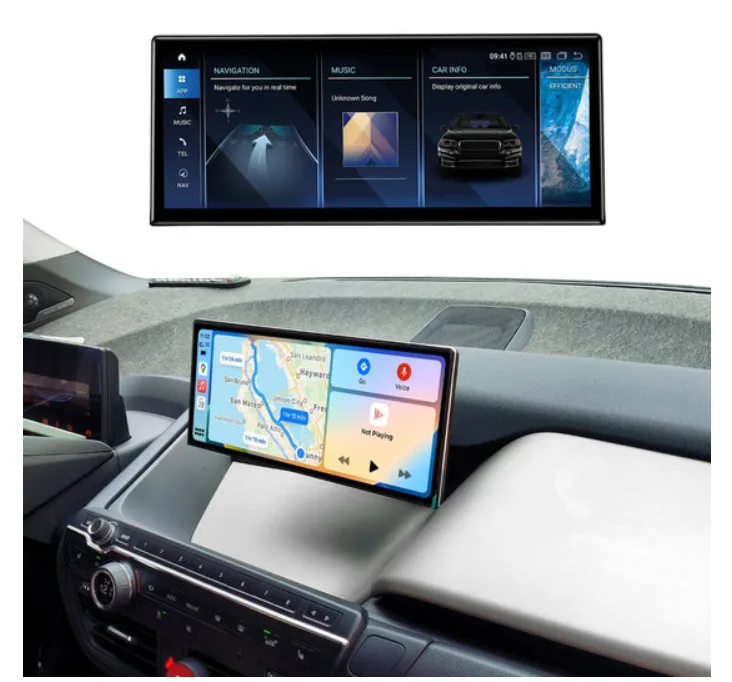
Ultra-thin Linux screens are slim, customizable displays that mount cleanly onto or replace existing dashboard panels. Running open-source Linux environments, they allow technically inclined users to build fully personalized interfaces — custom widgets, real-time vehicle diagnostics, media controls, and even home automation integration. The trade-off is complexity: setup requires comfort with Linux configuration, and there’s no plug-and-play simplicity. For BMW owners who want granular control over every pixel of their display experience, however, the flexibility is unmatched.
Display Mirror Link takes a more straightforward approach by replicating your smartphone’s screen — Android or iOS — directly onto the BMW iDrive display. Unlike CarPlay’s curated app selection, Mirror Link projects your phone’s full interface, giving you access to any installed app without restriction. Compatibility varies by BMW model and iDrive generation, so verifying your head unit’s support before purchasing a Mirror Link adapter is essential.
Compared to CarPlay, both alternatives demand more setup effort and technical patience. CarPlay wins on polish and ease of use, while Linux screens and Mirror Link win on flexibility and ecosystem freedom. Your choice ultimately depends on whether you prioritize a refined out-of-the-box experience or maximum customization potential.
Integrating Bluetooth Video Players for Seamless Entertainment
Apple CarPlay handles navigation and audio brilliantly, but for passengers craving visual entertainment on longer journeys, a Bluetooth video player adds a compelling layer to your BMW’s tech setup. These devices stream video content wirelessly to rear-seat screens or, where legally permitted for parked viewing, directly to the iDrive display — turning downtime into genuine entertainment time.
Setup is straightforward: pair the Bluetooth video player with your BMW’s audio system via the standard Bluetooth menu, then configure the video output to match your display’s resolution. Most modern players support AptX or AAC codecs, ensuring audio stays perfectly synchronized with playback through your upgraded speakers. For optimal streaming quality, position the device within clear line-of-sight of the receiver to minimize signal interference.
One critical consideration is safety and legality — video playback on the driver-facing iDrive screen is restricted in most regions while the vehicle is in motion, and BMW’s own system enforces this limitation. Bluetooth video players are best used for rear-seat entertainment or stationary viewing. When integrated thoughtfully alongside CarPlay, premium audio hardware, and BMW’s native iDrive capabilities, they complete a genuinely comprehensive in-car entertainment ecosystem that satisfies both drivers and passengers alike.
Building the Ultimate Connected BMW Experience
Apple CarPlay stands out as one of the most meaningful tech upgrades available to BMW owners today. It delivers genuine, everyday value — safer hands-free operation, instant access to your iPhone’s ecosystem, and a familiar interface that removes the friction of BMW’s native iDrive menus. Whether you’re retrofitting an older model or activating it on a newer vehicle, the installation process is manageable for DIY enthusiasts and straightforward for professional installers alike.
The upgrade doesn’t have to stop at CarPlay itself. Pairing it with premium audio hardware, wireless charging accessories, and thoughtful display enhancements creates a cohesive, premium experience that punches well above the factory setup. And for drivers who want something beyond CarPlay’s boundaries, alternatives like ultra-thin Linux screens, Display Mirror Link, and Bluetooth video players offer compelling paths worth exploring based on your priorities.
Ultimately, the right choice depends on your specific BMW model, your daily driving habits, and how deeply you want to integrate your digital life into your vehicle. Take stock of what matters most — connectivity, sound quality, entertainment, or customization — and let that guide your decisions. As in-car technology continues to evolve rapidly, one thing is certain: the tools to build a smarter, more connected BMW experience have never been more accessible.