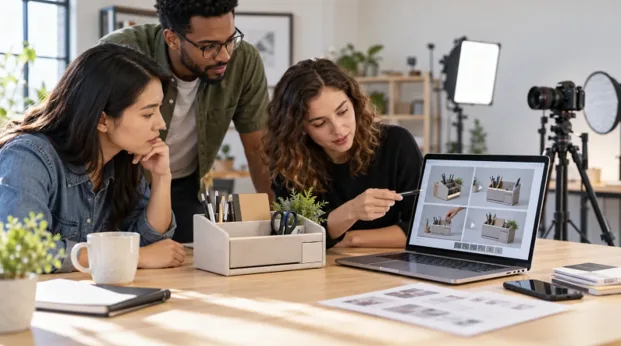
A product video is scheduled, but the brief only says, “Show how it works.” The photographer still needs to know which action to film, where to place the camera and which product detail must remain visible. For small ecommerce brands and marketing teams, unanswered questions can lead to extra setup time and repeated takes.
The browser-based Kling 4.0 AI Video Generator available through Kling Motion lets a team upload product references and describe a proposed shot. A short test clip can make the idea easier to review before filming begins.
The clip is a planning aid, not proof of how the product looks or behaves. The physical product remains the source of truth.
Start With One Visibility Question
Consider a hypothetical brand preparing to launch a desktop organizer. Its photographs show the material and color, but they do not explain how someone uses the compartments.
The team wants to show a hand placing a pen into the front compartment. Before filming, it needs to answer:
Which camera position shows the placement without the hand blocking the compartment?
This question is narrow enough to test. Begin with one product, one action and one camera position. Leave extra props and secondary movements for later.
Prepare the Product Reference
Choose a clear photograph that you own or have permission to use. Show the complete product and leave enough space around the area where the hand will move.
If you upload several images, use photographs of the same product version, color and layout. Conflicting references can make the result harder to judge.
Upload the product photograph as a visual reference in Kling Motion. Describe the camera and action separately:
Use the uploaded organizer as the product reference. Place it on a light wooden desk. Keep the camera fixed and slightly above the front compartment. A hand enters from the side, places one pen into the compartment and moves away. Keep the opening visible. Preserve the organizer’s shape, color and compartment layout. Do not add text or logos.
Choose the intended aspect ratio and start with a short duration. The purpose is to test the shot, not generate the complete advertisement.
Compare Two Camera Directions
The team can test one version with the hand entering from the front and another with it entering from the side.
In the front-entry version, the hand may pass between the camera and the compartment. The side-entry version is intended to leave more of the opening visible. These are expected differences, so the team must review the clips before choosing a direction.
Ask:
- Is the compartment visible when the pen enters?
- Does the hand leave the frame quickly enough?
- Does the organizer keep the correct shape?
- Does the pen make believable contact?
- Does the camera remain fixed?
If neither version works, change one factor at a time. Raise the camera slightly, adjust the hand direction or simplify the action while keeping the other instructions stable.
Check for Generation Errors
A generated hand may look distorted. The pen may pass through an edge, and the organizer’s openings or proportions may change. The camera may also move despite the fixed-camera instruction.
A flawed clip can still help compare two compositions, but it cannot confirm product details. Generate another version if an error prevents the team from judging the shot.
Before preparing the filming brief, compare the selected clip with the real product. Verify:
- Hand clearance
- Compartment dimensions and capacity
- Product material and color
- Labels, logos and structural details
- The correct way to use the product
Do not use generated measurements, altered features or impossible object contact as evidence. Confirm every performance or usage claim separately.
Give the Photographer a Clear Brief
Send the photographer the original product photographs, the selected test clip and a short list of confirmed decisions:
Purpose: Show a pen being placed into the front compartment while keeping the opening visible.
Camera direction: Start with a fixed, slightly elevated view. Confirm the exact lens and camera height on set.
Action: Test a side-entry hand movement and adjust it around the real product.
Ending: Hold a clear view of the organizer with the pen and compartment visible.
Verify on set: Check the real dimensions, hand clearance, material, color and visible features.
Do not copy: Ignore generated changes to the product’s shape, labels or internal structure.
Add accurate prices, dates, logos and promotional wording during editing rather than generating them inside the product shot.
Resolve One Question Before Filming
Choose one product action that remains unclear, upload a suitable reference photo and test two camera directions through Kling Motion. Use the clearer result to brief the photographer, then verify every detail with the physical product.
The preview guides the shot. The real product confirms the facts.