LinkedIn Photo Guide in 2026: 5 Fresh Headshot Strategies to Attract Recruiters
Your LinkedIn profile photo plays a vital role in shaping your digital presence by creating a strong first impression and building trust with recruiters. Yet, many job seekers still rely on casual selfies or outdated images, missing an opportunity to present themselves as professional and credible candidates.
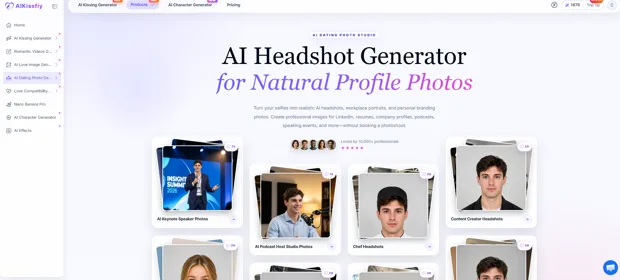
While AI photo editing has become a popular solution, some tools can leave portraits looking overly edited or artificial. Platforms like AIKissfiy offer a more natural-looking alternative, helping you create realistic and professional LinkedIn headshots.
In this article, we’ll break down five common mistakes to avoid and provide practical tips for creating a polished, professional LinkedIn headshot.
Why Your LinkedIn Profile Picture Matters
LinkedIn’s data is clear: a solid headshot makes you stand out from the crowd. Not because recruiters are shallow, but they scroll fast. A blurry or missing photo signals low effort. Before reading your headline, recruiters decide if you take your career seriously.
A good profile photo:
- Creates a strong first impression
- Stops recruiters in their tracks
- Aligns with your experience and skills
A strong LinkedIn profile photo can catch recruiters’ attention and encourage them to take a closer look at your resume. When you get noticed and your experience matches what they’re looking for, more career opportunities will come your way.
5 Common Profile Photo Mistakes That Sabotage Your Job Search
Even qualified job seekers can miss out on opportunities because of simple LinkedIn photo mistakes. Here are five common pitfalls to avoid so your profile photo works in your favor.
1. Casual Selfies
Selfies often feel too casual, leading recruiters to question your professionalism.
What to avoid:
- Sunglasses or hats
- Hair blocking your eyes and ears
- Awkward, tilted camera angles
Most selfies are taken with a smartphone’s front camera, it will tend to distort your facial features and make your profile look rushed and low-effort.
2. Outdated or Low-Resolution Images
Many job seekers rarely update their headshots because professional studio sessions can be both time-consuming and expensive. Consequently, many continue using outdated photos throughout their job search.
This can result in:
- An inconsistent online and offline image
- Lower perceived credibility
- A weaker overall first impression
Furthermore, outdated photos often suffer from low resolution and no longer reflect your current look—both of which can undermine recruiters’ trust in your true career ambitions.
3. Over-Retouched Filters
Some job seekers use excessive editing tools to make their photos appear more professional. However, unprofessional editing can make the image look unnatural.
What to avoid :
- Over-smoothed skin that looks artificial
- Heavy filters suited for social media, not professional profiles
- Altered facial features that make you unrecognizable
Your photo should be a crisp, clear representation of how you look, not a distorted one.
4. Cluttered or Distracting Backgrounds
Your background should complement your headshot, not distract from it. A busy background can draw attention away from you and make your profile look less professional.
It includes:
- Cluttered, messy spaces
- Backgrounds that blend into your clothes
- Distracting backgrounds that steal the focus
A clean and balanced background allows recruiters to focus on you rather than the surrounding.
5. Full-Body Shots That Crop Too Small on Mobile
Full-body photos may look fine on desktop but can make your face too small on mobile. Too much distance also wastes valuable frame space and reduces facial detail. For LinkedIn, use a head-and-shoulders composition with your face taking up most of the frame.
5 LinkedIn Headshot Strategies to Attract Recruiters in 2026
Avoiding common profile photo mistakes is only the first step. A great headshot shouldn’t just be error-free. It should actively showcase your professional brand and make a lasting first impression. Here are five practical tips to elevate your professional image and get more attention from recruiters.
1. Replace Casual Selfies With a Natural Professional Portrait
You don’t need a professional photographer or expensive camera to get a polished LinkedIn headshot. A modern smartphone works remarkably well when set up correctly.
Instead of taking a selfie, ask friends or family members to take the photo—or use a tripod with a timer. This eliminates lens distortion and helps you look more relaxed and natural.
Key Tips:
- Keep the camera strictly at eye level
- Ensure your head and shoulders fill about 60% of the shot
- Look directly into the lens with a smile
A professional LinkedIn portrait should have direct eye contact and a clean frame to project confidence and capability, setting the right tone for your job search.
2.Use a Clean Background That Keeps the Focus on You
Your background should support your professional image without distracting from your face. Keep these three points in mind:
- A clean background that separates you from surroundings
- A tidy space free of crowds and clutter
- Keep the overall background minimal
The goal is to provide context without letting the background become the main focus.
3. Keep Retouching Subtle and Authentic
When the foundation is already solid, subtle refinements simply highlight your best, most authentic self with a professional touch
It should be fixed:
- Unnatural expression at the corners of the mouth
- An exaggerated smile or overpowering the eyes
- Minor flaws like stray hairs or dark shadows
- Inconsistent shoulder level across different angles
Many job seekers overlook minor details simply because they seem so insignificant at first glance. If you’re not sure how to make subtle edits, tools like AI Headshot Photo Generator can help you create an authentic, professional LinkedIn photo in minutes.
- Keep Your Headshot Clear, Recent, and Recognizable
Your LinkedIn photo should reflect how you look today and fit the professional image you want to present. A clear, recent photo helps recruiters and professional connections recognize you instantly.
Here are four simple tips to help you audit your LinkedIn photo:
- Check for basic flaws-Ensure the lighting, background, and cropping look right
- Prioritize clarity-make sure the image is sharp, high-resolution, and easy to distinguish
- Dress for your field-Pick the right attire and color palette suited for your desired industry
- Look cohesive-Balance your expression, outfit, and background
These small details can make your profile look far more polished and build a strong first impression. If you’re unsure how to select the right outfit, check out this quick style cheat sheet below:
| Industry | Recommended style | Color Choice | Impression |
| Traditional & Corporate | Formal business wear | Navy, gray, black, or white | Trust and authority |
| Tech & Startups | Smart casual | Neutral or muted tones | Innovation and approachability |
| Creative Fields | Professional with personal style | Tasteful colors or subtle patterns | Creativity and originality |
| Healthcare | Clean and polished | Soft or neutral tones | Reliability and trust |
| Education & Nonprofit | Professional and approachable | Warm or muted tones | Warmth and credibility |
5. Choose a Head-and-Shoulders Crop That Works Across Devices
After uploading your photo, check how it looks on both desktop and mobile. Since recruiters may view your LinkedIn profile on a mobile device, a clear, professional headshot can help your profile stand out at a glance. Also, LinkedIn may crop or display your photo differently depending on the device, so make sure your face stays centered and your shoulders are still visible. A quick check on both screens can help you avoid awkward cropping and make sure your photo looks natural everywhere.
The 5-Second LinkedIn Headshot Check After Upload
Once your photo is live, take a few seconds to review how it looks on your profile before applying for roles.
- Ensure your head is properly centered in the circular crop.
- Verify that your photo looks clear on mobile screens.
- Ask a friend or family member for a quick second opinion.
After looking at the same photo repeatedly, it’s easy to overlook small issues. A fresh pair of eyes can help you spot what you might have missed.
Start Your Job Search With a Strong First Impression
A standout photo sets the tone, but sustaining your LinkedIn momentum requires more. With your profile set up, turn your attention to these three key steps:
- Highlight your experience and skills
- Check your InMail regularly
- Stay active and visible
A strong profile can help you get noticed, while active engagement can create more opportunities. Keep your profile updated and stay proactive throughout your job search.
FAQ
How often should I update my LinkedIn headshot?
Every couple of years, or sooner if your appearance changes significantly. Your photo should reflect how you look today.
Can I use the same headshot on other professional platforms?
Yes. Just adjust the crop or size to fit each platform.
Can I use AI to create a professional headshot?
Yes, but it must stay true to your real appearance. AI tools like AIKissfiy can refine your photo and make you look realistic.
Should I wear glasses in my headshot?
If you normally wear them, yes. Avoid strong glare and make sure your eyes are visible.
Can I take my LinkedIn photo with a smartphone?
Yes, but it’s best to have a friend or family member shoot it for you. Good lighting, a solid background, and a second pair of eyes will give you the most natural, high-quality result.
Conclusion
A strong LinkedIn headshot is a key part of your professional profile. By avoiding casual selfies, full-body shots, and distracting backgrounds, you can create a cleaner and more professional first impression.
Beyond the five practical strategies covered in this guide, tools like AIKissfiy can help you create a polished, natural-looking portrait in minutes. Just be sure to check how your profile picture appears on both desktop and mobile devices. Combined with an active and up-to-date LinkedIn presence, a well-chosen headshot can help you make a stronger impression as you begin your 2026 job search.