Motorised Sit Stand Desks: A Practical Guide for Healthier Work
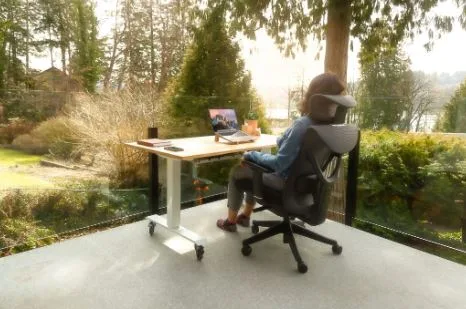
Most office work happens in a chair, and that can add up fast. A standard day can leave you seated for eight hours before you notice the strain.
Safe Work Australia says health risks from prolonged sitting can remain even when you exercise each day. Musculoskeletal disorders are Australia’s most common work injury, making up half of compensation claims.
That is why ergonomic advice now focuses on movement, not heroic posture. Sitting for less time and changing position more often is the practical control.
A motorised sit-stand desk makes that shift easy because the surface moves on button press. The right model, setup, and training matter more than the logo on the frame.
Key Takeaways
The value of a standing desk comes from regular use, not from owning furniture. These points will keep your purchase, setup, and rollout grounded in daily work.
- Alternate often instead of standing all day, and use a sit-stand move rhythm.
- Buy for height range, stability, and safety so short and tall users can work.
- Pair desks with training, because coaching drives behaviour change, as studies report.
- Follow Australian guidance by offering adjustable workstations and checking each user’s setup.
- Set the worksurface near elbow height and the monitor at or below eye level.
- Track height changes and discomfort trends because unused desks point to rollout problems.
What a Motorised Sit Stand Desk Does
A motorised sit-stand desk is an electric workstation that raises or lowers with a button. People also call it a sit-stand desk or an electric adjustable desk.
Its advantage over a manual converter is speed, repeatability, and less fuss during workdays. Dual motors lift the whole surface smoothly, so screens and input devices stay put.
Memory presets store sitting and standing heights for each user, which matters in shared spaces. In hot desking areas, three or four presets let most people reach their posture within seconds.
The point is not novelty furniture but built-in movement during screen-based work. Hybrid schedules and focus on sedentary risk have made that expectation normal.
Three Big Benefits of Motorised Sit Stand Desks
The main benefit is less sitting without breaking the workflow. That matters because exposure is more realistic than asking staff to stand for hours.
Health and Comfort Without Lost Time
Trials in office workers show height-adjustable desks cut sedentary time without triggering more inactivity after work. Motorised adjustment also supports small posture changes that fixed desks cannot provide.
Documented Risk Control for WHS
Safe Work Australia links sedentary work with cardiometabolic and musculoskeletal harm, so adjustable furniture is a practical control.
Employers should document purchasing, setup checks, and training for PCBU duties, meaning anyone conducting a business or undertaking.
Performance Gains Need Training
The SMArT Work trial found better self-reported performance when desks were paired with behaviour change support. That result matters because equipment alone rarely changes habits.
What to Buy for Daily Use
Usability starts with fit, stability, safe electrics, and tidy accessories. If any one of those fails, the desk becomes an expensive static table.
Height Range for Real Bodies
A sit-stand desk should cover short and tall users without footrests, shoulder shrugging, or keyboard reach problems. That is why standards reference height travel instead of one fixed surface level.
Stability That Holds at Full Height
A stable frame keeps monitors steady and reduces tension when you type while standing. Ask vendors for BIFMA-tested performance and watch the desk at maximum height during a tap test.
Motors and Presets That Save Time
Dual motors usually lift faster, sound smoother, and handle daily use with less strain.
In shared offices, the controller should feel obvious, save named presets, and return the desk to reliable sitting or standing heights without slowing the day, because convenience is what turns adjustment into a habit rather than an extra step.
For busy hot desking stations, many teams simply prefer using a reliable motorised standing desk from Retail Display Direct so staff can save preset heights and switch posture in seconds.
Safety and Electrical Compliance
Choose anti-collision sensors and a lock feature on every powered desk. In Australia, the RCM, or Regulatory Compliance Mark, shows that electrical equipment meets required labelling and safety rules.
Desktop Space, Screens, and Cables
Set the work surface near elbow height and keep the monitor directly ahead at a comfortable viewing distance. A 1200 to 1500 millimeter top, a monitor arm, and a cable tray make that easier.
Where to Put It for Best Use
Placement shapes how often people change position during the day. A good location preserves monitor distance, walking space, and power access at every height.
Home Offices
Place the desk where you can step away easily and where the wall will not block full travel. A deeper top keeps the screen far enough back, and a supportive mat helps during standing bouts.
Hot Desking Areas
Save common presets and standardize monitor arms, keyboards, and cable kits across stations. A small setup card or QR code can remind users how to reach elbow height quickly.
Open Plan Offices
Pick quieter frames and tune anti-collision settings for desks that sit close together. Shared power and data runs under the desk also cut trip risk as surfaces move.
How to Track Standing Desk Success
Success is visible when people switch height regularly and report less discomfort over time. Use a simple baseline so adoption becomes measurable rather than anecdotal.
Usage Metrics
Count height changes each day with controller logs or a quick manual tally. One or two switches per hour is a reasonable target, and lower counts usually point to training gaps.
Discomfort and Energy Metrics
Run a short monthly survey on neck, shoulder, and lower back discomfort, plus energy levels. Improvement usually appears after several weeks when people use presets and change posture consistently.
Culture and Compliance Metrics
Review team norms each quarter, including signage, mats, labeled presets, and manager behavior. Keep records of controls and setup training, so onboarding and WHS reviews stay straightforward.
Business Metrics
Pair reduced sitting time with indicators such as fewer pain-related breaks or easier concentration. Over six to twelve months, also watch absenteeism and compensation trends for a fuller picture.
Make Your Desk Work for You
A motorised desk works best when movement becomes routine rather than occasional. The goal is not to stand all day but to break long sitting blocks with easy height changes.
Choose a stable model that fits your smallest and tallest users, then teach people how to set the elbow height and screen level. Track adoption each month until switching posture feels as normal as checking email.
FAQ
These answers cover the questions most buyers ask before they commit. They also help managers explain why setup and training matter as much as the desk.
What is a motorised sit-stand desk?
It is an electric desk that moves between sitting and standing height with a button press. Memory presets make the change fast and repeatable for one person or a shared station.
Are Standing Desks Better for You?
They help most when you alternate postures instead of chasing a standing marathon. Research shows lower sitting time and better comfort when people get reminders and coaching.
How High Should the Desk and Monitor Be?
Set the desk near elbow height with relaxed shoulders and wrists that stay straight. Place the top of the screen at or just below eye level and keep it about an arm’s length away.