
Online 3D Viewer vs. Microsoft 3D Viewer: Choosing the Right Tool for Modern 3D Workflows
As 3D content becomes central to industries such as product design, architecture, engineering, education, and digital media, the tools used to view and manage 3D models are evolving rapidly. What was once a task limited to desktop software is now increasingly handled through cloud-based and browser-accessible platforms. Among the many options available today, two approaches stand out: traditional desktop solutions such as Microsoft 3D Viewer and modern online 3D viewer, represented by platforms like Autodesk and Tripo 3D Viewer.
Understanding the differences between these tools is essential for professionals seeking efficient, collaborative, and future-ready 3D workflows.
The Role of 3D Viewers in Modern Workflows
A 3D viewer is no longer just a visualization tool. In modern workflows, it plays a role in collaboration, validation, presentation, and decision-making. Designers and engineers need to quickly inspect models, verify geometry, share files with stakeholders, and review assets across devices and locations. The choice between a desktop-based viewer and an online alternative can significantly impact productivity and accessibility.
Microsoft 3D Viewer: A Familiar Desktop Experience
Microsoft 3D Viewer is a native Windows application designed for basic visualization of 3D files. It supports common formats such as STL, OBJ, FBX, and GLB, allowing users to rotate, zoom, and inspect models locally. For individual users working within the Windows ecosystem, it offers a straightforward and reliable experience without additional setup.
However, Microsoft 3D Viewer is fundamentally a local, device-dependent tool. It requires installation, works only on supported operating systems, and limits collaboration to manual file sharing. While suitable for offline inspection or quick checks, it reflects a workflow model built around single-device usage rather than distributed teams.
Online 3D Viewers: A Cloud-First Approach
Online 3D viewers represent a shift toward browser-based, cloud-enabled workflows. Platforms like Tripo 3D Viewer allow users to open and interact with 3D models directly in a web browser, without installing software or being tied to a specific operating system.
This approach aligns closely with how modern teams operate—across locations, devices, and platforms. Designers can review models on laptops, tablets, or even mobile devices, while collaborators access the same files instantly through shared links.
Tripo 3D Viewer: Beyond Basic Visualization
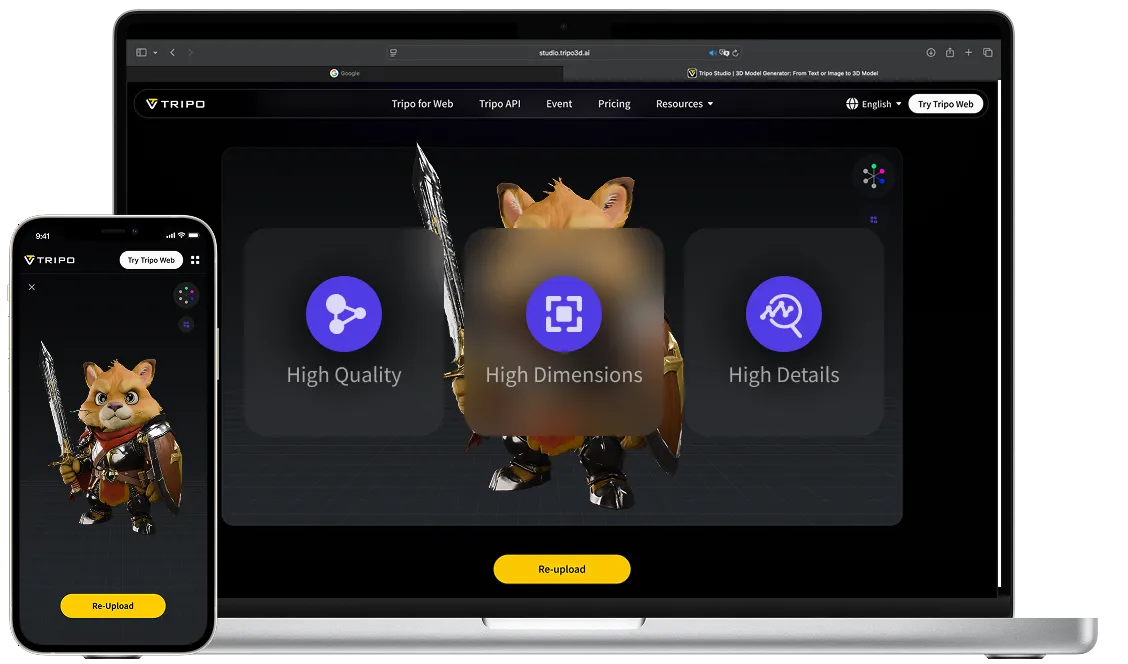
Tripo 3D Viewer exemplifies how online 3D viewers are evolving beyond simple viewing tools. In addition to supporting multiple 3D formats, it functions as an integrated 3D workspace, enabling users to view, manage, and share models within a single environment.
Key characteristics of this online approach include fast and accurate rendering through optimized web technologies, intuitive navigation controls, and secure access that allows models to be viewed privately. By enabling easy sharing and collaborative review, Tripo 3D Viewer supports smoother project workflows, particularly for teams working remotely or across disciplines.
Collaboration and Accessibility Compared
One of the most significant differences between Microsoft 3D Viewer and online platforms lies in collaboration. Desktop viewers rely on exporting and sending files manually, which can slow down feedback cycles and introduce version control issues.
In contrast, online 3D viewers enable real-time sharing. Multiple stakeholders can access a single model without duplicating files, making it easier to gather feedback, present designs, and align teams. This is particularly valuable in professional environments where speed and clarity are critical.
Accessibility is another defining factor. Microsoft 3D Viewer is limited to Windows devices, while online viewers operate across operating systems and hardware. This cross-platform capability allows teams to remain flexible and inclusive, regardless of device preferences.
Performance, Security, and Trust
Modern online 3D viewers are designed to balance performance with security. Tripo 3D Viewer emphasizes secure viewing environments where models are accessed privately, addressing concerns around intellectual property. At the same time, browser-based rendering technologies have matured, enabling smooth interaction even with complex models.
The growing adoption of online viewers by millions of designers and creators reflects increasing trust in these platforms as professional tools rather than experimental alternatives.
Choosing the Right Tool
The decision between Microsoft 3D Viewer and an online 3D viewer depends on workflow needs. For individual users who require offline access and basic inspection, a desktop viewer may be sufficient. However, for professionals seeking scalability, collaboration, and flexibility, online 3D viewers offer clear advantages.
As 3D workflows continue to integrate with cloud platforms and distributed teams, online solutions are becoming a natural fit for modern production environments.
Looking Ahead
The future of 3D workflows points toward greater connectivity, accessibility, and collaboration. While traditional desktop tools like Microsoft 3D Viewer remain useful in specific contexts, online platforms such as Tripo 3D Viewer demonstrate how 3D visualization is evolving into a shared, cross-platform experience.
For organizations and creators navigating increasingly complex 3D projects, choosing the right viewer is not just about how a model looks—but how efficiently teams can work together to bring ideas to life.