PDF Document Management: How CRM Makes It Easier
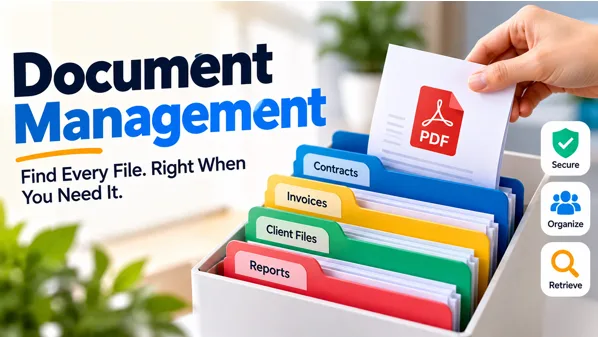
Every business ends up drowning in paperwork eventually, contracts, invoices, proposals, reports, all piling up faster than anyone can keep organized. That’s exactly the problem good document management is supposed to solve, turning scattered files into something searchable, secure, and actually usable when you need it.
For most teams, PDFs sit at the center of this. They’re the format everyone defaults to for anything official, but without a real system behind them, PDFs pile up in random folders, inboxes, and desktops just as easily as paper ever did. The format changed; the chaos didn’t.
In this blog, we’ll get into what document management actually means, why PDFs remain the standard despite their quirks, and how CRM platforms are increasingly stepping in to make the whole process far less painful.
What Is Document Management?
At its core, document management is the practice of capturing, storing, organizing, and tracking documents throughout their entire lifecycle, from creation to eventual archiving or deletion. It is more about ensuring that you can access the correct document that is current and safe than about saving files somewhere.
The proper document management system involves much more than just file saving. The system allows for version control so that nobody is working on the wrong copy of the document, setting appropriate permissions for sensitive files so that only the right people can see and modify them, and logging every action in the audit trail.
The importance of document management systems cannot be overstated for businesses managing such documents as contracts, invoices, or client records. Without them, businesses will have to face such problems as duplicated work, lost approvals, or even working with incorrect versions of the documents.
Why PDFs Are Still the Standard for Document Management
Even with new document formats and technologies continuously being developed, PDFs are still the preferred choice for one reason only; PDFs are consistent. Whatever device you use to open your document, whether it is a PC, mobile phone, or paper, it will always be identical without any formatting issues.
It is because of this consistency that PDFs are widely used for business-related documents, invoices, agreements, and proposals. The fact is that most of these documents require permanence rather than editability.
That said, PDFs aren’t without their own risks once people start sourcing them from the wrong places. Not every PDF download is safe or legitimate, and it’s worth understanding those risks generally. This Ocean of PDF review breaks down what can go wrong when files come from unverified sources, a good reminder that where a PDF comes from matters just as much as the format itself.
For businesses specifically, the real challenge isn’t the format; it’s what happens once PDFs start piling up without any real system behind them.
Challenges of manual PDF Handling
Without the use of a system, PDFs cause more complications than they are worth. A few of the most frequent ones are:
- Version confusion: Different versions scattered in email inboxes and folders, without any way to know which is the most up-to-date.
- Manual searching: Digging through folder after folder just to find one contract or invoice wastes time that adds up fast across a team.
- No access control: Sensitive documents sitting in shared drives with no real restriction on who can open, edit, or forward them.
- Lost approval trails: When sign-offs happen over email, it’s easy to lose track of who approved what, and when.
- Duplicate work: Teams recreating documents that already exist somewhere, simply because nobody could find the original.
None of these problems are really about PDFs themselves; they’re about the lack of structure around how those PDFs get stored, tracked, and shared.
How CRM Simplifies Document Management
Here is how a CRM can make document management easier. Instead of documents scattered across inboxes and desktops, a CRM gives every file a home tied directly to the customer, deal, or record it belongs to.
- Centralized storage: Contracts, invoices, or proposals will be stored in the same place where the customer record exists.
- Automatic version tracking: The changes made will be updated automatically, thus eliminating the risk of using outdated versions.
- Role-based access: The documents will only be accessible to those who really need them, as opposed to being left unprotected in the common folder.
- Faster retrieval: Just by searching for the customer, deal, or particular date, one can instantly find the right document.
- Built-in audit trails: Every access, edit, and approval gets recorded, which matters far more than people realize until they actually need that history.
For businesses generating a high volume of documents, contracts, invoices, and client reports, this kind of structure isn’t optional for long. And once a team outgrows generic storage, that’s usually where dedicated CRM development comes in, building document workflows around how the business actually operates instead of forcing it into a one-size-fits-all system.
Choosing the Right CRM Expertise for Document-Heavy Businesses
Building the right document workflow inside a CRM isn’t always plug-and-play, and that’s where experience matters. OutRight Store, backed by OutRight Systems with 12+ years in the industry, specializes in SuitesCRM and SugarCRM customization, offering ready-to-use extensions like its PDF template plugin for generating and managing documents directly within the CRM. Beyond off-the-shelf tools, the team also builds custom workflows, integrations, and automation tailored to how a business actually handles contracts, invoices, and client records. For companies outgrowing generic storage, that kind of specialized CRM expertise turns document management from a workaround into a system genuinely built around the business.
Key Features of a Good Document Repository
Not every storage system qualifies as a real document repository. A few features separate a genuinely useful one from just a glorified folder:
- Searchability: Being able to locate a document through searching for keywords, names of customers, or dates, instead of having to remember which folder it is located within.
- Version history: Having a full account of all changes made, to ensure that you always know what changes have been made to a particular document.
- Access permissions: Being able to manage permissions to allow people to view, edit, or share individual documents.
- Integration with existing workflows: A document repository that integrates with your existing CRM accounts, emails, or deals, rather than being a separate system.
- Secure storage: Making sure your confidential business documents are safe through encryption and backups.
A strong document repository doesn’t just store files; it makes them genuinely usable, which is really the whole point of document management in the first place.
Conclusion
Ultimately, the issue is not in getting rid of PDFs; rather, it’s about making sure that they have structure, version control, permission levels, and a process that turns their retrieval into a breeze instead of an obstacle course.
In a way, CRM solutions have become one of the best ways to address this problem, because they allow documents to be directly linked to the actual customer record, deal, or whatever it relates to, instead of being scattered across various inboxes and folders. This single change eliminates the vast majority of issues that result from the need to manage them manually.
Whatever kind of documents your business uses – contracts, invoices, client reports; the companies that excel at managing them do so without using any fancy technology; instead, they use systems that organize them automatically.
Frequently Asked Questions
Q.What is document management?
Document management is the practice of capturing, storing, organizing, and tracking documents throughout their lifecycle. It ensures the right file is findable, secure, and current, covering everything from creation and version control to eventual archiving or deletion.
Q.Why do businesses still rely on PDFs for official documents?
The fact is that PDFs appear the same on any device. The uniformity of appearance makes them perfect for use as contracts, invoices, and reports, documents that should look the same regardless of where you open them.
Q.How does a CRM help with document management?
A CRM provides an integration of all documents into customer or deal profiles, avoiding multiple folders for storing documents. The tool maintains version control, grants access based on roles, and monitors all edits, thus offering better management of documents than any manual method.
Q.What makes a good document repository?
A good document repository should have searching capabilities, versioning, and access permissions. It should be integrated into current systems instead of being a standalone system and should have secure storage features such as encryption and backup services.
Q.Can small businesses benefit from CRM- based document management too?
Yes, disorganization is a problem for small groups of people as much as it is for big groups of people. Just a few contracts and invoices could make things confusing for a small business, so having an organized system saves them time and money right away.