PhotoGov Review 2026: Is This the Most Compliant Passport Photo App?
Passport photo rejections are more common than ever — and since October 2025, the U.S. State Department enforces a zero-tolerance policy against photos that have been digitally altered in any way. We tested PhotoGov across a U.S. passport renewal and a UK passport application to see whether it holds up under those stricter rules, how it compares to PhotoAiD, and whether the free tier is actually worth using.
What Is PhotoGov?
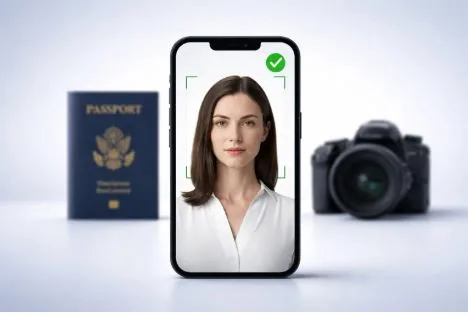
PhotoGov is an online and mobile passport photo tool that formats your uploaded photo to meet the official biometric and sizing requirements of government document authorities — including the U.S. State Department, the UK’s HM Passport Office, and ICAO standards used across 200+ countries. It handles cropping, head-size ratio, background correction, and resolution validation, then delivers a compliant JPEG you can download directly or send to a drugstore kiosk for printing. Unlike services that retouch or enhance your image, PhotoGov performs sizing and formatting only — a meaningful distinction under the government’s current rules on digitally altered photos.
How PhotoGov Works
Getting a finished photo takes about 30 seconds once you have a decent selfie ready.
You open the app or visit photogov.net — no account creation required. Select your country and document type, and the tool automatically loads the correct size, background, and biometric specifications. For a U.S. passport, that means a 2×2 inch format with a plain white background and a head height ratio of 50–69% of the frame.
Upload an existing photo or take a new selfie directly in the app. PhotoGov provides guidelines for lighting and positioning, and does not require a white background in your source photo — it corrects that automatically.
The automated compliance check then verifies your head height ratio, eye position, background color uniformity, lighting consistency, and image resolution. If something is out of spec, you get a clear notification before you proceed. You review a preview before downloading — output is a properly formatted JPEG ready for the State Department’s online portal, or formatted as a 4×6 inch print sheet for use at a Walgreens, CVS, or FedEx kiosk. On the free tier, there is a short processing queue; paying $4.90 skips that wait.
Optionally, you can add a human expert review at checkout. For most straightforward adult photos with good lighting, the automated check is sufficient. For infant photos or uncertain source quality, the add-on is worth considering.
Pros and Cons
Pros: On-device processing — your photo and facial data never leave your device. Fully compliant with the 2026 no-edit rule — PhotoGov formats and crops only, with no facial retouching. Free tier available with full compliance check and preview. Supports 900+ document types across 200+ countries. 200% money-back guarantee if the photo is rejected. Print-ready 4×6 sheet output compatible with major drugstore kiosks for under $0.40 per sheet.
Cons: Free tier includes a processing queue; instant download requires the $4.90 payment. No human expert review by default — borderline photos may pass automated checks but still carry rejection risk without the paid add-on. Output quality is only as good as your source photo. No physical print delivery in the base price.
Pricing
| Option | Price |
| Free tier (with queue) | $0 |
| Skip the line | $4.90 |
| Full digital photo | $9.90 |
| Additional photos | From $5.90 each |
For context: Walgreens and CVS both charge $16.99 for an in-store passport photo. If you use PhotoGov and print the 4×6 sheet at a kiosk yourself, the total cost runs under $5.30 even with the paid tier. For online passport renewals requiring only a digital upload, the free tier covers the full workflow at no cost.
Ratings
| Criterion | Score |
| Ease of Use | 4.5 / 5 |
| Compliance Accuracy | 4.8 / 5 |
| Speed | 4.2 / 5 |
| Price / Value | 4.7 / 5 |
| Support / Guarantee | 4.5 / 5 |
| Overall | 4.5 / 5 |
Compliance accuracy is the standout — the 2026 no-edit rule compliance and biometric validation are stronger here than most competitors. Speed takes a slight hit due to the free tier queue. The 200% guarantee lifts the support score, though the absence of default human review keeps it just below the top mark.
Who Is PhotoGov Best For?
First-time or renewing U.S. passport applicants filing online. If you’re applying through the State Department’s online portal, you need a compliant digital JPEG. PhotoGov delivers exactly that, and its free tier covers the entire workflow without a pharmacy visit. For anyone wanting to avoid rejection under the 2026 no-edit rules, it’s the lowest-friction option available.
Frequent travelers needing photos for multiple countries. PhotoGov’s document library — covering U.S. passport, UK passport, Schengen visa, Green Card, DV Lottery, and 900+ other types — means you can generate a correctly formatted photo for almost any requirement from a single tool.
Parents applying for a child’s or infant’s passport. Child passport photos are notoriously difficult to get right. PhotoGov’s free retry policy and 200% acceptance guarantee make this significantly less stressful, and the step-by-step guidance for photographing infants is more practical than what you’ll get at a drugstore counter.
PhotoGov vs. PhotoAiD
PhotoAiD is the most direct competitor — founded in 2012, over 18 million photos processed. The differences come down to compliance, privacy, and price.
| Feature | PhotoGov | PhotoAiD |
| Price (basic digital) | Free / $4.90–$9.90 | ~$6.95–$9.95 |
| Genuine free tier | Yes | No |
| Processing time | ~30 seconds | ~3 seconds |
| On-device processing | Yes | No (cloud-based) |
| Human review included | No (add-on) | Yes (paid tier) |
| 2026 U.S. no-edit compliant | Yes | Partial |
| 200% guarantee | Yes | Yes |
The most consequential difference is compliance. PhotoGov performs sizing and cropping only. PhotoAiD’s automated background replacement involves computational image correction, which sits in a grey area under the State Department’s zero-tolerance policy. For U.S. passport applicants, that distinction matters.
Where PhotoAiD wins is speed — three seconds versus roughly thirty — and the inclusion of human expert review in its standard paid tier. If you want a human review by default and aren’t applying under the 2026 rules, PhotoAiD is a strong option.
Final Verdict
PhotoGov does what it promises, and in 2026 that matters more than it used to. On-device processing, genuine compliance with the no-edit rule, a free tier covering the full workflow, and a 200% acceptance guarantee make it the most defensible choice for U.S. passport applicants right now. We didn’t encounter a single compliance flag during testing on either the U.S. or UK passport formats.
The honest caveats: the free tier has a queue, there’s no default human review, and the tool cannot rescue a poorly lit source photo. If you’re working with a difficult shot, budget for the human verification add-on or retake in better conditions.
For most applicants, though, none of those caveats will apply. A well-lit selfie near a window, uploaded to PhotoGov, produces a government-ready photo in under a minute at no cost.