Safe FRP Unlock for Samsung: How to Avoid Malware, Scams, and Fake Tools
Introduction
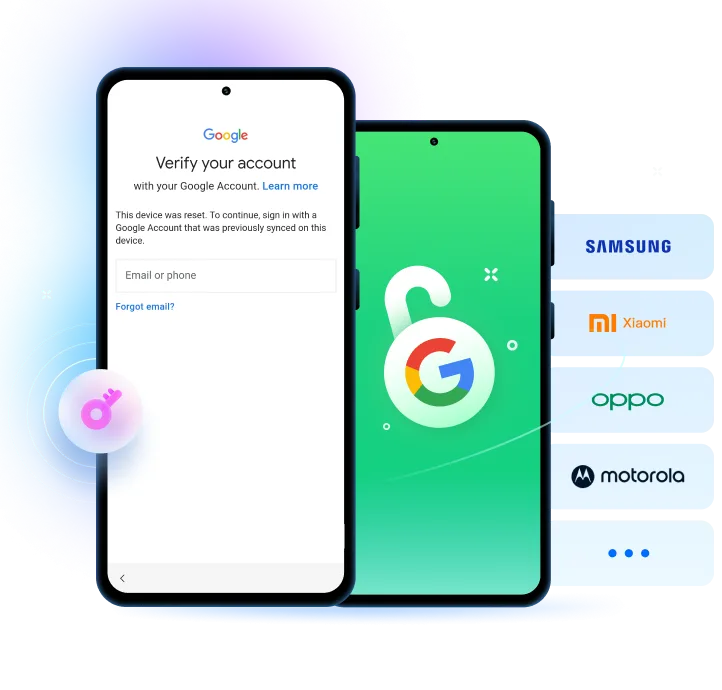
Factory Reset Protection (FRP) is a security feature developed to safeguard Samsung devices. However, at times, FRP ends up locking out legitimate users as well. Most users, in their desperate attempt to get back into their devices, end up getting scammed by fake FRP tools, malware, and online frauds. The article below explains how to unlock Samsung FRP without compromising your security, steer clear of risky shortcuts, and pick reliable methods for Samsung FRP unlock that will not only keep your device safe but also your data.
What Is FRP and Why Samsung Devices Get Locked
Factory Reset Protection (FRP) is an Android security feature that is activated automatically on Samsung devices when a Google account is set up on the device.
Why Google and Samsung implemented FRP:
Google and Samsung brought in FRP to make it difficult for thieves to steal phones and to keep user data safe. To prevent a thief from getting access to personal data or selling a stolen phone without going through verification, FRP will lock down the device even if it is wiped.
Common situations that trigger FRP lock:
- Purchasing a used Samsung phone that the previous owner did not remove their Google account from.
- Can’t remember the Google account email or password that is linked to the device.
- Performing a factory reset on the phone using recovery mode without first logging out of the Google account.
Why FRP cannot be skipped easily without proper tools:
FRP is a very integral part of Android and Samsung’s security system, including Knox protection. So, when users try to bypass it by themselves, such tries are not only unreliable but also dangerous since they might end up with a locked device, getting security warnings, or even facing permanent restrictions on the device if they use unsafe tools.
The Real Dangers of Unsafe FRP Unlock Tools
Malware and spyware risks
Unsafe FRP unlocking tools are known to hide behind the facade of genuine software while installing malware or spyware on your Samsung device or computer. Such fake tools might steal Google account credentials, infiltrate personal files, and even track banking or payment applications.
Online FRP scams and fake websites
Numerous FRP scam websites entice users with “100% free” unlock offers, but the last step is usually a payment or subscription requirement. Some others demonstrate fake progress, take users through an endless verification loop, or present surveys that never actually result in an unlock.
Device damage and permanent lock risks
Some of the unsafe FRP tools try to bypass the security by making changes to the core Android or Samsung system files, which is a very risky practice. These unauthorized modifications could lead to a bricked device, boot failures, or permanent lock problems that even the official service centers would be powerless to resolve.
Signs to Watch Out for Before Using Samsung FRP Tools
- Requests to turn off core Android security features: Authentic FRP tools will not ask you to turn off key security features. If a tool instructs you to disable device protection, you should consider it a warning.
- Requests for unnecessary permissions: Dangerous FRP tools sometimes try to get permissions to your contacts, messages, or storage without giving a good reason, and therefore they risk exposing your private data.
- Lack of real company name and support information: Counterfeit tools most of the time do not have any kind of company info that can be verified, customer service contact, or professional support channels, and therefore, it is impossible to hold them accountable.
- Does not provide a refund policy or has vague success guarantees: Dishonest tools hardly ever have a refund policy that is clear or realistic success rates for unlocking, and therefore, users are left with almost no chance for a solution in case the unlock fails or the device gets damaged.
How to Choose a Safe FRP Unlock Method for Samsung
Unlock Safety Checklist
It is paramount to ensure a given FRP bypass tool derives from a reputable brand with a neat, official product page before looking for its rundown. Try to find clear information on success rates, refund policies and compatibility with the newest Samsung firmware updates. A safe FRP fix shouldn’t entail risky flashing, system manual edits, or Android security features disabling that might jeopardize your device and data.
Phone-based vs PC-based FRP unlock tools
PC-based FRP tools, particularly cracked or unofficial software, are exposed to risks such as malware infections, driver conflicts, and compatibility issues, which may worsen your device or computer.
On the other hand, phone-based solutions usually keep away from malicious software, do not require complicated driver installation, and provide a safer, more straightforward unlocking method.
Recommended Solution: Dr.Fone Samsung FRP Removal
Why Dr.Fone Is a Trusted Option for Samsung FRP Unlock
Dr.Fone – Screen Unlock (Android) is a thorough and simple-to-use tool that identifies the FRP lock on Samsung with an easy, risk-free way. It is suitable for people who have no previous experience or even non-tech professionals looking for an easy solution. The application reports its steps to the users, does not make risky modifications of the system, and, therefore, supports a wide variety of devices from Samsung, including the newest Galaxy S25 series, thus staying compatible with the latest firmware updates.
Key Features
- Comprehensive FRP bypass: It is not only Samsung that can be unlocked using this application but also Xiaomi, Oppo, Vivo, Realme, Motorola, Lenovo, Huawei, and many more from different brands.
- Safe and secure: The software is designed to eliminate Google FRP lock without running the risk of malware infection or subjecting the device to unnecessary system changes.
- User-friendly interface: The clear guidance with the help of pictures turns the operation into the one that even a total beginner can perform.
- Wide device compatibility: It has been tested and proven to work on more than 2000 Android devices and all Samsung system versions, including Android 16.
- No technical knowledge required: Besides, unlocking the device can be done without any of the usually complicated processes such as flashing, rooting, or PC-based hazards.
- Trusted and recognized: 150 million+ downloads, 148.5M+ happy users, 100% data security guaranteed with 24/7 technical support.
Step-by-Step guide to remove FRP Lock
Step 1: Launch Dr.Fone and open Screen Unlock
Start Wondershare Dr.Fone on your computer and connect your Samsung phone or tablet via USB. From the main interface, go to Toolbox > Screen Unlock to open the unlock module.
Step 2: Select Samsung FRP removal
Choose Android, then click Remove Google FRP Lock. Select Samsung as your device brand and click Start.
Step 3: Choose Android version (one‑click option)
If you’re unsure about your Samsung’s Android version or want the fastest method, select All Android versions (One‑Click Removal) and proceed. This option works across most Samsung models, including newer Android releases.
Step 4: Follow on‑screen instructions to complete unlock
Carefully follow Dr. Fone’s guided steps—open the Emergency Call screen, enter *#0*#, allow USB debugging, and confirm authorization.
Dr.Fone will then remove the FRP lock and notify you once the process is complete.
Conclusion
Factory Reset Protection (FRP) is a very important security measure in Samsung devices. However, it can be a problem for real users who forget their Google account details or get a phone from the second market. Trying to get around FRP with unsafe apps or dubious websites may expose you to malware infections, scams, and the risk of damaging your device and getting it permanently locked. Opting for a professional tool such as Dr.Fone – Screen Unlock (Android) is a great way to have a smooth, safe, and confident FRP removal journey.