Sequel Mobile App Guide: How to Use the iOS and Android Versions
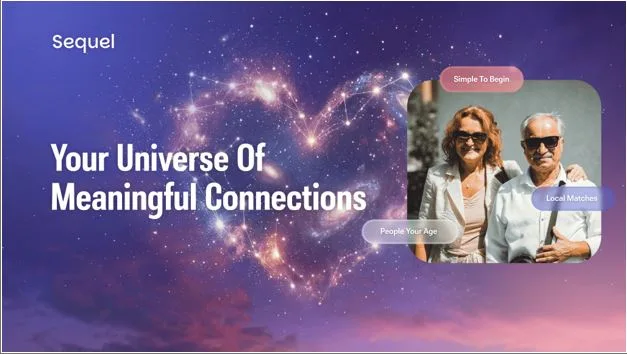
When I decided to try online dating again at 52, I was very nervous. The last time I seriously dated, we were still using flip phones. So, when a friend mentioned Sequel, I was skeptical, but also curious. After spending the last few months using Sequel, I can genuinely say this app surprised me in the best way possible.
I’d like to share what I’ve learned about how to use Sequel dating app, because I think a lot of people over 50 are in the same boat I was. They want to meet someone real, but are unsure if modern dating apps are suitable for us.
Is It Easy to Use Sequel Dating App for Modern Elders?
To my surprise, Sequel appeared to be very straightforward. I’ve used other dating platforms, and they had too many features and constant notifications pushing you to swipe faster. Sequel is created with a different idea in mind.
The app is specifically designed for meaningful connections that are just 1-click away. Everything I needed was right there without digging through multiple menus. The buttons are clear, and the text is easily readable (thank goodness for that). You don’t have to be a tech genius to figure out where things are.
The layout on both iOS and Android is nearly identical, which is a great thing. I switched between my iPad and Android phone without experiencing any problems.
Sequel App Guide: Clean and Intuitive Interface
When you first open Sequel, you’re not bombarded with ads or aggressive upgrade popups. The welcome screen is clean. They explain what Sequel is about in a few sentences, and then you’re either logging in or starting fresh.
The main feed, where you see profile recommendations, is probably what you’ll spend the most time looking at. It’s straightforward. There is a profile photo, a bit of info, and a few action buttons below. You can like someone, send an instant message, send a gift, or skip to the next person.
I was worried the interface may be dated or dumbed-down for our age group, but it’s modern without being trendy for trendy’s sake. The color scheme is calm. The fonts are easy on the eyes. Small details matter when you’re looking at a screen for extended periods, and Sequel got this right.
One thing I love is that the profile is very detailed and focused on things that are really important, like dating goals and favorite pastime activities. This approach seems more respectful, and I believe many mature adults appreciate it.
Setting Up Your Profile
This is where I was most anxious, because of certain points. What if I sound boring? What if my photos aren’t good enough? What if using Sequel dating app is just a waste of time?
In fact, everything was as understandable and safe as it should be.
Starting Your Profile
When you create an account, the first thing they ask is about your Dating Goal. This was brilliant for me, because it immediately forced me to think about what I’m actually looking for. Am I looking for marriage? A serious long-term relationship? Just friendship? Casual dating? Companionship? The app lets you choose, and it helps all other users avoid mismatches from the start.
Then you move into the basics: age, location, height, education, and occupation. It is standard stuff, but Sequel goes a step further. It asks about your values and lifestyle. Do you exercise regularly? What’s your diet like? Do you smoke? These aren’t shallow questions but true compatibility factors.
The Photos and Bio
You’ll upload photos. I was nervous about mine. I’m not Instagram-perfect, and I refused to use heavily filtered or fake pictures anyway. Sequel actually prohibits AI-generated avatars and heavily filtered, deceptive photos, which is so comforting. Everyone on the app is going to be as real and raw as I am. Finally, no Instagram influencers.
While writing a bio, you can be creative. Make a few paragraphs about who you are, what you enjoy, and what you’re looking for. I was surprised to be the “Little Joys” feature. It means you can highlight specific things that bring you happiness, like your favorite vintage film, a travel destination you love, a hobby, a way you like to spend your weekend, etc. These become conversation starters. Instead of generic bios everyone reads the same way, you’re showing genuine glimpses of your personality.
Is the Verification Process Complicated?
When you submit your profile, it goes through a dual-layer verification system. First, AI technology scans your photos and information for anything that looks suspicious, e.g., synthetic images or inconsistencies. If the AI flags something or just wants to be extra sure, a real human moderator takes a look and confirms that yes, you’re a real person with real photos.
If you pass human verification (and I did it pretty quickly by taking a selfie in good light), you get a special badge on your profile. This badge is genuinely useful because it builds trust when someone messages you or you message them. They can see that “This person has been human-verified.”
Was it invasive? Not really. All I had to do was take a quick selfie through the app. The AI reviews your photo instantly, so approval or rejection comes within seconds. If something’s unclear, a human moderator steps in to take a look. It’s a simple process, but it makes sure the people you’re meeting are real.
I wasn’t sure that this would work. But after a few weeks on the app, I can say I never encountered anything that was suspicious. Still, if you come across something strange, you can report it to moderators. They will do their best to check everything and react accordingly within the shortest time possible.
How to Use Sequel Dating App: Discovery Features
Quick Filters are my favorite starting point. You can filter possible matches by several categories: “Nearby”, “Same Goal”, and “Online Now”. I use them all the time because why scroll through dozens of profiles when you can narrow it down immediately?
If you want more control, there’s Advanced Filtering: age range, height, education, values, lifestyle habits, attitude toward family and children. Once you set your filters, they stay saved, and the algorithm learns from them.
There’s also Search by Dating Goal, which automatically separates people into different feeds based on what they’re looking for. I appreciate this feature a lot. You don’t have to waste time messaging someone who wants something completely different from what you want.
Making a Connection
When using the Sequel dating app, you have several options to get in touch with another person:
- Like them. This is a simple signal that shows your interest in an unobtrusive way. I know this feature is popular among Sequel users.
- Like with a Message. This is where it gets better. You send a like, but you also attach a short message that explains why you liked them. The message appears immediately, so instead of them wondering if you’re genuinely interested, they know.
- Instant Chat. You can message anyone directly without waiting for them to like you back first. You’re not dependent on them finding you. You take control. I was worried about coming across as too forward, but everything worked perfectly. People seem to appreciate directness here.
Once someone replies, you’re in a proper conversation. The chat interface is clean and straightforward. Talking in the Sequel app is truly easy and comfortable.
In-App Gifts
There’s also the option to send virtual gifts. At first, I thought it might feel gimmicky. But it’s actually fun. You can send a small gift before a conversation even starts to signal genuine interest, or keep the energy alive in an ongoing chat.
Notifications and Analytics
The app keeps you updated without being annoying. You get notifications when someone likes you, messages you, or views your profile. If you’re on a paid subscription, you can also see analytics, namely, which of your photos gets the most attention, when people viewed your profile, and how many users have looked at you. It’s helpful data. If one photo gets more engagement than another, it tells you something.
Sequel App Guide: Final Thoughts
This app is purpose-made for the 50+ community. Every feature proves it. Instead of swipe culture or endless options, Sequel favors meaningful connections with people who actually exist and want something similar to what you want.
Is it perfect? No. But it’s thoughtful, safe, and user-friendly.
If you’re nervous about online dating at this stage of life, I get it. I was, too. But I’d genuinely recommend giving Sequel a try. Spend time on your profile, use the filtering features, and be intentional about who you reach out to.
You may be surprised. I certainly was.